
10 Top Sites for Free Spring Photos in 2026
Find the best free spring photos for your e-commerce store. Our 2026 guide covers 10 top sites, licensing details, and batch processing tips.
Spring cleaning your store usually starts with banners and home page graphics, then spreads into collection headers, email blocks, social posts, and seasonal listing images. That's where the work balloons. Finding free spring photos isn't the hard part. Finding images you can use across ads, landing pages, Shopify collection pages, and marketplace creatives, without turning licensing checks and one-off edits into a full week, is the key difficulty.
For sellers managing a large catalogue, the bottleneck isn't inspiration. It's consistency. One floral background looks good on one product, then falls apart when you try to apply the same look to fifty SKUs with different shapes, colours, and aspect ratios. If you also sell on Amazon, Shopify, and Etsy, you're already juggling white-background requirements, square crops, and larger lifestyle formats. Good seasonal imagery only helps if it fits the production workflow.
California makes this even more relevant. Spring is one of the state's key photo seasons because wildflower displays can begin as early as February in the south and often peak from March through May in many areas, with the Antelope Valley California Poppy Reserve typically blooming from February through May depending on rainfall and temperature, according to California spring photo timing notes via StockSnap's spring search reference. For visual merchandising teams, that seasonal predictability matters.
If you need a grounding in product image quality before you start swapping in seasonal visuals, Wand Websites' expert photography advice is a useful refresher.
1. Unsplash
Unsplash is still the first tab I open when I need free spring photos that don't look cheap. It's broad enough to cover flowers, outdoor lifestyle scenes, garden textures, pastel flat lays, and cleaner editorial-style backgrounds that work behind product cutouts. That variety matters when you need one seasonal theme that can stretch across home decor, beauty, apparel, and giftable products.
Unsplash's spring catalogue advertises 100+ free spring images with no attribution required and commercial use permission. For an e-commerce team, that's useful because it reduces approval friction when you're testing multiple visual directions across listings, ads, and social.
Where Unsplash works best
The strongest use case is top-of-funnel creative. Home page hero banners, Shopify collection headers, category promos, email headers, and social posts all benefit from Unsplash's polished look. It's less useful if you need tightly matched image sets shot from identical angles, because the library is large but not systemized like a controlled catalogue shoot.
A few practical trade-offs:
- Best for brand feel: You can usually find seasonal imagery that feels modern instead of dated.
- Best for broad themes: “Spring” can mean blossom close-ups, picnic scenes, greenhouse imagery, rainfall, or soft interior light.
- Less ideal for exact matching: If you need twelve images with the same lighting and composition style, you may need to pull from one photographer or one collection.
Practical rule: On Unsplash, save by photographer or collection first. Don't download randomly from search results if you need a catalogue-wide consistent look.
Licensing and workflow notes
Unsplash is easy to use, but easy doesn't mean license-free in every practical sense. Recognizable people, branded objects, and private property can still create usage questions in ad contexts. If you're placing products into lifestyle scenes, review the image with the same caution you'd use for any promotional asset, especially if the photo feels editorial. This guide on using editorial images on social media is worth reading before you turn a nice spring scene into paid creative.
For batch work, I'd use Unsplash as the scene source, then move the actual production into a pipeline. Download a short approved set, standardize colour treatment, then place products into those approved backgrounds at scale instead of hunting a new spring image for every SKU.
2. Pexels
Pexels is the most practical generalist on this list. If Unsplash is where you go for a polished hero image, Pexels is where you go when you need volume, speed, and useful variety. Its spring search usually gives you a mix of florals, outdoor scenes, pastel desktops, lifestyle shots, and short video clips that can support the same campaign across product pages and social.
For stores that publish often, that photo-plus-video mix is the main advantage. You can build a spring promotion with matching stills for listings and a quick vertical cut for reels or ads without changing source libraries.
Here's what the gallery looks like in practice:
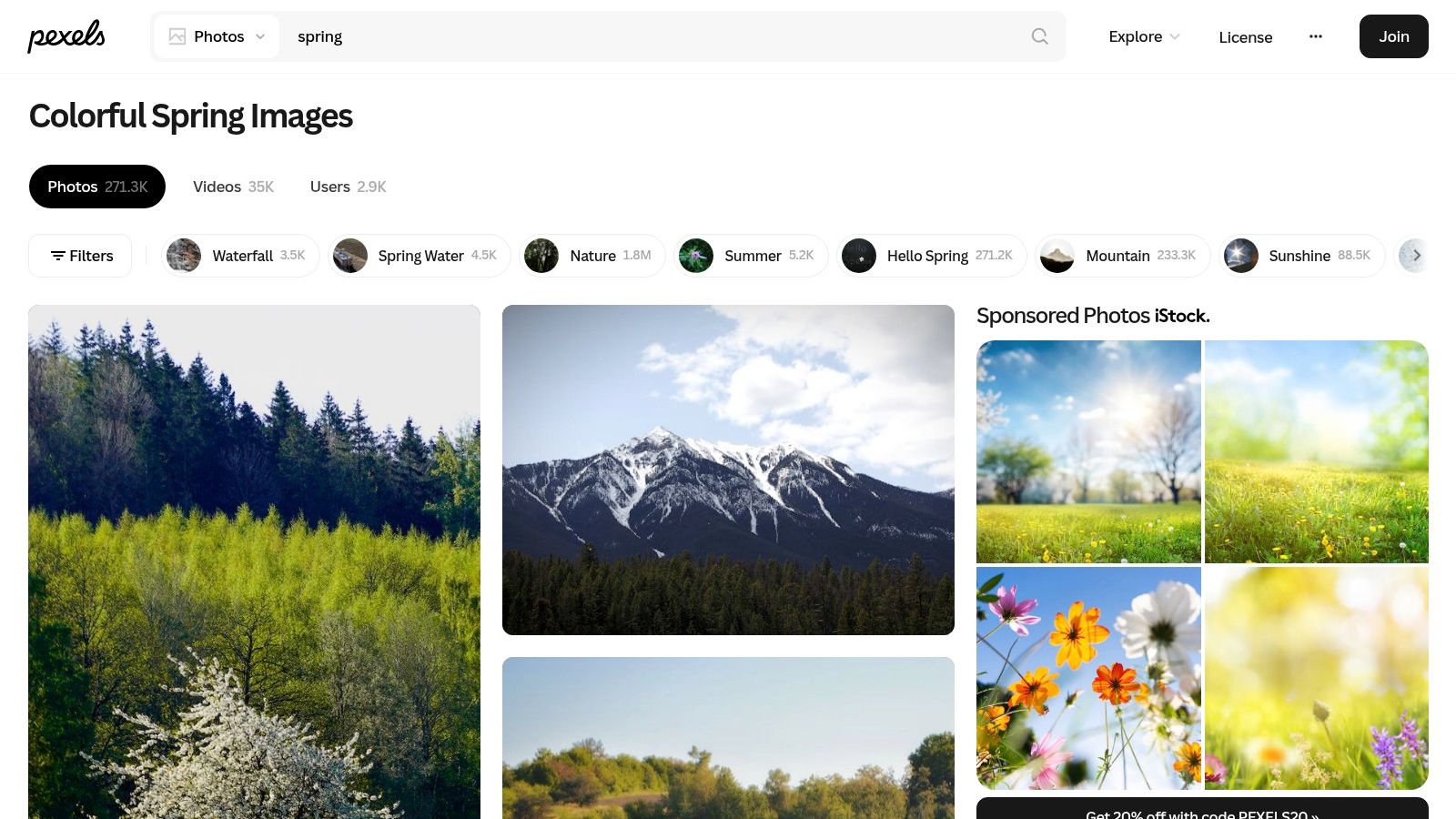
Why sellers keep coming back to Pexels
Pexels tends to be easier when you're building out a mood board fast. Search filters help when you already know the output requirement. Portrait for stories, wider images for banners, lighter colour ranges for beauty, warmer scenes for home goods. It's not fancy workflow advice, but filtering before download saves a lot of cleanup later.
I also like Pexels when a campaign needs supporting assets instead of one perfect hero. Think blog thumbnails, promo blocks, announcement bars, seasonal social graphics, and secondary images in a listing gallery.
- Useful for breadth: Good if your product range is mixed and one photo style won't cover everything.
- Useful for content teams: Photos and clips can support the same campaign concept.
- Watch the details: Logos, packaging, and recognizable people still need review before ad use.
Best way to use it in production
Pexels works well as a source layer, not the finishing layer. Pull approved seasonal assets, then run your product images through a structured pipeline so they match each other. If your team is generating product-in-scene imagery rather than relying entirely on stock, this guide to an AI product lifestyle image generator is a practical next step.
What doesn't work is mixing ten unrelated Pexels backgrounds with ten unrelated product crops and hoping they'll feel like a single spring collection. They won't. Choose a narrow palette, a narrow lighting style, and a narrow scene type.
3. Pixabay
Pixabay is the best option when your spring campaign needs more than photos. It gives you illustrations, vectors, and videos alongside standard image assets, which is useful when a promotion has to cover banners, PDP graphics, email modules, and marketplace content that all need the same seasonal visual language.
That mixed media library is the reason I'd choose Pixabay over a more photographic site for some stores. If you need blossom textures for a header, a clean vector floral accent for a promo card, and a background image for a hero section, you can often keep the sourcing in one place.
Here's a typical result page:
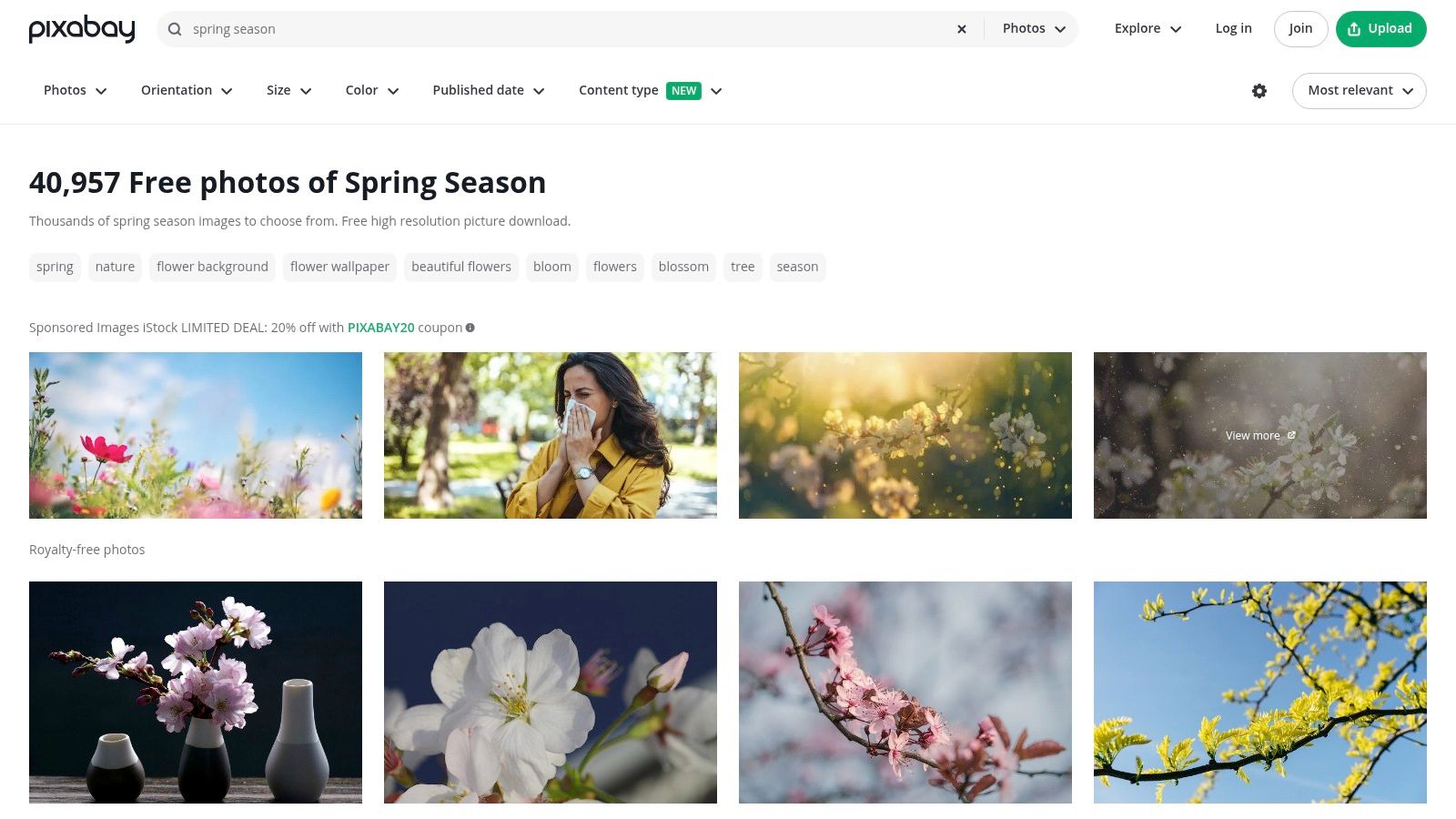
Where Pixabay saves time
Its strength is campaign assembly. If you're a solo operator, you don't want one site for photos, another for decorative graphics, and another for motion snippets. Pixabay can reduce tool switching, which matters when you're trying to launch a seasonal collection quickly.
It's also strong for spring themes that lean decorative rather than documentary. Florals, leaves, bright textures, pastel design elements, and simple seasonal motifs are easy to find.
Use Pixabay when the job is “build a spring promotion package,” not just “find one nice spring photo.”
The trade-off for catalogue sellers
The downside is consistency of quality. Pixabay has a lot of assets, and that's both the value and the problem. Some images feel polished and campaign-ready. Others look generic. A fast scan can trick you into downloading assets that don't hold up once they sit next to your branded product photography.
A simple fix is to use Pixabay for supporting visual elements and keep your core product presentation controlled. If you're preparing marketplace-ready outputs, your product still needs clean extraction and standard formatting. This walkthrough on images with white background is especially relevant if you're balancing seasonal marketing visuals with Amazon-style listing requirements.
For seller workflows, I'd treat Pixabay as a design support library. It's less reliable as the only visual source for a large, polished catalogue refresh.
4. Burst by Shopify
Burst is smaller than the major free libraries, but it's more aligned with how merchants work. That's its value. The images generally feel chosen for stores, promotions, product-adjacent use, and practical retail layouts rather than for photographers building portfolios.
If your shop runs on Shopify, Burst also has a psychological advantage. The imagery often fits store design patterns out of the box. That means fewer awkward crops in theme sections, fewer visuals that overpower the product grid, and fewer scenes that feel disconnected from commerce.
Here's the platform at a glance:
Best use cases for Burst
Burst is a smart choice for:
- Homepage seasonal refreshes: Collection banners, sale graphics, and category entry points.
- Storefront-first campaigns: Images feel more commercial and less purely editorial.
- Quick deployment: You can often move from sourcing to publishing faster than with broader libraries.
The weakness is depth. If you need unusual spring themes, highly specific colour matching, or a large set of tightly related visuals, Burst can run out of road quickly. It's a good first-pass library, not always a full campaign source.
How I'd use it with a large product catalogue
Use Burst to set the campaign direction, then push the execution into batch processing. Pick a small approved set of spring scenes or backgrounds, map them to product families, and automate the repetitive steps. That's where a bulk product photo editor becomes more useful than another stock site.
Store owners often waste time hand-editing every listing image after finding the right seasonal look. That's backwards. Once the look is approved, the work should become mechanical. Burst helps with the first part. Your workflow tool should handle the second.
5. StockSnap.io
StockSnap.io is the low-friction option. If I need free spring photos for backgrounds, textures, airy nature scenes, or quick campaign fills without a lot of license anxiety, it's a solid stop. The library isn't as deep as Unsplash or Pexels, but the simplicity is the appeal.
California-focused spring merchandising is one place where this seasonal search has practical context. Spring is a major visual window in the state because blooms arrive on a predictable schedule in many regions, which makes spring imagery especially useful for travel, regional retail, and seasonal promotions, as noted in StockSnap's spring search reference.
Where StockSnap fits in a workflow
StockSnap is strongest for supporting assets:
- Background textures: Blossoms, sky, grass, soft-focus nature.
- Promo creatives: Sale banners and campaign graphics.
- Fast seasonal swaps: Replacing winter visuals with something lighter and brighter.
It's weaker for highly styled lifestyle photography. If you sell fashion, skincare, or premium home goods and need aspirational scenes, you'll likely need to supplement with another library.
Practical trade-off
Because the site is smaller, you shouldn't expect it to carry a whole seasonal rebrand. But that limitation can help. Smaller libraries sometimes make teams choose faster instead of over-browsing. Once you've picked a seasonal direction, the main work is applying it cleanly to product photography. This guide on how to make product photos look professional is a good companion if your stock backgrounds are fine but your actual listings still feel inconsistent.
StockSnap is one of those tools that works best when you know exactly what you need. Go in looking for a background family, not a perfect campaign ecosystem.
6. Kaboompics
Kaboompics is the design-conscious pick. If your store cares about palette control, styled surfaces, modern interiors, and flat lays that already look like an email campaign, Kaboompics is often better than the larger free libraries. It feels curated by someone who understands branded visual systems.
The colour palette feature is what makes it useful for catalogue work. Spring campaigns often fall apart because the source images don't agree on tone. One background leans peach, another leans lilac, another goes bright green, and suddenly the collection page feels random. Kaboompics helps tighten that.
Here's the style of library you're working with:
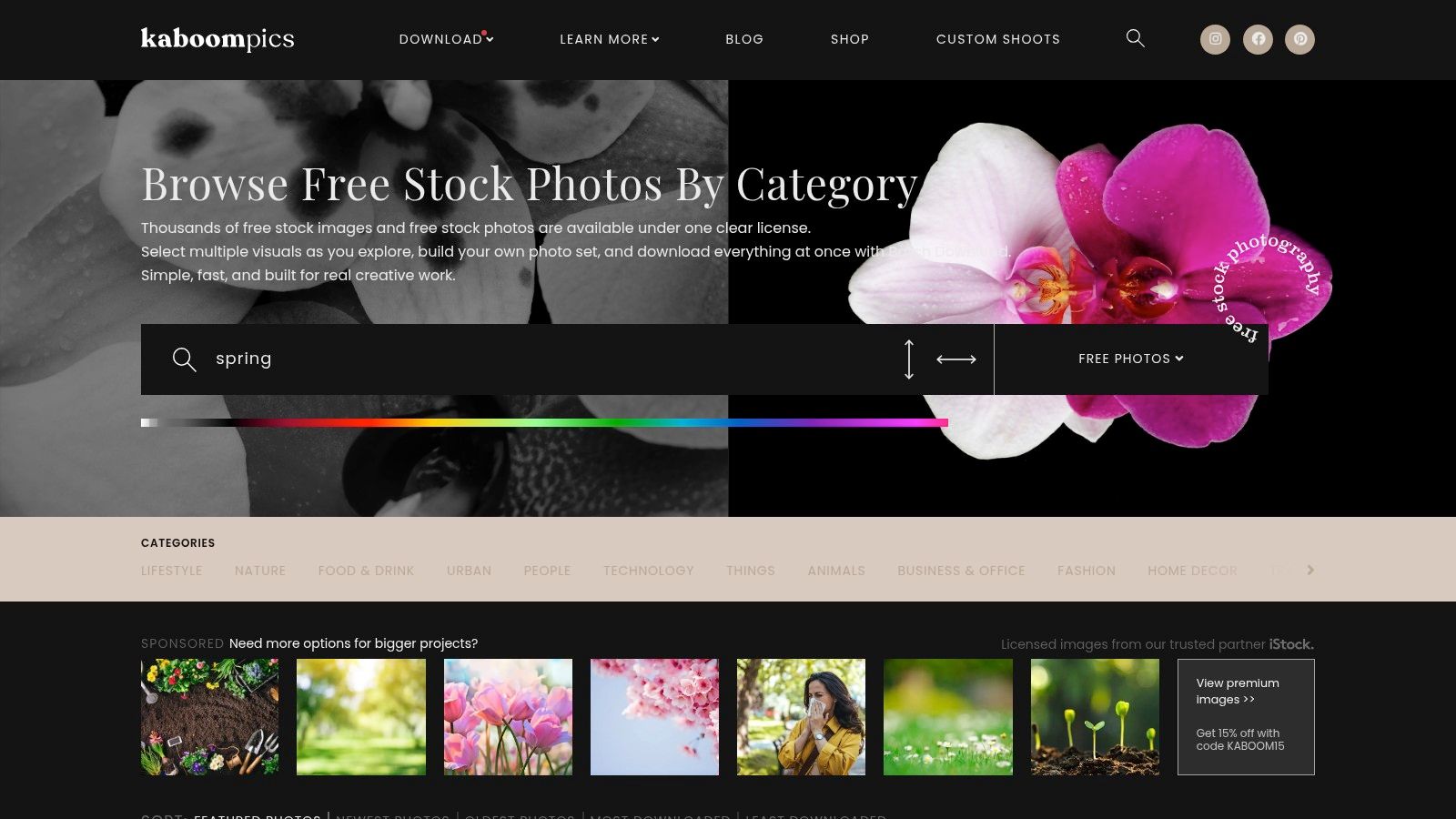
Why Kaboompics is good for spring campaigns
Doing this for a whole catalog?
MerchLoom runs background removal, upscaling and AI editing across every product photo you have — one prompt, whole batch.
Try MerchLoomThis is where I'd look for:
- Flat lays for beauty, stationery, gifts, and home decor
- Lifestyle backgrounds that support product cutouts without visual clutter
- Cohesive campaign colour matching
If your brand already uses dusty pinks, soft neutrals, sage, or muted yellows in spring, Kaboompics can save real time because you're not eyeballing compatibility from scratch.
Workflow note: Choose your palette first, then source scenes. Sellers often do this in reverse and end up with a “spring” campaign that doesn't match the store.
What to watch
Kaboompics isn't the place for unlimited variety. It's curated, and that's both the strength and the limit. If you need ten highly different sub-themes for a broad catalogue, you may outgrow it fast.
It also needs a careful eye on image notes and usage context, especially if you're using assets in paid campaigns. Still, for polished seasonal branding, Kaboompics punches above its size. I'd rather have a smaller set of visually coherent spring scenes than a huge pile of mismatched downloads.
7. Life of Pix
Life of Pix is worth checking when your store's visual identity feels too generic with mainstream stock. The library has a more artistic, less mass-market feel, and that can help if your spring campaign needs texture, atmosphere, or a softer editorial look instead of obvious commercial stock cues.
Because it comes out of a Montreal creative context, it can also feel more regionally familiar for Canadian-facing brands. That won't matter to every seller, but aesthetic fit matters more than people admit. If your audience is sensitive to overly glossy stock visuals, Life of Pix can give you a cleaner break.
Here's the site style:
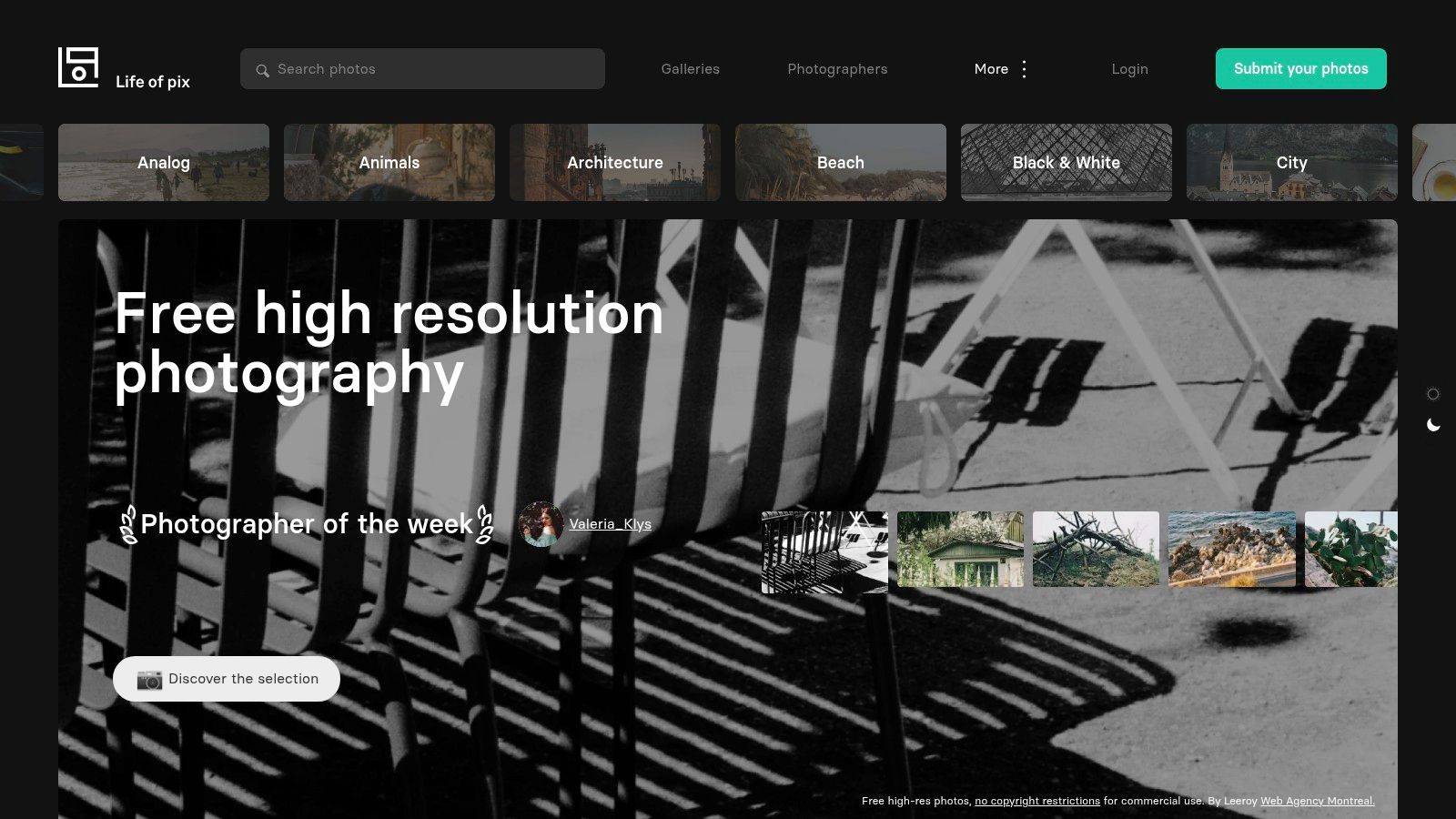
Where it works best
Life of Pix is a good choice for hero images, blog banners, editorial support, and branded content where mood matters more than strict retail utility. I wouldn't rely on it alone for a large marketplace catalogue refresh, but I would use it to upgrade the top layer of a spring campaign.
That distinction matters. Some images are there to sell the feeling of the season. Others are there to meet listing requirements. Life of Pix is better at the first job.
Practical advice for sellers
Use it selectively. Pull a small number of standout spring images for your home page, collection launch emails, or social cover graphics, then keep your product pages operationally clean. A great atmospheric photo won't fix inconsistent crops, mismatched shadows, or product colours that drift from listing to listing.
If your workflow already includes batch background removal, reframing, and marketplace exports, Life of Pix can add character at the campaign layer without disrupting the production layer.
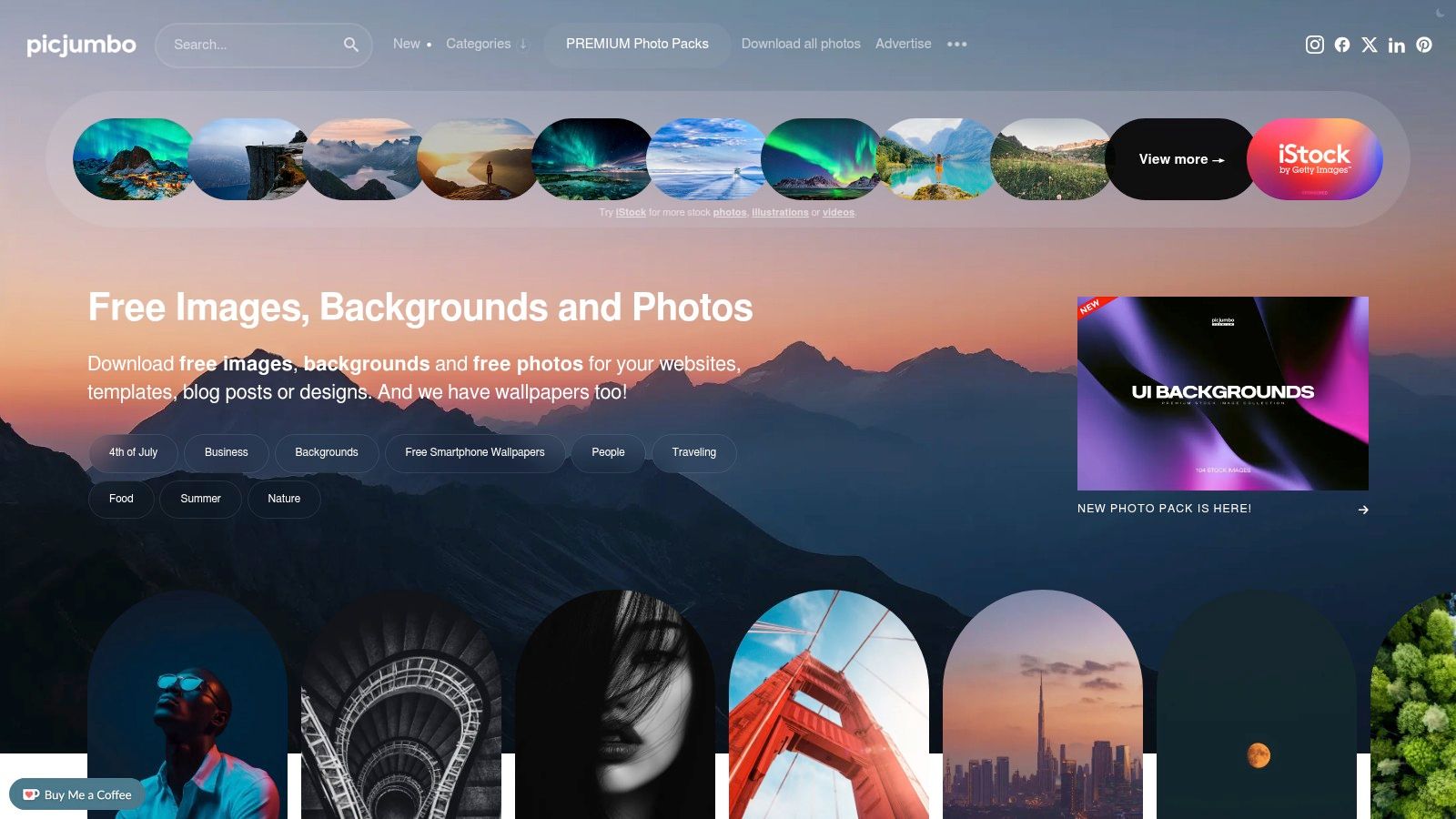
8. picjumbo
Picjumbo sits in a useful middle ground. It's more curated than a giant library, but still broad enough to give you practical seasonal options. The images often feel brand-friendly right away, especially for lifestyle-led categories like kitchenware, decor, beauty, desktop accessories, and gift products.
I like picjumbo when I need spring images that are clean and commercially usable without spending forever sorting through weaker results. It's a strong option for merchants who want hero-worthy visuals but don't need the endless volume of a bigger platform.
Here's the look and feel:
What picjumbo does well
The biggest advantage is cohesion. Many images feel like they belong in the same visual universe, which makes them easier to deploy across a store without each page looking sourced from a different internet decade.
That's useful for:
- Shopify banners and seasonal landing pages
- PDP secondary images and context shots
- Email creatives that need a tidy, upbeat spring look
What it doesn't solve
It won't replace a controlled production workflow. If you sell hundreds of SKUs, a few strong spring backgrounds still need to be adapted across categories, aspect ratios, and platform specs. Picjumbo gives you clean ingredients. It doesn't do the assembly.
Also check for any obvious release or branding issues before using an image in ads. That applies across every stock site, but it's especially important when a lifestyle photo includes identifiable surroundings or people. My recommendation is to use picjumbo for polished campaign surfaces, then keep catalogue execution standardized with your editing pipeline.
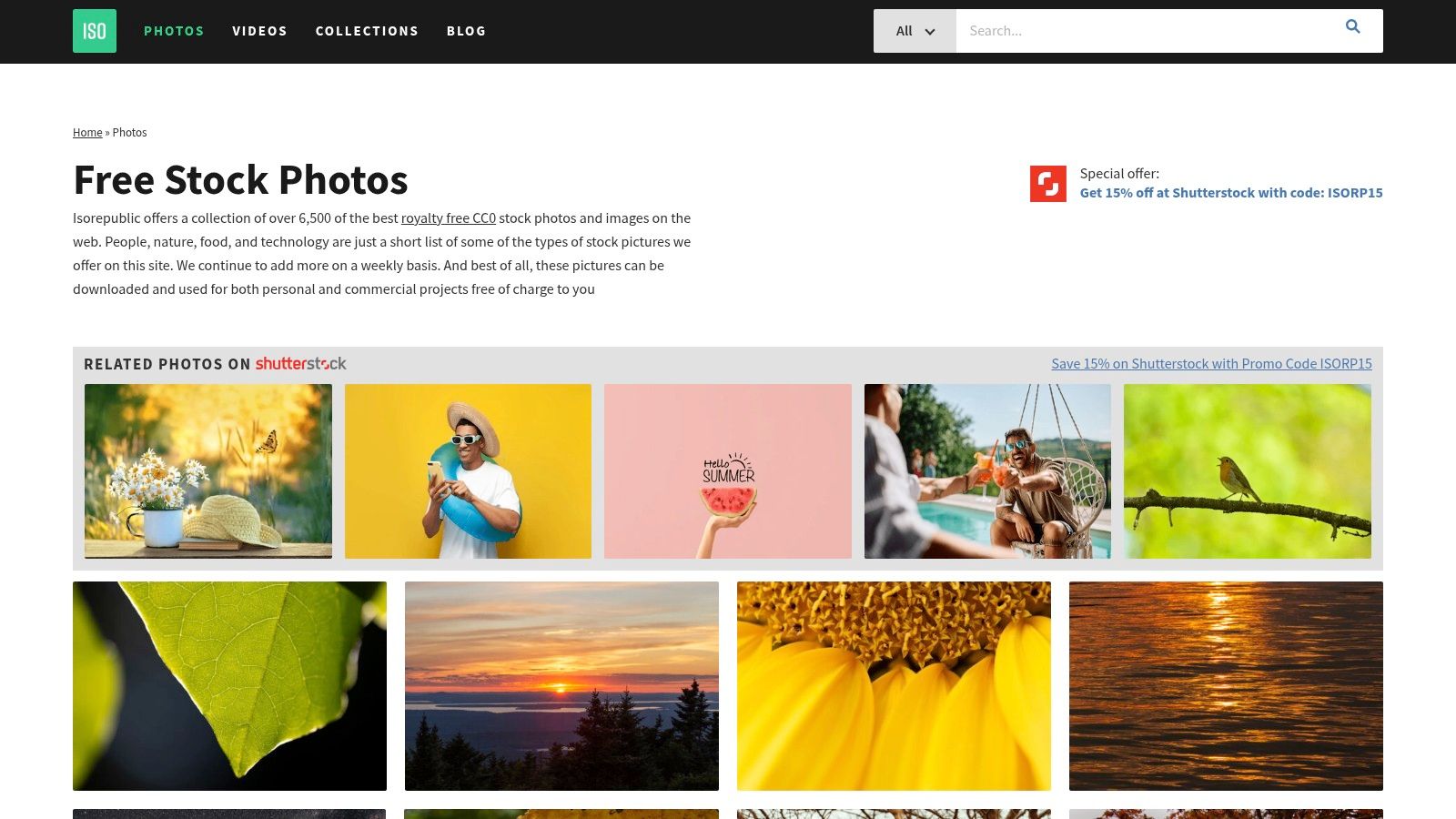
9. ISO Republic
ISO Republic is good at the practical middle layer of a spring campaign. Not the loud hero image. Not the decorative vector pack. The useful in-between assets. Think floral close-ups, outdoor textures, natural detail shots, soft outdoor scenes, and seasonal backgrounds that can support product presentation without taking over.
For catalogue managers, those supporting assets matter more than one spectacular banner. You need repeatable visual material that can sit behind products, inside ad layouts, and across collection pages without creating chaos.
Here's a sample of the site:
Why ISO Republic is useful in batches
The library tends to include the kinds of assets that scale well:
- Textures and details that can be reused across many SKUs
- Simple hero backgrounds that don't compete with the product
- Nature-driven seasonal imagery that works across multiple categories
That reusability is important. A dramatic lifestyle scene might work for one candle or one tote bag. A cleaner spring texture can support an entire category page.
The best free spring photos for e-commerce are often the least flashy ones. They leave room for the product.
The trade-off
The library is smaller, so specific searches can come up short. If you need a very particular aesthetic, ISO Republic may be a supplement rather than a primary source. But as part of a larger workflow, it's useful because the assets are often easy to integrate into repeatable templates.
For sellers processing batches, that matters more than novelty. Reliable background options beat endlessly unique images when you're trying to keep a large seasonal rollout consistent.
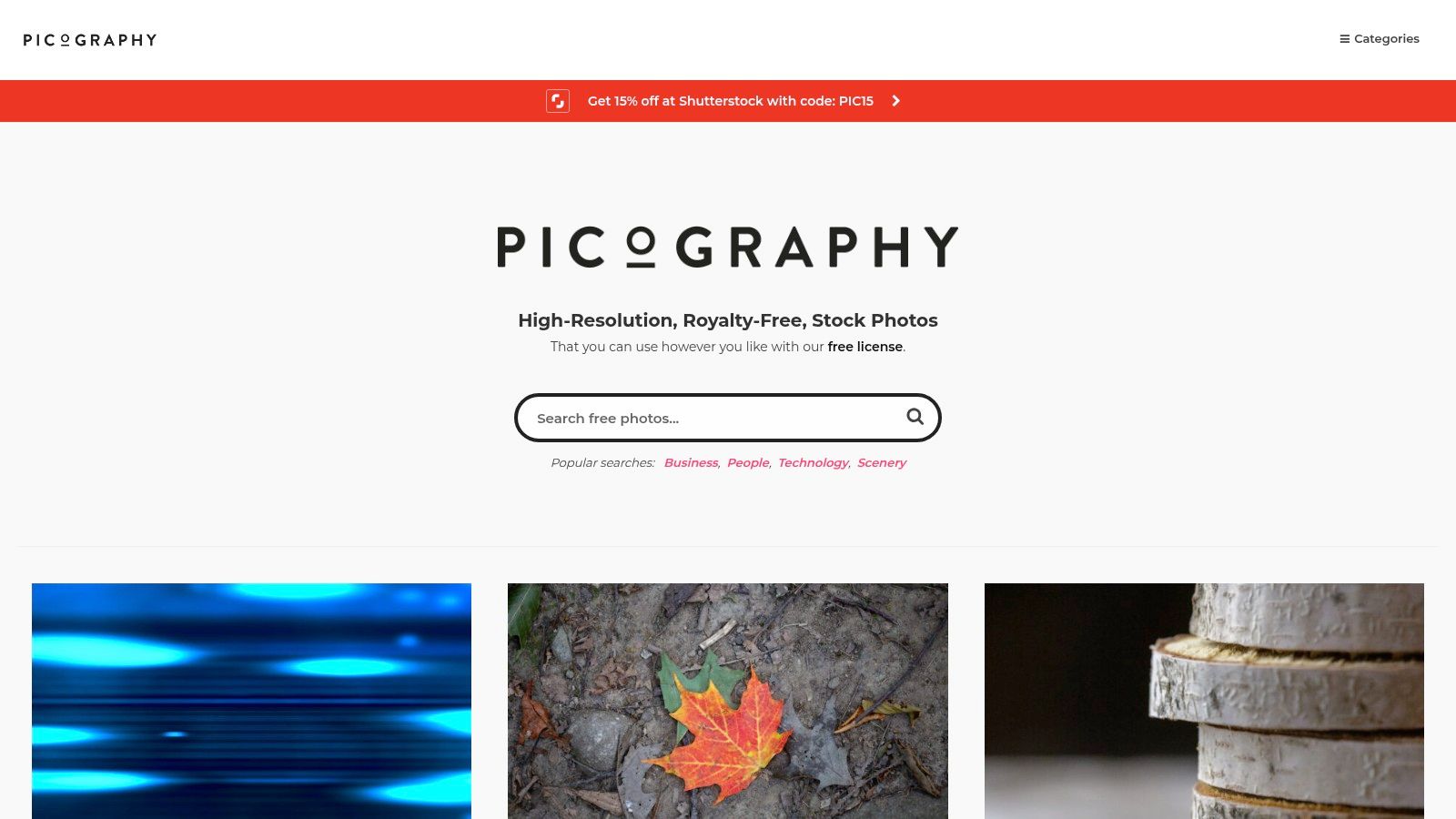
10. Picography
Picography is the quality-over-quantity option. The collection is smaller, but that can be an advantage when you're trying to avoid the overused stock look. If your spring campaign needs one or two standout visuals for a homepage hero, launch email, or top collection banner, Picography is worth a look.
This is not the site I'd use to source an entire season's worth of assets. It is the site I'd check when everything else feels too familiar.
Here's the site:
Best use of Picography
Picography works best when the goal is distinction. You want a spring image that feels clean, understated, and not obviously pulled from the same source as every other sale banner online. For premium brands, that can be enough reason to use it.
It's especially helpful for:
- Hero images
- Editorial-style campaign headers
- Brand refresh moments where fewer images matter more
Limitation for large sellers
The obvious downside is depth. If you need dozens of coordinated assets, Picography won't carry the load. You'll likely use it as a finishing library rather than a base library.
California is a good example of why strong seasonal visuals matter in the first place. The state recorded 268.1 million domestic visitor trips in 2023, according to Visit California as cited in iStock's spring page reference, which makes seasonal visual content valuable for travel, retail, and local promotion. Even if you're not in travel, the broader point holds. Spring imagery has commercial demand. Picography helps when you want that seasonal signal without a generic stock feel.
Top 10 Free Spring Photo Sites Comparison
| Source | Core strength / Use | Quality ★ | License & Price 💰 | Unique / Standout ✨🏆 | Best for 👥 |
|---|---|---|---|---|---|
| Unsplash | Huge spring/lifestyle collections, high‑res downloads | ★★★★☆ | Free 💰 (Unsplash License; no competing‑service/unaltered resale) | Massive variety + powerful search 🏆 | Merch & marketers building seasonal hero imagery 👥 |
| Pexels | Photos + short videos, API & robust filters | ★★★★☆ | Free 💰 (permissive; no attribution; no redistribution as own stock) | Video clips + API for integrations ✨ | Fast mood boards & ad creatives 👥 e‑commerce teams |
| Pixabay | Photos, vectors, illustrations & videos | ★★★☆☆ | Free 💰 (Pixabay License; no unaltered resale) | Mix of vectors + photos for cohesive banners ✨ | Designers building mixed media campaigns 👥 |
| Burst (Shopify) | Curated, shop‑ready product & lifestyle images | ★★★★☆ | Free 💰 (Shopify license; commerce‑friendly) | Retail‑tailored collections, clear commerce use 🏆 | Shopify merchants & product pages 👥 |
| StockSnap.io | CC0‑style library, seasonal textures/backgrounds | ★★★☆☆ | Free 💰 (CC0‑style; low legal friction) | Simple, permissive sourcing for fast promos ✨ | Quick promotions & background sourcing 👥 |
| Kaboompics | Styled interiors, cohesive color palettes | ★★★★☆ | Free 💰 (commercial use; some editorial flags) | Built‑in color palettes for brand matching ✨ | Lookbooks, email hero images 👥 brand‑focused designers |
| Life of Pix | Curated artsy photography with regional flavor | ★★★★☆ | Free 💰 (CC0‑style; smaller catalog) | Distinctive, less generic stock visuals ✨ | Regional/creative campaigns (Canada) 👥 |
| picjumbo | Photographer‑curated sets + optional premium packs | ★★★★☆ | Free + Premium packs 💰 (check releases for models/logos) | Very large files; premium bundles available ✨ | High‑res hero shots & merchants needing packs 👥 |
| ISO Republic | CC0 photos & many videos, textures & details | ★★★☆☆ | Free 💰 (CC0; permissive for commercial use) | Good mix for batch workflows and catalogs ✨ | Batch processing & large catalog use (MerchLoom) 👥 |
| Picography | Curated, high‑quality CC0 images with clean aesthetic | ★★★★☆ | Free 💰 (CC0; limited volume) | Standout, non‑stocky hero images ✨ | Brands seeking unique hero visuals 👥 |
From Single Image to Consistent Catalogue Your Workflow
Finding strong free spring photos is only step one. The main operational problem starts after download. You've got a folder of seasonal backgrounds, a separate folder of raw product shots, and a deadline. If you edit one image at a time, the campaign drags on, and the catalogue ends up inconsistent anyway.
The better approach is to think in image systems. Pick a narrow seasonal look. Maybe that's soft florals, clean daylight interiors, or garden textures with muted greens. Then assign that look to product groups instead of individual SKUs. Home fragrance gets one background family. Stationery gets another. Apparel accessories get a third. That keeps the spring theme coherent without forcing every product into the exact same scene.
For marketplaces, separate inspiration from compliance. Your Amazon main image may still need a white background. Your Shopify collection image can be lifestyle-driven. Your Etsy image may need a larger square crop. Trying to solve all three manually is where time disappears. This is also why image weight and output format matter for storefront performance. If you're updating a large seasonal collection, this guide on how to improve Shopify store speed and sales is a useful operational companion.
Here's the workflow I'd recommend for catalogue-scale spring updates:
- Source narrowly: Download a small approved set of free spring photos instead of collecting hundreds of random options.
- Standardize product prep: Remove backgrounds, clean edges, and fix colour before placing products into any seasonal scene.
- Build per-platform outputs: Keep white-background versions for Amazon, square or themed lifestyle images for Shopify, and larger listing-ready variants for Etsy.
- Run in batches: Process by collection or product type so the full spring launch feels unified.
MerchLoom naturally integrates into the production process. Not as a stock library replacement, but as the production layer after sourcing. If you already have your spring scenes and your product images, you can connect your folders, chain the editing steps, and run the same logic across a full collection. Remove backgrounds first. Place products into approved spring scenes. Resize and reframe for Amazon, Shopify, Etsy, and social. Keep the outputs consistent without rebuilding the workflow every time.
That's the difference between a seasonal refresh that looks intentional and one that looks stitched together. Free spring photos give you the raw material. A batch workflow gives you a usable catalogue.
If you're tired of editing spring campaigns one SKU at a time, MerchLoom is built for the part after image sourcing. Connect your existing folders or commerce tools, describe the output you need in plain English, and run repeatable image workflows across your catalogue. It's a practical way to turn a handful of free spring photos into consistent, marketplace-ready product images without spending days in an editor.
Stop editing product photos one at a time
Upload your catalog or connect your store. Describe the result once. MerchLoom does the rest.
Try MerchLoom