
MerchLoom vs Photoroom
Short answer: Photoroom is a great everyday editor on a monthly plan. MerchLoom is built for launching whole catalogs — pay per photo, sell from the first one, connected to your store.
At a glance
| MerchLoom | Photoroom | |
|---|---|---|
| How you pay | Per photo: clean background $0.08, AI editing $0.15–$0.40, a product on a model $0.40. No subscription. | Monthly plan: Pro $12.99, Max $34.99, Ultra $99 1 |
| Unused money | Your balance never expires. | AI credits and exports are a monthly allowance 1 |
| Sell what you make, from the first photo | Yes — commercial use on every result, no watermark. | Not on the free plan — "personal, non-commercial purposes" 2 |
| A whole catalog in one run | Up to 1,000 photos per run on desktop; each photo gets its own instruction, and results feed the next step. | Batch editor: thousands of images for core tools, up to 250 at once for AI tools 3 |
| Your product kept exactly | A saved product: its label text, parts and photographed sides go into every run as keep-exactly rules. | Product staging and AI editing tools |
| Products on a model | AI models or your own model, saved and reused. | AI fashion models; 2K output from the Max plan 1 |
| Your brand on every photo | A saved brand — colours, mood, logo, always/never rules — applied to every run in the app. | Brand kit |
| Connect your store | Shopify, WooCommerce, BigCommerce, Google Drive, Dropbox, Box, Amazon S3 and more. | Shopify app on the Max and Ultra plans only 1 |
| Use it from Claude or ChatGPT | MCP server for Claude, ChatGPT and Cursor. | MCP connector for Claude 4 |
| Phone app and design templates | Web only (works in the phone browser); ready-made projects instead of social templates. | iPhone, iPad and Android apps, social templates |
- How you payMerchLoom · Per photo: clean background $0.08, AI editing $0.15–$0.40, a product on a model $0.40. No subscription.Photoroom · Monthly plan: Pro $12.99, Max $34.99, Ultra $99 1
- Unused moneyMerchLoom · Your balance never expires.Photoroom · AI credits and exports are a monthly allowance 1
- Sell what you make, from the first photoMerchLoom · Yes — commercial use on every result, no watermark.Photoroom · Not on the free plan — "personal, non-commercial purposes" 2
- A whole catalog in one runMerchLoom · Up to 1,000 photos per run on desktop; each photo gets its own instruction, and results feed the next step.Photoroom · Batch editor: thousands of images for core tools, up to 250 at once for AI tools 3
- Your product kept exactlyMerchLoom · A saved product: its label text, parts and photographed sides go into every run as keep-exactly rules.Photoroom · Product staging and AI editing tools
- Products on a modelMerchLoom · AI models or your own model, saved and reused.Photoroom · AI fashion models; 2K output from the Max plan 1
- Your brand on every photoMerchLoom · A saved brand — colours, mood, logo, always/never rules — applied to every run in the app.Photoroom · Brand kit
- Connect your storeMerchLoom · Shopify, WooCommerce, BigCommerce, Google Drive, Dropbox, Box, Amazon S3 and more.Photoroom · Shopify app on the Max and Ultra plans only 1
- Use it from Claude or ChatGPTMerchLoom · MCP server for Claude, ChatGPT and Cursor.Photoroom · MCP connector for Claude 4
- Phone app and design templatesMerchLoom · Web only (works in the phone browser); ready-made projects instead of social templates.Photoroom · iPhone, iPad and Android apps, social templates
What a real catalog costs
200 products on a clean background, 50 of them also on a model — a typical new collection.
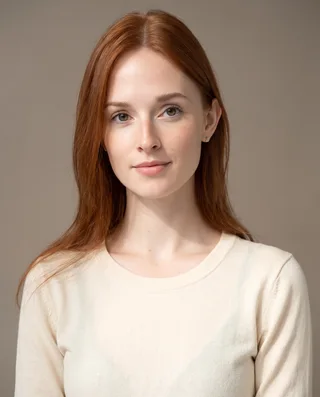
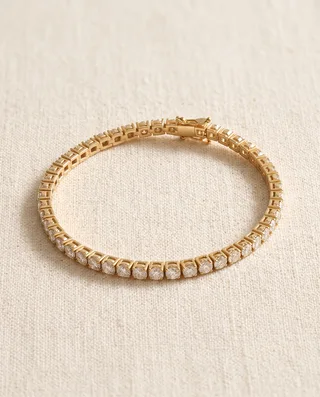
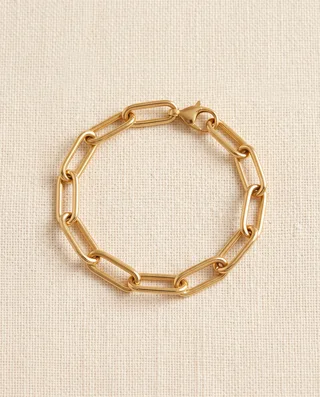
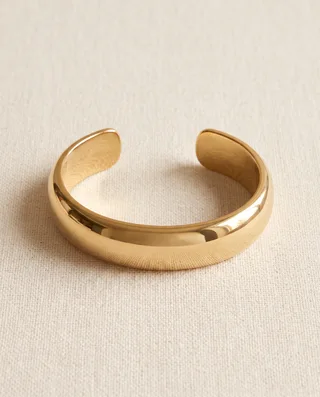
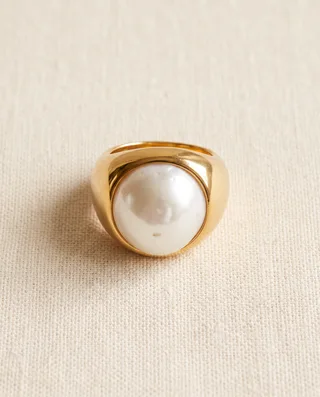
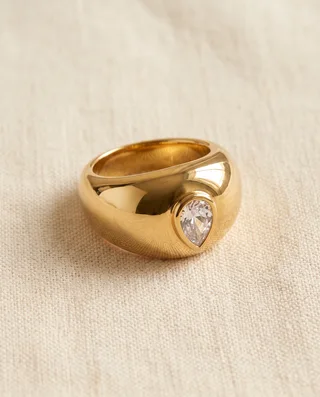
One description, a whole campaign — the same bracelets exact in every photo
“These are my brand's 3 models and my catalog photos of 3 bracelets and 6 rings. Make my autumn 2026 campaign … Then put each ring on the left ring finger in all three campaign photos, keeping the same pose, clothes, light and bracelets; only the ring is new: 18 photos.”






Questions sellers ask
Is MerchLoom cheaper than Photoroom?
For collections you launch a few times a year, usually yes: you pay only for the photos you process ($0.08 a clean background, $0.15–$0.40 an AI edit, $0.40 a product on a model) and the balance never expires. If you edit every week, Photoroom Pro at $12.99 a month can be cheaper.
Can I sell photos made on Photoroom’s free plan?
Photoroom’s help center says free accounts are for personal, non-commercial use. On MerchLoom every result is yours to sell, from the first photo.
Does MerchLoom work with Shopify?
Yes. Connect your store, pick products, and run the whole batch; results can be saved back. Photoroom’s Shopify app is on its Max and Ultra plans.
Can I put my products on a model?
Yes — on AI models or on your own saved model, reused across the catalog.
How do I move from Photoroom to MerchLoom?
Connect your store or drop the folder with your original photos, describe the result once ("pure white background for Amazon"), check the price, and run.
When should I pick Photoroom instead?
When you edit single photos every day on your phone and want social-media templates and a design editor.