
AI Product Lifestyle Image Generator for Stunning Visuals
Use an AI product lifestyle image generator to transform plain photos into compelling scenes. Generate consistent catalog images at scale effortlessly.
Most sellers already have the raw material. The problem isn't access to product photos. It's that the catalogue is full of clean, usable packshots that still look flat on the page.
A serum bottle on white is acceptable. The same bottle on a bathroom counter, with believable light, sensible scale, and a mood that fits the brand, is easier to sell. The challenge starts when that isn't one product. It's a few hundred SKUs, seasonal refreshes, colour variants, marketplace rules, and a team that can't afford to art direct every image by hand.
That's where an AI product lifestyle image generator becomes useful. Not as a novelty for one hero shot, but as a production system for turning plain source photos into repeatable lifestyle assets that can survive real e-commerce operations.
From Product Photo to Lifestyle Scene at Scale
A lot of advice about AI lifestyle imagery breaks down the moment you leave the demo stage. Generating one attractive candle scene is easy. Generating a consistent set for candles, mugs, pet accessories, skincare, and packaged food across a live catalogue is where many businesses encounter friction.
The scale problem is real. Canadian retail e-commerce sales were about CAD 3.9 billion in March 2026, which is why catalogue operations matter far more than one-off image tricks for online sellers handling volume in this industry reference. If you're managing a store with hundreds of SKUs, image creation has to behave like operations, not inspiration.
What batch work changes
In a single-image workflow, you can tolerate inconsistency. You can re-prompt until something looks good. In a batch workflow, every shortcut multiplies.
Three problems show up fast:
- Style drift: one mug appears in a bright Scandinavian kitchen, the next in a rustic café, the third in a dark editorial scene. None feel related.
- Product distortion: labels soften, colours shift, reflections become fake, and the AI changes packaging details.
- Format chaos: Shopify wants one crop, Amazon needs a different primary-image treatment, and Etsy benefits from larger zoom-friendly outputs.
Practical rule: If the process only works when a designer watches every generation, it isn't a catalogue workflow yet.
This is why sellers increasingly separate the job into stages. Preprocess the source image. Define scene rules by category. Generate several controlled options. Review. Then export platform-specific crops. If you need moving creative as well, a tool like ShortGenius AI ad generator can complement still-image workflows by turning approved product visuals into ad-ready variations without restarting the creative process from scratch.
The shift from editing to orchestration
The useful mindset isn't "how do I make this one photo cooler?" It's "how do I make this entire collection more sellable with fewer manual interventions?" That usually means chained workflows rather than isolated prompts.
For teams comparing approaches, this overview of AI product visualisation workflows is worth reading because it maps the jump from single edits to catalogue-scale processing more clearly than most beginner tutorials.
Strategic Planning for Your Lifestyle Visuals
Good lifestyle imagery starts before the first prompt. Most bad outputs aren't caused by weak models. They're caused by unclear decisions upstream.
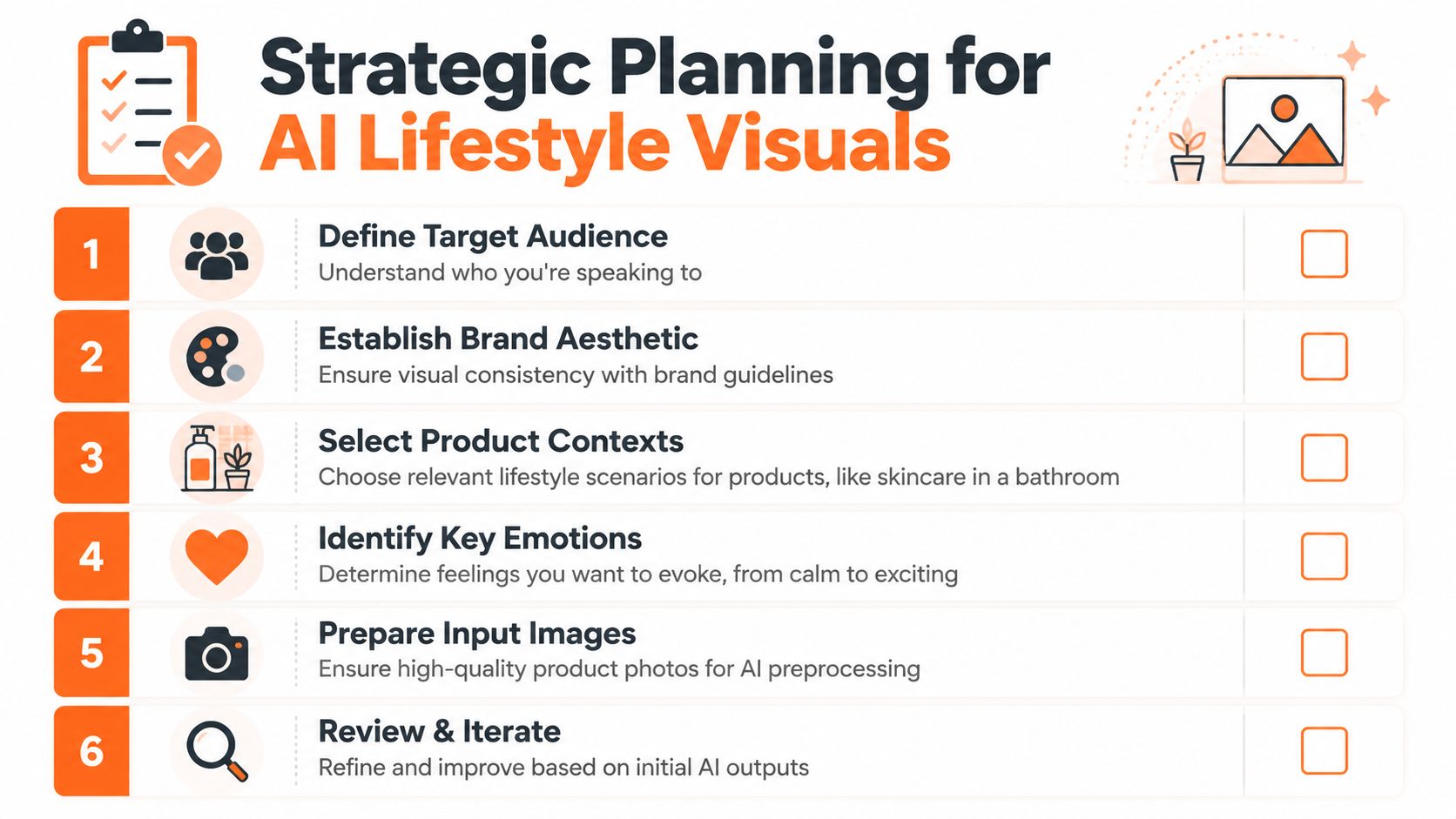
If your skincare line mixes spa minimalism, bright clinical product shots, and moody luxury scenes, the AI won't fix that. It will amplify it. A plan keeps the catalogue from looking like it was assembled by three different brands.
Build a look system, not a mood board
A mood board is helpful. A look system is what production teams need.
Define a short list of approved scene families for each product group. For example:
- Skincare: bathroom counter, soft morning light, stone or ceramic surfaces, restrained props
- Mugs: kitchen shelf, breakfast table, warm domestic light, human-scale context
- Candles: bedside table, living room side table, evening ambience, soft shadows
- Pet products: realistic home setting or outdoor use, pet interaction only when anatomy and proportions stay believable
- Packaged food: serving context, clean plating, ingredients nearby, no invented product contents
This is close to traditional merchandising logic. If you want a solid refresher on in-store visual thinking that also translates well to product scenes, these essential store display techniques help clarify how environment influences perceived value.
Match scenes to channel requirements
A lifestyle image only works if it survives where you plan to use it. That means planning for crops before generation, not after.
Use a simple planning grid:
| Channel | Main concern | What to decide early |
|---|---|---|
| Shopify | collection and PDP consistency | square-safe composition, enough breathing room around the product |
| Amazon | strict primary image rules plus secondary image flexibility | keep white-background packshots separate from lifestyle secondary assets |
| Etsy | zoom-friendly detail and storytelling | larger export target, cleaner close-up readability |
| Social placements | vertical and mobile-first framing | leave space for headline overlays or CTA areas |
If you skip this step, the same scene that looks polished in a square collection tile may fall apart in a taller ad crop.
Decide what emotion should be visible
Lifestyle imagery isn't only about showing use. It's also about controlling emotional context without misrepresenting the product.
A few practical pairings work well:
- Minimal skincare often benefits from calm and cleanliness
- Home fragrance usually needs warmth and intimacy
- Kitchenware performs better when it suggests routine and comfort
- Pet products should lean into care, play, or companionship
- Packaged food usually needs freshness or indulgence, depending on category
The fastest way to waste credits is to ask the model for "premium" or "beautiful" without deciding what that should look like in your catalogue.
The broader environment also supports this shift. In 2024, Canada launched the Canadian AI Safety Institute, and major commerce surfaces have moved toward generative lifestyle imagery informed by product data, which makes planning around structured product attributes more commercially relevant than ad hoc creativity as discussed in this market overview.
Preprocessing Images for AI Success
The input photo still does most of the heavy lifting. If the base image is weak, the generated lifestyle scene usually looks expensive in the wrong way. You get soft edges, strange shadows, colour drift, and product geometry that no longer matches what the customer receives.

A clean source image on a plain or transparent background gives the model a stable object to work from. That's especially important for products with labels, reflective packaging, or tight edges like pumps, lids, handles, and transparent materials.
What to fix before generation
Preprocessing isn't glamorous, but it's where a lot of batch quality gets won.
Use this checklist before you generate lifestyle scenes:
- Background removal first: isolate the product cleanly. Transparent PNGs make placement easier and reduce the risk of leftover shadows fighting with the new scene.
- Colour correction next: make sure the source image accurately depicts the product. If the bottle is warmer or cooler than reality, the error gets carried into every generated output.
- Crop for balance: centre the product and remove excess empty space. The model needs enough room to understand shape, but not so much that the item becomes visually insignificant.
- Straighten and normalise angle: keep comparable products aligned. If half your candle line is front-facing and the rest is shot slightly overhead, scene consistency becomes much harder.
- Retain sharp edges: logos, corners, and contours matter. Blurred source images produce vague composites.
What usually fails
Some source problems produce bad outputs no matter how good the prompt is.
Common failure points include:
| Input problem | What happens later |
|---|---|
| Mixed lighting in original photo | the AI creates conflicting highlights and shadows |
| Soft focus product shot | the subject looks fake inside a crisp lifestyle scene |
| Dirty cutout edges | halos appear around packaging and glass |
| Inaccurate colour balance | variants no longer match the real SKU |
| Oversized canvas with tiny product | scene generation emphasises background over product truth |
Clean isolation beats clever prompting. The model can't reliably preserve details it can't clearly see.
For sellers processing folders rather than single files, batch cleanup matters more than manual finesse. That's why it's useful to standardise preprocessing before any scene work starts. This guide on making product photos look professional covers the baseline cleanup decisions that reduce downstream rework.
Why normalisation matters more than people think
The less variation you feed into the system, the easier it is to keep outputs aligned later. A catalogue where every packshot has similar framing, lighting logic, and file cleanliness is much easier to turn into coherent lifestyle imagery.
That matters even more when products come from mixed sources. Supplier images, internal studio shots, and old marketplace assets rarely match. If you don't normalise them first, the AI treats them like different creative briefs.
Engineering Prompts for Catalog Consistency
Prompt writing for e-commerce isn't really creative writing. It's systems design. The goal isn't to produce the most imaginative image. It's to produce a dependable family of images that still feel natural across many SKUs.
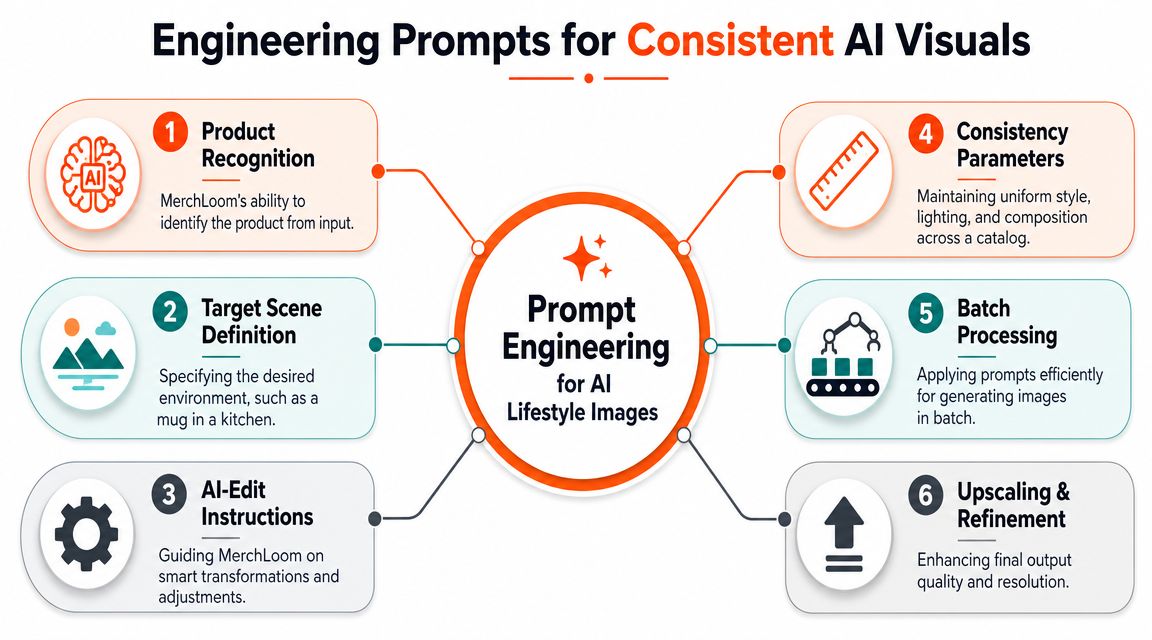
The strongest workflow uses a structured prompt, generates a small set of variations, and then refines the winning pattern instead of improvising every time. That approach lines up with practical guidance for AI product imagery: start from a sharp image on a plain background, combine product, scene, and lighting details in the prompt, generate several variations, and then post-process for consistency in this workflow guide.
Break the prompt into fixed parts
A usable prompt recipe usually contains the same components every time:
Product identity
Name the item and preserve what matters. Bottle shape, label visibility, handle orientation, packaging material, and dominant colour should all be clear.Scene context
Put the product somewhere plausible. A mug belongs on a kitchen counter or breakfast table. A candle belongs on a bedside table, coffee table, or bath ledge. Packaged food belongs in a serving or ingredient context.Lighting direction
Soft morning light, warm evening light, diffused studio-natural light, or bright window light. This is one of the biggest drivers of catalogue cohesion.Camera intent
Front-facing, slight three-quarter angle, close-up detail, shallow depth of field, eye-level, overhead. If you don't specify perspective, consistency starts to drift.Style guardrails
Photorealistic, minimal props, realistic shadows, natural materials, clean composition, no extra products, no altered packaging.
Doing this for a whole catalog?
MerchLoom runs background removal, upscaling and AI editing across every product photo you have — one prompt, whole batch. Try 2 batches free, no signup.
Try it freeA beginner-focused guide for AI art prompt beginners is useful if your team is still learning prompt structure, but e-commerce teams should adapt that thinking into templates rather than free-form experiments.
Use recipes, not one-off prompts
The biggest improvement usually comes from moving from isolated prompts to reusable recipes by category.
Here are examples.
| Product Category | Scene & Context | Lighting & Style | Sample Prompt Snippet |
|---|---|---|---|
| Skincare | on a marble or ceramic bathroom counter with a folded towel and subtle greenery | soft morning light, bright, clean, photorealistic, minimal props | "Place this serum bottle on a clean bathroom counter, soft natural morning light, realistic shadow, premium skincare editorial look, label preserved, no extra packaging changes" |
| Mug | on a kitchen counter beside breakfast items | warm domestic light, natural, inviting, shallow depth of field | "Show this ceramic mug in a modern kitchen setting, morning routine context, realistic steam-free scene, soft warm light, product shape and colour preserved" |
| Candle | on a bedside table with books or linen textures | warm evening ambience, cosy, restrained composition | "Place this candle on a styled bedside table, soft warm low light, realistic flame ambience if applicable, clean premium home decor scene, packaging unchanged" |
| Pet product | in a believable home or outdoor use context | natural light, candid realism, practical composition | "Show this pet accessory in use within a realistic home environment, product clearly visible, believable scale, natural lighting, no distorted anatomy" |
| Packaged food | in a serving scene with relevant ingredients nearby | bright appetising light, clean surface styling | "Place this packaged food product in a realistic serving context, fresh ingredient accents, clear packaging visibility, photorealistic, appetising but accurate presentation" |
Keep your prompt variables separate
The easiest way to scale is to freeze most of the prompt and only swap a few variables. Product name changes. Colour changes. Maybe scene family changes by subcategory. Lighting, camera angle, and prop density usually shouldn't.
That gives you control over the catalogue without making every image identical.
This walkthrough is useful if you want more examples of AI image prompts for product workflows, especially when turning category logic into repeatable prompt patterns.
A quick visual explanation helps if you're training a team or documenting the workflow internally.
Don't ask for surprise. Ask for controlled variation.
Negative instructions matter too
You don't need long "negative prompt" essays, but a few exclusions help:
- No extra items included with the product
- No text changes or invented labels
- No unrealistic reflections
- No oversized props overpowering the subject
- No surreal styling unless the campaign explicitly calls for it
That last point matters. A lifestyle image is still a selling image. It has to explain the product faster than it decorates the page.
Building a Cost-Effective Batch Pipeline
The expensive part of AI imaging isn't always the model. It's the wrong order of operations.
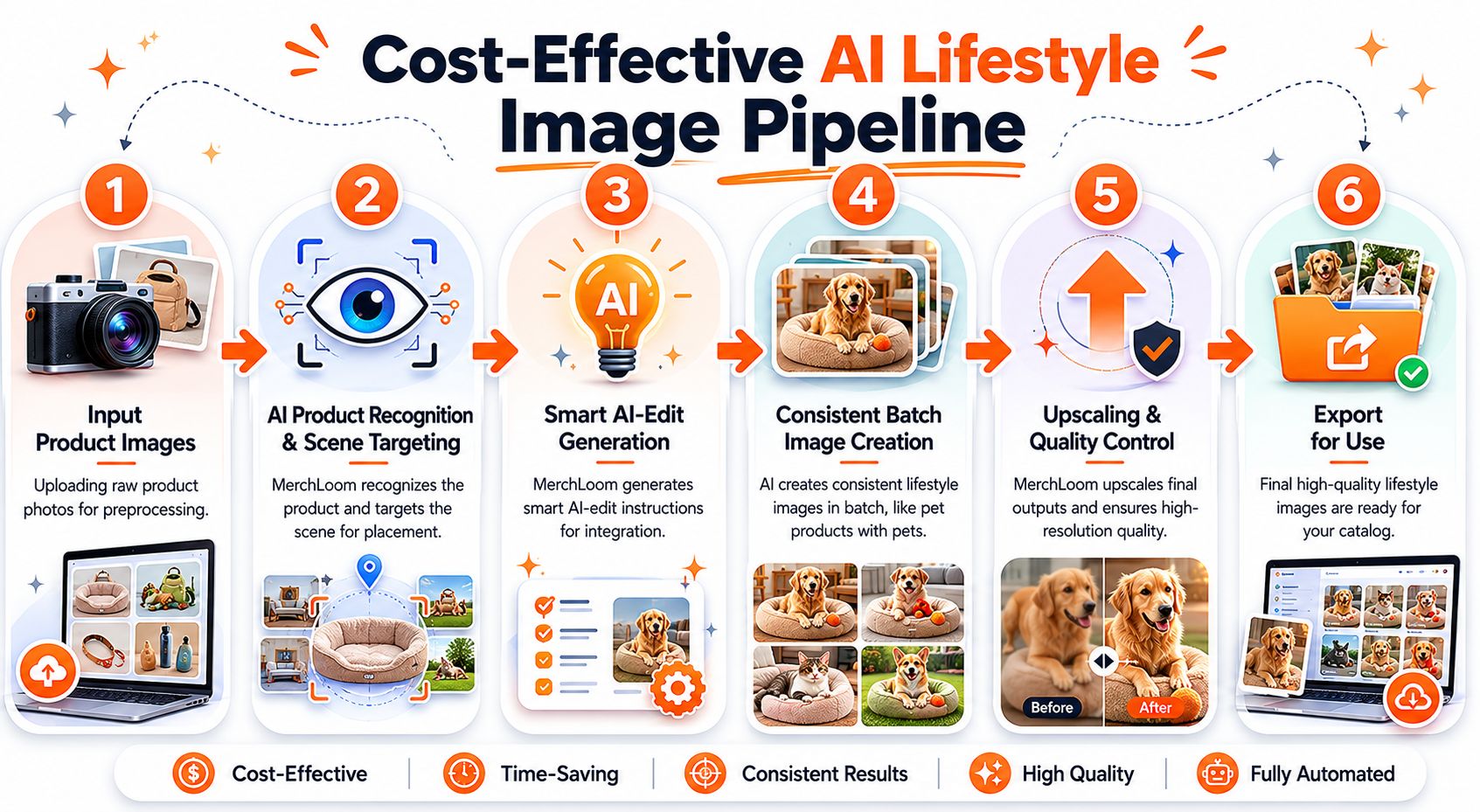
Teams often run full-size images through enhancement, generation, reframing, and export in whatever order feels convenient. That's how costs creep up and output quality gets harder to manage. A batch pipeline works better when each step prepares the file for the next step and removes unnecessary data early.
The right sequence for most catalogues
For plain packshots becoming lifestyle images, this order is usually the safest:
- Ingest the originals from your store, shared drive, or product folder.
- Preprocess by removing backgrounds, normalising colour, and fixing framing.
- Generate lifestyle scenes using category-specific prompt recipes.
- Review outputs in batch and reject obvious failures early.
- Post-process approved images with upscale, crop, and channel-specific exports.
- Push finished assets back into your commerce systems.
That order keeps expensive refinement work for files that are already worth keeping.
Where teams waste money
A common mistake is upscaling too early. If you upscale a full original image before removing the background or deciding whether the composition is usable, you're paying to enlarge data you may discard later.
Other cost leaks are less obvious:
- Generating too many variations before locking a recipe
- Using different prompts for every SKU in the same category
- Running QC only at the end of a huge batch
- Re-uploading assets instead of reusing processed versions
- Mixing preprocessing and generation rules across team members
The cheapest image is the one you never have to regenerate.
Think in pipelines, not tools
An AI product lifestyle image generator becomes more useful when it can chain steps rather than forcing you through separate apps. One system may handle cleanup well, another may produce stronger scene generation, and another may be used for final ad creative. The operational win comes from reducing manual handoffs.
A platform like MerchLoom's batch image editing workflow fits naturally for catalogue teams. It can ingest image collections from existing commerce or storage sources, recognise the product and intended scene, generate smart AI-edit instructions, apply the workflow consistently across batches, and upscale final outputs after the creative decision has already been made. That matters more than flashy single renders when you're processing a collection rather than one image.
A practical batch blueprint
If you're setting up from scratch, document the pipeline like this:
| Stage | Main decision | Failure if skipped |
|---|---|---|
| Intake | which source folder or product set enters the run | missing SKUs and mixed source quality |
| Preprocess | whether images are clean enough to isolate and colour-match | distorted or inconsistent product rendering |
| Scene generation | which recipe applies to which category | style drift across the catalogue |
| Mid-batch review | what gets rejected before refinement | wasted spend on bad generations |
| Finalise | which images get upscale and export treatment | inconsistent output resolution and crops |
| Deployment | where each format is published | approved assets sitting unused or misformatted |
This isn't glamorous work, but it saves more time than endlessly tweaking prompts.
Quality Control and Multi-Platform Deployment
Generated lifestyle images are not finished assets until someone checks them against reality. A lot of teams lose trust in AI when they neglect this step. They publish images that look attractive at thumbnail size but collapse on inspection.
The adoption environment is already there. In 2023, 27.9% of Canadian businesses sold online and 18.5% used artificial intelligence, which shows why batch image generation is moving from experiment to normal business workflow according to this cited summary of Statistics Canada data. But routine use only works when QC is disciplined.
What to review in every batch
Reviewing one image at a time doesn't scale. Review by issue type.
Check these five areas:
- Product truth: is the colour accurate, the shape intact, and the packaging unchanged?
- Scene plausibility: does the mug look correctly sized for the kitchen? Does the skincare bottle sit naturally on the counter? Does the pet product interact with the environment believably?
- Shadow and reflection quality: do lighting cues match the scene, or does the product look pasted in?
- Brand alignment: does the image match the approved look system for that category?
- Text and detail integrity: are labels readable enough, and has any typography warped?
Common rejection reasons
A practical rejection list keeps teams from debating every image from scratch.
| Reject if you see | Why it matters |
|---|---|
| warped label text | buyers notice packaging errors quickly |
| wrong product colour | returns and complaints start with visual mismatch |
| unrealistic scale | the product feels deceptive even if technically visible |
| extra props implying included items | this can mislead the customer |
| anatomy problems in pet or human context scenes | trust drops immediately |
| cluttered composition | the product stops being the hero |
A lifestyle scene should add context, not introduce uncertainty.
Export for where the image will live
Approved images still need deployment discipline. One master file rarely suits every channel without adjustment.
Use separate exports for practical needs:
- Shopify collection tiles: square compositions with clear centre weighting
- Amazon secondary images: contextual but still product-forward
- Etsy listings: larger exports that hold up when shoppers zoom
- Social and ad placements: vertical or mixed crops with space for overlays
That final resizing step matters because a good composition can break when it's squeezed into the wrong format. This explanation of resolution in AI image workflows is useful if your team keeps confusing source quality, export dimensions, and perceived sharpness across channels.
Treat QC as a feedback loop
QC shouldn't just reject images. It should improve the next batch.
When the same issue appears repeatedly, update the recipe or preprocess rule. If candle labels keep softening in low-light scenes, tighten the prompt and raise the base-image sharpness requirement. If pet scenes keep producing awkward anatomy, restrict the scene family or remove animals from certain SKUs entirely.
That feedback discipline is what turns an AI product lifestyle image generator from a clever tool into a stable merchandising process.
If you're handling hundreds of SKUs and want to turn plain product shots into repeatable lifestyle assets without rebuilding the workflow manually each time, MerchLoom is built for that batch-processing reality. It lets sellers run chained AI image pipelines across full collections, review outputs mid-batch, and prepare channel-specific assets from the same source catalogue.
Stop editing product photos one at a time
Upload your catalog or connect your store. Describe the result once. MerchLoom does the rest.
Try it free — no signup