
AI Batch Image Editing for E-Commerce
Optimize your e-commerce catalogue with efficient AI batch image editing. Learn pipeline setup to quickly create marketplace-ready images.
A new collection lands. The samples look good in person, but your camera roll is a mess of angles, lighting setups, detail shots, packaging photos, and a few images someone on the team swore would be “easy to fix later”.
Then the channel requirements start piling up. Shopify wants clean square images. Amazon needs strict marketplace presentation. Etsy wants generous resolution. Paid social needs cropped variants that still read on mobile. If you're still editing one file at a time, the bottleneck isn't photography anymore. It's operations.
That's where AI batch image editing becomes useful. Not as a gimmick, and not as a replacement for judgment, but as a way to turn product imagery into a repeatable workflow. The major advantage isn't one faster cutout. It's moving an entire catalogue from raw capture to publish-ready assets without rebuilding the process every time a new batch arrives.
Why Manual Image Editing Is No Longer Viable
The old workflow breaks at the exact moment a store starts growing. A single hero image is manageable by hand. A seasonal launch with hundreds of SKUs, multiple colourways, and channel-specific image rules is not.
Manual editing also fails in less obvious ways. Different people crop differently. White balance drifts between batches. File naming gets inconsistent. The marketing team asks for lifestyle variants after the catalogue images are already finished, so someone reopens files and starts from scratch. None of that looks dramatic on a single day, but over a month it slows launches and creates avoidable rework.
The real problem is throughput
Most sellers don't need “better Photoshop skills”. They need a system that can absorb volume without lowering visual standards.
The market is moving in that direction. The AI photo editors market reached $2.1 billion in 2024 and is projected to grow to $8.9 billion by 2034, and the same industry roundup says AI image editing was the fastest-growing software category of 2024, with 441% year-over-year growth in traffic on G2 (AI photo editing market statistics). That matters because it signals a shift away from one-off retouching and toward catalogue-scale automation.
If you're still treating every image like a bespoke design task, you're competing against teams that now treat image production like an organised pipeline.
Practical rule: If your image workflow depends on memory, manual checklists, and “the person who knows how we usually do Amazon crops,” it won't scale cleanly.
One image is not the job
For e-commerce, the deliverable is rarely a single finished file. It's a coordinated set of outputs:
- Marketplace versions: Clean, policy-friendly images sized and framed for each channel.
- Storefront variants: Square crops, collection thumbnails, and mobile-friendly formats.
- Creative assets: Lifestyle scenes, ad crops, and email visuals built from the same source set.
- Revision resilience: The ability to rerun the same logic when a product is reshot or a channel requirement changes.
That's why the better question isn't “Can AI remove this background?” It's “Can this workflow turn one upload into every asset I need?”
A lot of sellers first notice the problem as an aesthetic issue. Their catalogue feels uneven. In practice, it's an operations issue. Better process is what creates better-looking collections at scale. If you need a grounding in what makes a product image read as polished before you automate it, this guide on making product photos look professional is a useful companion.
Building Your Automated Image Processing Pipeline
A workable pipeline starts before the first edit. It starts with deciding what the batch is supposed to become.
If you dump mixed files into a tool and hope for magic, you'll get mixed results. If you define the output library first, the rest of the pipeline becomes much easier to automate.
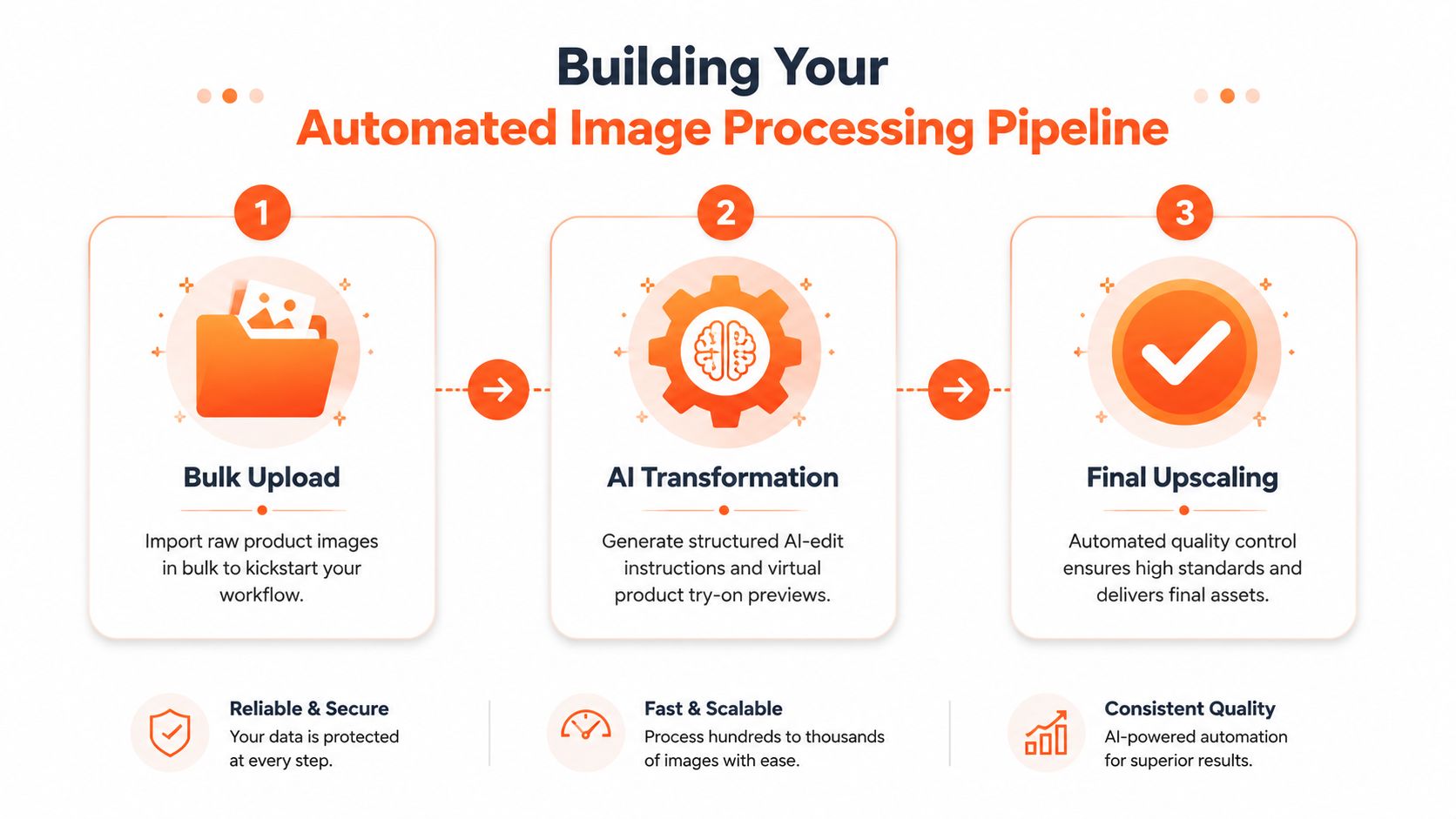
Start with ingestion, not editing
The first stage is import and grouping. Bring in the raw product images from wherever the team already works. That might be a cloud folder, a Shopify export, a photographer's delivery folder, or object storage.
Then sort by production logic, not by wishful thinking. Group images by shoot, camera setup, lighting condition, and product family where possible. A batch works best when the inputs are similar enough that the same transformation rules apply cleanly.
This is also the point where plain-English workflow tools are useful. Instead of building every node manually, you describe the end result: marketplace-ready catalogue images, styled lifestyle scenes, virtual try-on previews, and sharpened final outputs. Platforms such as MerchLoom take that plain-language request and assemble the chained workflow automatically, which is the practical part of using Gemini for image workflow prompts rather than writing technical instructions by hand.
Recognition comes before transformation
A good pipeline doesn't edit blindly. It identifies what's in the image first.
That means recognising whether the file shows a single product, a packaging shot, a worn item, a flat lay, or a detail crop. It also means detecting orientation, visible edges, model presence, and whether the image is already close to a compliant listing format. Once you have that classification layer, you can generate structured edit instructions instead of applying the same treatment to everything.
Many teams waste time by asking the AI to produce a final image without first narrowing the task. Better results usually come from a pipeline that says:
- classify the image,
- assign the correct edit path,
- generate outputs for each intended channel,
- upscale or enhance only after the heavy transformations are finished.
Order matters more than most teams realise
The sequence of operations affects both speed and cost. Published workflow guidance notes that optimised AI pipelines can process over 5,000 photos in under an hour, and that one key lesson is to order operations correctly. For example, doing background removal before upscaling can reduce compute cost and processing time on large batches (batch editing workflow benchmark).
That same principle applies well beyond cutouts. Remove unnecessary pixels before expensive generation. Approve a sample batch before running the full catalogue. Keep steps concurrent where possible instead of forcing everything through one long serial queue.
Process the cheapest, most structural edits first. Save the expensive beauty work for files that already passed the earlier gates.
If you want another perspective on pipeline-oriented tooling, AdStellar's overview of AI-powered asset creation software is worth reading because it frames image generation as an asset system rather than a single edit action.
Think in stages, not tools
The strongest batch workflows usually follow four functional layers:
| Stage | What happens | Why it matters |
|---|---|---|
| Ingestion | Import, group, and tag raw images | Prevents mixed batches and avoidable rework |
| Core transformation | Standardise framing, colour, cleanup, and output rules | Creates the catalogue baseline |
| Creative generation | Produce lifestyle scenes, ad variants, and try-on previews | Extends one shoot into many usable assets |
| Finalisation | Upscale, review, export, and route files to channels | Keeps delivery consistent and publishable |
When sellers struggle with AI batch image editing, it's usually because they jump straight to the creative stage. The pipeline works better when creative generation sits on top of a stable catalogue base.
Generating Consistent Multi-Platform and Lifestyle Images
A single product photo should do more than fill one listing slot. It should produce a family of assets that all feel like they came from the same brand system.
Take a handbag seller with a new collection. The studio shoot delivers clean front, side, detail, and on-body photos. From there, the workflow branches. One version becomes the marketplace image with strict presentation. Another becomes a square storefront image with more breathing room. A third becomes a lifestyle scene for the category page. A fourth becomes a social asset with room for text overlay.

One source set, several output families
The operational win is that you don't re-edit from scratch for every channel. You define output families.
For example:
- Amazon-ready images: Neutral presentation, channel-safe framing, and consistent edge handling.
- Shopify catalogue images: Square crops, cleaner visual rhythm across collection pages, and variants that line up well in grids.
- Etsy-friendly assets: High-resolution files that preserve texture and handmade detail.
- Lifestyle scenes: Products placed in believable environments for merchandising, paid social, and email.
That shift matters because channel requirements are often mechanical, while merchandising needs are emotional. If your workflow can satisfy both from the same input batch, the shoot becomes far more productive.
Lifestyle scenes work when the constraints are clear
The common mistake with generated lifestyle imagery is asking for “something nice” and getting back visuals that don't match the product or the brand.
Better prompts specify context, camera feel, styling boundaries, and commercial intent. A ceramic mug might need a bright kitchen shelf scene for one campaign and a cosy editorial desk setup for another. A sneaker might need a clean on-model try-on preview rather than a fully invented street shot. Good AI outputs are less about imagination and more about controlled direction.
For room-based product imagery, teams often get better results when they define the environment first. If you need a planning reference for interiors and furniture context, Room Sketch 3D's floor planning guide is a practical resource for thinking through room layout before you ask an image system to place products inside it.
Doing this for a whole catalog?
MerchLoom runs background removal, upscaling and AI editing across every product photo you have — one prompt, whole batch. Try 2 batches free, no signup.
Try it freeThe most believable lifestyle image usually starts with a boringly clear brief.
Consistency beats novelty
A strong catalogue doesn't need every image to surprise the customer. It needs the full set to feel organised.
That's why prompt systems matter. If one batch of images says “warm Scandinavian living room” and the next says “minimal neutral interior with oak textures and soft daylight,” you may get close results, but not matching ones. Consistency comes from repeatable language, controlled references, and reusable templates.
For teams building prompt libraries, this guide to AI image prompts for product visuals is useful because it helps turn subjective creative direction into more repeatable instructions.
A good lifestyle workflow also knows when not to generate. Commodity products with strict technical buyers often perform better with clean utility images. Home décor, fashion accessories, furniture, and giftable items usually benefit more from contextual scenes. The right mix depends on how the customer shops the category.
Best Practices for Catalogue-Scale Quality Control
The biggest mistake in AI batch image editing is assuming that a successful sample means a safe production run. It doesn't. It means the workflow is promising.
At catalogue scale, quality control is what keeps automation from turning into expensive reprocessing. You need enough structure to catch drift early, but not so much friction that the team loses the time advantage.
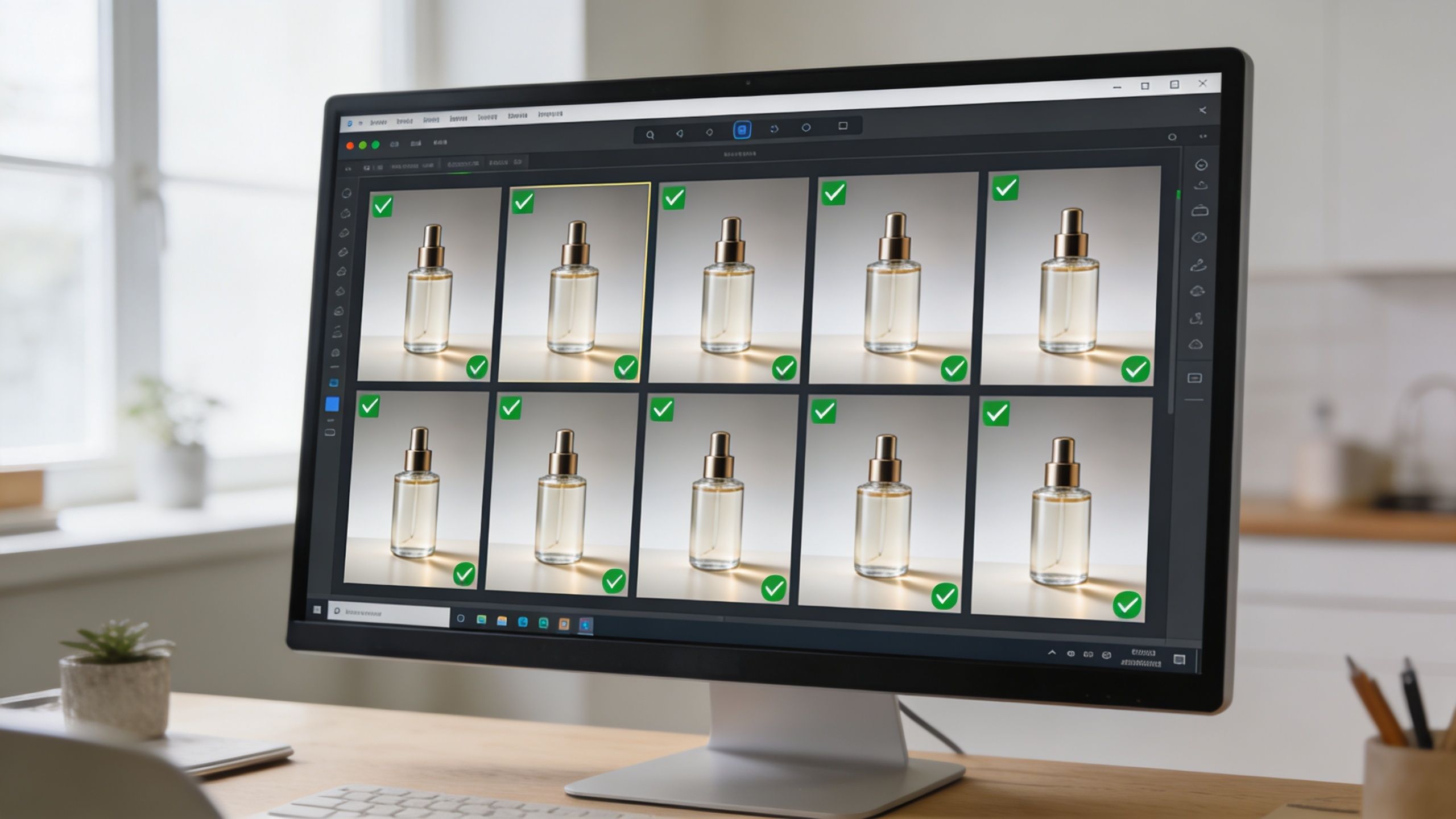
Batch by capture conditions, not just by SKU
One practical workflow is to use AI to bring a large gallery to a base state quickly, then have a person review only the outliers. Guidance from a practitioner review notes using batch AI to bring a 1,000-image gallery to a base state within minutes, followed by human QA for exceptions, and recommends batching by camera and lens metadata to reduce colour and white-balance drift (batch review workflow).
That advice translates well to product photography. If you mix files from different lenses, lighting setups, or camera bodies into one run, subtle differences get amplified. The AI isn't confused because it's bad. It's confused because the batch is inconsistent.
Review the right images, not every image equally
Not every file needs the same level of scrutiny. Build a review stack.
| Review level | What to check | Typical triggers |
|---|---|---|
| Spot check | Crop, colour consistency, edge quality | Standard catalogue images from a controlled shoot |
| Exception review | Reflective surfaces, transparent items, textiles | Products known to break automation |
| Compliance review | People, mannequins, branded packaging, generated contexts | Any image with policy or trust implications |
Human review earns its keep here. You don't need a person to manually edit every image, but you do need someone to catch the files that can damage trust or force a rerun.
Operational note: Review thresholds should get stricter as the image gets closer to the customer. Internal drafts can be loose. Marketplace uploads cannot.
Define style before you process volume
Teams often try to fix inconsistency in QA. That's too late. Consistency starts with style definitions up front.
Create a small set of rules for tone, crop tolerance, shadow handling, product centering, and how much “scene mood” is acceptable in generated outputs. Then bake those rules into prompts, templates, or workflow presets. The point is not to remove creative judgment. The point is to avoid having six people applying six different standards.
If you're working on white-background catalogue images as one branch of the workflow, this reference on images with white background for e-commerce is a practical baseline for setting those standards before batch processing starts.
Better inputs create better automation
A lot of quality problems begin before the model sees the image. Dust, wrinkled fabric, bent labels, and uneven lighting don't disappear just because the workflow is automated. They become recurring defects across an entire batch.
That's also why dataset quality matters in the broader AI pipeline. For teams thinking beyond image editing into detection and segmentation quality, this article on improving AI model training with TrainsetAI is a useful reminder that clean annotations and structured visual data improve downstream performance.
The mature mindset is simple: use automation to handle repetition, and use people where judgment changes the outcome. When teams reverse that balance, quality slips and costs rise.
Integrating AI Workflows with Your E-commerce Stack
The true efficiency gain doesn't come from faster editing alone. It comes from removing all the dead handling around editing.
Manual download, rename, upload, export, re-upload, and route-to-team steps often waste as much time as the retouching itself. Once you connect the workflow to the systems that already hold your catalogue, image production stops being a side task and becomes part of normal operations.

Build one loop from source to destination
A connected setup usually has three parts:
- Source systems: Cloud folders, e-commerce platforms, or object storage where raw images already live.
- Processing layer: The AI workflow that classifies, edits, generates, and enhances outputs.
- Delivery targets: Product listings, CDN folders, marketing asset libraries, or channel-specific export locations.
When those pieces are linked, a new image batch can move through the same route every time. That's what reduces errors. The team isn't asking, “Where did we save the Etsy crops?” because the destination is already part of the workflow.
The business case for integration is visible in an AWS case study of an automated bulk-editing workflow. It reported a 70% reduction in e-commerce image-retouching time, a 75% cut in manual work, and a reduction in turnaround for new product images from 2 to 3 days to 1 hour by automating the process (AWS bulk image editing case study).
Channel logic should live in the workflow
A common failure point is handling channel requirements after the images are already finished. That creates duplicate effort.
A better approach is to encode channel logic into the output stage. Amazon images get one treatment. Shopify collection images get another. Social crops get a third. If your team regularly publishes to Amazon, it helps to define those constraints clearly before you automate. This guide to Amazon product image size requirements is a useful reference for that ruleset.
A short walkthrough helps illustrate how connected systems reduce handoffs:
Integration changes team behaviour
Once outputs route automatically, teams start planning differently. Photographers shoot with downstream formats in mind. Merchandisers request image sets instead of one-off edits. Marketing can rely on a predictable asset flow instead of chasing files in shared folders.
That's the larger value of AI batch image editing inside an e-commerce stack. It doesn't just accelerate production. It makes visual operations more dependable.
Evaluating Success and the Future of Product Imagery
Many organizations measure image workflow success too narrowly. They ask whether editing got faster, then stop there.
Speed matters, but it isn't the full outcome. The stronger indicators are operational. Did new products go live sooner? Did revision cycles drop? Did the catalogue start looking more consistent across categories and channels? Did the team create more usable assets from the same shoot?
A second blind spot is judging success only by image quality in isolation. Product imagery is part of merchandising. A clean listing image and a contextual lifestyle image do different jobs. The useful test isn't which one looks “better”. It's which one performs better in the specific placement where it appears. That's why A/B testing matters, especially when comparing straightforward catalogue visuals against generated scene-based assets.
The future of product imagery isn't one magic edit button. It's a workflow where classification, structured transformation, channel formatting, contextual generation, and final enhancement all happen as one system. Teams that adopt that model will treat product photos less like isolated files and more like reusable visual inventory.
If your current process still starts over every time a new batch arrives, that's the clearest signal that the workflow needs to change.
If you want to process catalogue images that way, MerchLoom is built for batch e-commerce workflows. You import product images from the tools you already use, describe the result in plain English, and the system builds the chained AI pipeline to generate marketplace images, lifestyle assets, try-on previews, and final enhanced outputs across the full collection.
Stop editing product photos one at a time
Upload your catalog or connect your store. Describe the result once. MerchLoom does the rest.
Try it free — no signup