
Etsy Listing Photo Size: A Practical Guide for Sellers
Etsy listing photo size explained for sellers managing full catalogues. Get the right pixels, aspect ratio, file format, and batch workflow tips that scale.
You've photographed 200 mug designs, exported the files, and started uploading them to Etsy. Photo 47 fails because one JPG is 1,998 pixels wide. Fixing one image is easy. Finding every undersized file across a catalogue is the part that consumes your afternoon.
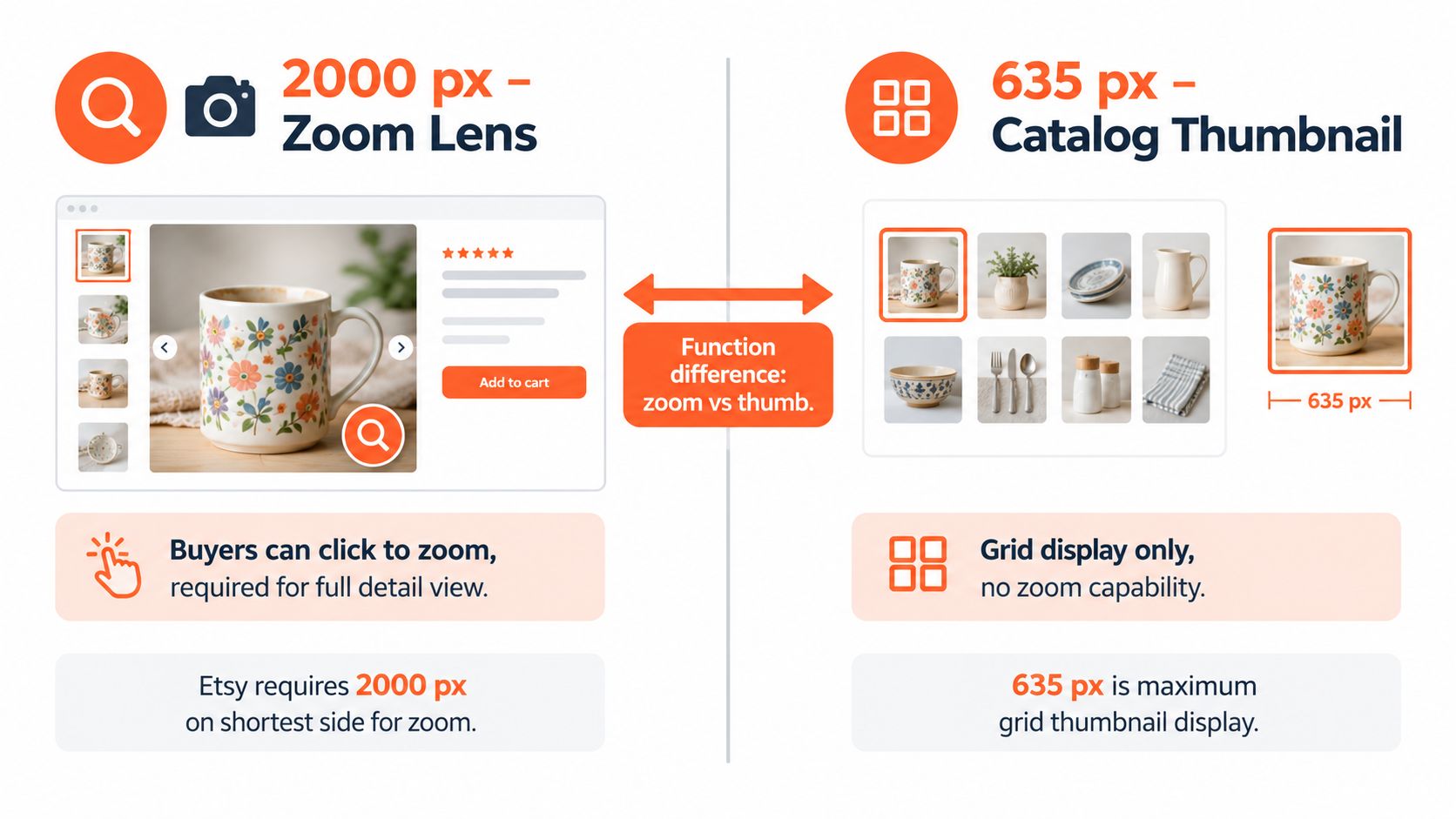
Set one master export before you upload anything: 2,000 pixels on the shortest side. Etsy's current image guidance also identifies 635 pixels by 635 pixels as the minimum primary-image size needed to avoid appearing lower in search results. The platform's help documentation, current as of February 6, 2026, makes these the two Etsy image thresholds worth building into a repeatable catalogue process. (Etsy's image requirements)
The Two Pixel Numbers Etsy Actually Uses
At catalogue scale, the difference between 1,998 pixels and 2,000 pixels is an upload problem, not a visible quality problem. One failed file can force a correction and another export cycle across a batch of hundreds.
Set every Etsy master to 2,000 pixels or more on the shortest side. Then check that the first listing photo reaches 635 by 635 pixels. The larger target supports Etsy's zoom experience. The smaller floor helps protect the primary thumbnail in search.
What each threshold controls
| Threshold | Value | What It Controls |
|---|---|---|
| Etsy zoom threshold | 2,000 pixels on the shortest side | High-resolution listing image and zoom support |
| Primary thumbnail floor | 635 × 635 pixels | Search-result visibility and thumbnail quality |
These thresholds serve different jobs. A 635-pixel primary image can meet the visibility floor without giving shoppers enough detail for close inspection. A 2,000-pixel master gives you a stronger source for Etsy and for later catalogue exports.
Etsy's image requirements guidance does not state an upper pixel limit. Larger files still carry a handling cost. They take longer to upload, occupy more storage, and leave Etsy more data to downscale. Set the ceiling where the image retains useful detail without slowing a batch of listings.
Catalogue rule: Lock one Etsy export preset. Check dimensions by batch, not manually on every file.
Shopify and Amazon use different image decisions. Amazon's main image uses a pure white RGB 255,255,255 background and a longest side of 1,600 pixels or more. Shopify allows larger square product images, including files up to 4,472 by 4,472 pixels. Compare those requirements with Skup's guide to stunning Shopify store images before adapting one master file across channels.
For a catalogue workflow, keep an untouched master, create the Etsy preset, and flag exceptions for review. MerchLoom can help identify weak or undersized source files before export. A file that starts below the target may look soft after resizing. Use this guide to the meaning of pixelation when deciding whether to export again or reshoot the product.
Why 2000 px and 635 px Behave Differently
At catalogue scale, the two Etsy thresholds affect different parts of the shopper journey. The larger working file supports close inspection. The smaller primary-image floor protects thumbnail visibility in search and listing previews. The requirements were defined in the previous section, so the practical decision is simple: build the batch around the zoom-ready source, then check how each primary image reads at thumbnail size.
A shopper may zoom in to inspect a mug's printed edge, a ring's setting, or the weave of a textile. That view depends on usable detail in the source image. Thumbnail display has another job. It must keep the product recognisable after Etsy reduces the image for search results. A file can pass the thumbnail floor and still look weak during close inspection.
Build around the stronger requirement
Use one untouched master for the catalogue, then generate channel-specific derivatives. Amazon's main image requires a pure white RGB 255,255,255 background and a longest side of 1,600 pixels or more. Shopify accepts square product images up to 4,472 by 4,472 pixels. Etsy may need contextual framing, while Amazon's main image needs a clean white presentation. One export cannot serve both jobs reliably.
For Etsy, a square source at 2,000 by 2,000 pixels can support the zoom target and the thumbnail floor. A 4:3 source, such as 3,000 by 2,250 pixels, leaves more room for later crops, but the listing preview still needs a visual check. At catalogue scale, that check belongs in the batch review, not after every individual upload.
The same photograph can supply Etsy, Amazon, Shopify, eBay, WooCommerce, Poshmark, and Depop when each marketplace receives its own derivative. Keep the original untouched. Export the white-background Amazon version separately from the contextual Etsy version, then name files by channel and listing identifier.
MerchLoom can help process these variants and flag files whose dimensions or source quality need review. For a closer explanation of resolution in AI, review how dimensions affect image quality. Validate the final pixel dimensions after processing, because the camera file alone does not confirm the exported result.
Choosing One Aspect Ratio for the Whole Catalogue
A catalogue with hundreds of Etsy listings needs one framing rule that survives search thumbnails, listing previews, and close inspection. Use a 4:3 master as the default when the inventory includes mixed product shapes. A working file such as 3,000 by 2,250 pixels leaves room for later crops across Etsy, Amazon, and Shopify without rebuilding every image. See this 4:3 Etsy image guidance for the practical framing trade-offs.
Compare the practical options
| Aspect Ratio | Pixel Dimensions | Best For |
|---|---|---|
| 4:3 | 2,000 × 1,500 pixels | Mixed catalogues, wider products, crop flexibility |
| 1:1 | 2,000 × 2,000 pixels | Square products and simple search-grid framing |
| 3:2 | 2,000 × 1,333 pixels | Standard camera framing and wider scenes |
Choose 4:3 when one ratio must cover mugs, ceramics, stationery, wall art, and home goods. It gives the product breathing room without the extra empty height of a taller frame. The 3,000 by 2,250 version works better as a catalogue master because it preserves pixels for channel-specific derivatives.
Choose 1:1 when square grid placement matters most. It gives Etsy's search presentation a predictable frame and suits square products. Tall items, including dresses, lamps, bottles, and long wall hangings, may become too small or lose context inside the same square crop.
Choose 3:2 when camera files already use that framing and the catalogue contains wider scenes. It can suit broad products, but Etsy cropping leaves less room for tall objects and fine details.
Pick the ratio that fits most of your inventory, not the product that gives you the most trouble.
Lock the chosen ratio in Lightroom, Photoshop, or MerchLoom, then apply consistent crop positions and safe margins in a batch. Keep exceptions limited to products that need them. A clear explanation of aspect ratio helps when portrait and horizontal source files share one catalogue. The repeatable decision is simple: one default master, then separate Etsy, Amazon, or Shopify exports where each channel requires a different presentation.
File Format, Color Space, and Export Settings
At catalogue scale, one export preset prevents hundreds of inconsistent uploads. Use JPEG in sRGB for ordinary Etsy product photographs. It keeps file handling simple and displays predictably across shopper screens. PNG belongs in the exceptions folder, not the default photo queue.
Use PNG when transparency is required for logos, isolated artwork, or overlays. A product photo on a solid background usually becomes smaller as a JPEG, which makes a large upload batch easier to store and transfer.
Lock the export decisions
- Format: Export photographs as JPEG. Reserve PNG for required transparency.
- Color space: Convert to sRGB before export. Adobe RGB can shift when files move between editing software, Etsy, browsers, and shopper devices.
- Quality: Start with JPEG quality 80 to 85. Review fine textures, small lettering, and patterned fabric before applying the preset to every SKU.
- Dimensions: Keep the shortest side at 2,000 pixels or more for Etsy's stronger image target, as noted earlier.
- DPI: Ignore it for web output. Pixel dimensions control the displayed image, not the print-resolution setting.
Use file size as a quality check, not a rigid rule. Detailed textiles often need more data than flat graphics. For a catalogue batch, inspect representative products from both groups before approving the preset. The image file size reduction guide can help when camera originals are much larger than the Etsy export.
Doing this for a whole catalog?
MerchLoom runs background removal, upscaling and AI editing across every product photo you have — one prompt, whole batch.
Try MerchLoomDo not send oversized files through every channel by default. Keep a high-resolution master offline for Shopify, Amazon, packaging, or paid advertising, then create channel-specific derivatives. Etsy may downsize large images, so extra pixels can increase transfer time without improving the shopper's displayed view.
For compression principles, use the Outrank guide to image optimization. In MerchLoom, apply one JPEG, sRGB, and quality preset to the folder, export the Etsy set, then check a few detailed, pale, and dark images before processing the remaining listings. This catches colour shifts and texture loss early, while leaving the master files untouched.
Mobile Crops, Thumbnails, and SEO Basics
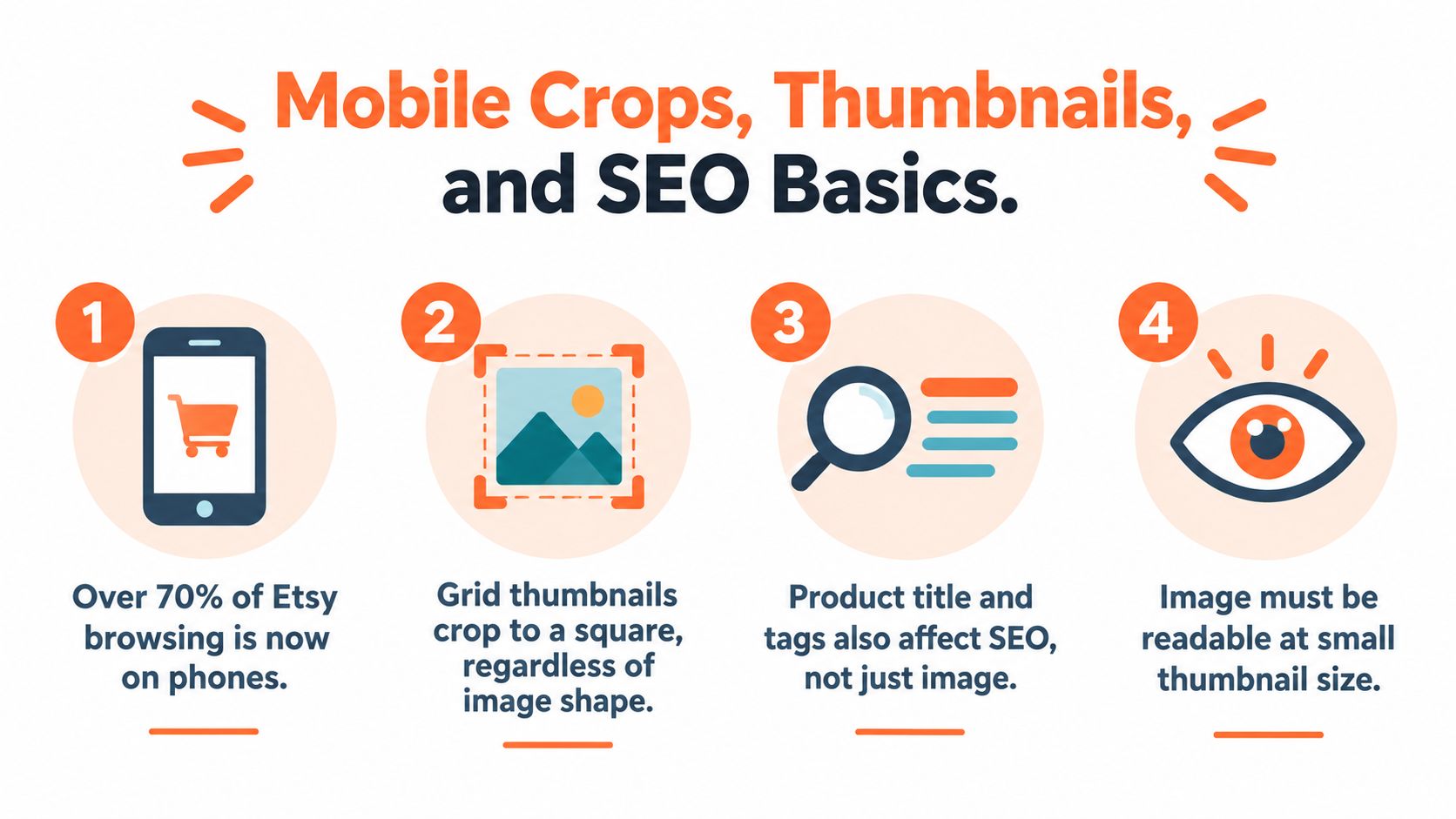
At catalogue scale, a photo that works on a large screen can fail in Etsy's search grid. Etsy may show a near-square crop, while Amazon and Shopify can present the same source image in different card layouts. Keep the product's shape, label, clasp, and key surface detail inside a safe central area. Leave enough margin for mobile cropping across hundreds of listings.
Set the first image to identify the product at thumbnail size. Text overlays and decorative props belong away from the edges, or in secondary views where they cannot hide the product. Reduce a representative first image before approving a batch preset. Check a detailed item, a pale item, and a dark item. If the product disappears at small size, revise the crop rather than changing the filename.
Use names that survive a batch
Rename files before upload. navy-linen-throw-blanket-01.jpg identifies the product and view; IMG_4832.jpg only identifies the camera sequence. Keep one naming pattern across Etsy, Amazon, and Shopify:
- Product phrase:
navy-linen-throw-blanket - Variant or SKU: add the colour, size, or catalogue code
- Image position: use
01,02, ormain - File syntax: lowercase words separated by hyphens
Etsy can use image names as descriptive context, but filenames do not replace titles, tags, categories, or attributes. Apply the same descriptive vocabulary across a large image set. The image alt text guide provides a useful reference for that language.
Put the strongest product view first. Later images should answer questions about scale, materials, variants, packaging, and use. In MerchLoom, apply the crop and naming rules to a test group, inspect the thumbnails, then run the approved settings across the catalogue. Consistent image order lets buyers find product information without searching through every listing.
A Repeatable Batch Workflow for Hundreds of Photos
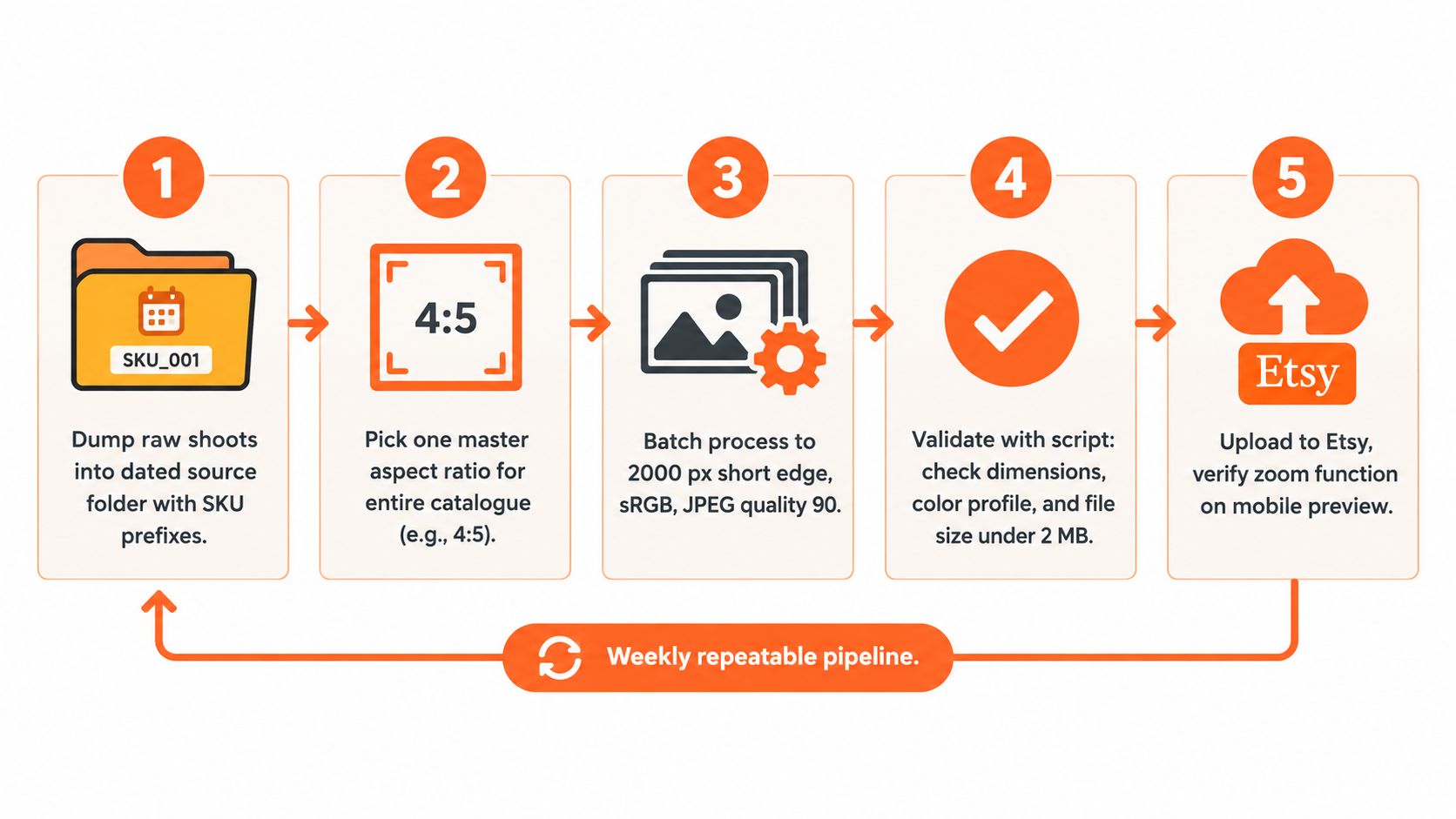
At catalogue scale, editing must begin with a system. Create a dated source folder, keep the SKU in every filename, and never overwrite raw files with marketplace exports. For a mug collection, raw files might start with MUG-204, followed by the camera sequence. The same structure can serve Etsy, Amazon, and Shopify.
Lock the preset before processing
Choose one master ratio, such as 4:3, and set the Etsy export around the 2,000-pixel shortest-side requirement. The preset should crop, resize, sharpen, convert to sRGB, export JPEGs, and construct filenames in one repeatable pass.
A Lightroom export preset or Photoshop action can handle these steps. A batch platform can handle them as well. The tool matters less than consistent output. If one collection receives a different crop, colour profile, or sharpening setting, the shop starts to look assembled rather than managed.
Set JPEG quality around 82 when the editor uses a 0 to 100 scale. Treat that value as a starting control. Inspect small type, jewellery edges, woven texture, and glossy surfaces before applying it to the full catalogue. A setting that preserves a product label may create larger files, while stronger compression may reduce texture detail.
Run a short validation pass
After export, spot-check three random files from different products. Confirm the dimensions, open each in a colour-managed viewer, check the filename, and inspect the crop at thumbnail size. Confirm that the combined listing files remain under the 20 MB working cap.
MerchLoom can run chained AI pipelines across a collection, including resizing, format conversion, background work, and naming steps. You can try the first images with no account, and its pay-per-image model uses credits that never expire. Review every output before upload. Human approval still matters for edges, text, reflective products, and unusual shapes.
The batch product photo editing workflow shows how to structure this process. Keep the source folder, approved preset, validation step, and upload queue separate so an error in one stage does not replace the original files.
Upload in controlled groups
Export a manageable group first. Test it on Etsy, verify zoom behaviour, and check the mobile crop. If the result holds up, reuse the approved preset for the remaining products across the catalogue.
This loop keeps image quality consistent as the catalogue grows beyond a few dozen SKUs. Manual editing becomes difficult once every product has a different crop and every export carries a different naming error. A repeatable batch process makes those decisions once, then checks the exceptions.
Putting It All Together Without Burning Out
At catalogue scale, consistency comes from four recorded decisions:
- Resolution: Set the Etsy master to at least 2,000 pixels on the shortest side, following Etsy's current guidance.
- Format: Export ordinary product photography as an sRGB JPEG.
- Framing: Select one aspect ratio for most products and enforce it with an export preset.
- Metadata: Use clean, descriptive filenames containing the product phrase, SKU, and image position.
Apply the same rules across hundreds of listings, then record exceptions. A tall product may need a different crop from a wide one, but that exception should be deliberate. Otherwise, one listing uses a square frame, another uses a wide frame, and a third places the product against the edge. The catalogue becomes harder to review and less predictable for shoppers.
Catalogue errors worth removing
- Mixed framing: A single crop preset can remove useful context from tall or wide products.
- Weak first images: A detailed lifestyle photo may work at full size but become unclear in Etsy's search grid. Check the first image as a thumbnail.
- Missing descriptions:
IMG_4832.jpgprovides less working context than a descriptive, hyphenated filename. - Undersized exports: Files below the 635-pixel primary-image floor can create search-thumbnail problems. Files below the larger Etsy target also provide less room for the intended zoom experience, as noted earlier.
- Uncontrolled enlargement: Raising pixel dimensions cannot restore detail missing from the original. It can only produce a larger file.
- No final review: Dimension checks will not catch an AI edge error, clipped product, or colour shift.
The practical payoff is a faster upload queue and fewer exceptions. MerchLoom can run chained AI pipelines across a collection for resizing, cropping, format conversion, background work, and naming. Its pay-per-image credits never expire, and the first images can be tried without creating an account. Review every export before upload, especially edges, text, reflective products, and unusual shapes. It supports the workflow, but it does not replace human approval or full Photoshop editing.
Use MerchLoom to run Etsy resize, crop, format, and naming steps across a complete collection instead of editing each product photo separately. Test a few images, approve the preset, then process the remaining catalogue with pay-per-image credits rather than a subscription.
Stop editing product photos one at a time
Upload your catalog or connect your store. Describe the result once. MerchLoom does the rest.
Try MerchLoom