
Best Products to Sell on Etsy: A Scalable Seller's Guide
Discover the best products to sell on Etsy with our guide to market research, validation, and batch image processing. Scale your shop with efficient workflows.
Many Etsy sellers stall in the same place. They find a product idea that looks promising, buy supplies, shoot a few samples, and then get buried under the core work: editing dozens of photos, making every thumbnail consistent, resizing for listings, writing variations, and repeating that for every colour, finish, and bundle.
That bottleneck matters more than acknowledged. The best products to sell on etsy are not just the ones with demand. They are the ones you can research, launch, photograph, and maintain without turning your catalogue into a mess.
If you manage more than a handful of listings, product choice and image workflow are tied together. A personalised necklace with ten chain options and birthstones can become an operational headache fast. A printable wall art shop can look simple until you realise every mockup set, crop, and cover image has to stay visually consistent across hundreds of files. Etsy rewards presentation, but presentation at catalogue scale needs systems.
From Product Idea to Photo Overload
The usual Etsy fantasy is easy to recognise. You make one strong product, post it, and orders start rolling in. The actual process is more mechanical. You launch one candle label design, then buyers ask for a different scent. One bracelet sells, then you need silver, gold, rose gold, shorter chain lengths, gift box shots, and holiday versions.
Soon your desktop is full of filenames like FINAL-final-new-2.png.

The first scaling problem is rarely demand
Most sellers think their first hard problem is traffic. In practice, the first hard problem is often production discipline. Not manufacturing alone. Listing production.
That includes:
- Photo consistency: One listing has a warm background, the next is cool and flat, the next is cropped too tight.
- Variant management: Every colourway or personalisation option needs clean, matching visuals.
- Platform formatting: Etsy wants polished listing images, but many sellers also need square crops for Shopify or plain-background assets for other channels.
- Speed to launch: If editing takes longer than product development, your catalogue never compounds.
I have seen strong products underperform because the shop looked stitched together from three different lighting setups and two different editing habits. Buyers do not articulate that. They just do not click.
The hidden cost of manual edits
Manual editing feels cheap because it uses your own time. It is not cheap. It slows testing, delays new launches, and makes seasonal pushes harder than they need to be.
A seller moving from one-off crafts to a full catalogue needs to think in batches from day one. If you are building sticker packs from existing artwork, a process like turning a logo into sticker-ready assets matters because the work does not stop at design. It continues through every listing image, preview mockup, and bundle cover.
Treat every new product idea like a future collection, not a single listing. If the photos cannot be processed consistently later, the product is harder to scale than it looks.
The creative part gets attention. The repeatable part pays the bills.
Finding Your Niche Beyond Generic Trends
The worst product research advice on Etsy is also the most common. It tells sellers to chase broad trends, usually copied from US-heavy content, then compete on the same keywords as everyone else.
That approach creates crowded shops with weak positioning. It also ignores a significant gap in Etsy guidance. Regional product-market fit and CA-specific demand data is absent from many niche guides, which leaves Canadian sellers sorting through generic product ideas without clear signals on local demand or saturation, as noted in this review of Etsy niche guide gaps.
Generic niches are not the same as a viable niche
A niche like “pet memorial gifts” may be valid. A niche like “adaptive clothing” may be underserved. That still does not answer the practical questions a seller needs to ask:
| Question | Why it matters |
|---|---|
| Can buyers understand the item from the first photo? | Some niches need more visual education than others. |
| Does the product require many custom variations? | More variations mean more image management. |
| Can you source or produce it without delays? | Slow fulfilment kills momentum on Etsy. |
| Can you present it clearly across a large catalogue? | If every listing needs bespoke editing, scaling gets expensive in time. |
A trend report can point you toward a category. It cannot decide whether that category fits your shop operations.
What to look for instead
I prefer a narrower filter. Not “what is trending?” but “what can I sell repeatedly with a strong visual system?”
That usually means looking for a category with these traits:
- Clear buyer intent: The shopper knows what they want and can recognise quality quickly.
- Room for variation: Enough options to build a range, but not so many that each listing becomes custom chaos.
- Photographable benefits: Texture, personalisation, finish, size, or use case that can be shown well.
- Repeatable prep: You can shoot and edit similar products in batches.
Some product ideas sound attractive but collapse under visual complexity. Others sound ordinary and become strong businesses because they are easy to present cleanly. A simple line of personalised bookmarks, printable wall sets, or minimalist ceramic trays may outperform a more novel idea if the catalogue is easier to maintain.
A better research habit for Canadian sellers
Canadian sellers need to be tougher about separating broad Etsy chatter from useful demand clues. If a product category is mostly discussed through US holidays, US shipping assumptions, or US-style gifting language, that does not make it wrong. It just means the validation is incomplete.
Use a three-part test:
Check if the niche fits your buyer region Look for local motifs, gift occasions, language preferences, and shipping expectations.
Check if the niche fits your photo process Ask whether the product needs flat lays, model shots, close-ups, scale references, or mockups.
Check if the niche fits your catalogue plan One good listing is not enough. Can you build a collection around it?
A saturated category is not always a bad category. A badly differentiated listing inside a saturated category is the primary problem.
When people ask for the best products to sell on etsy, they usually want a list. What they need is a filter. A viable niche is one where demand, fulfilment, and visual execution line up. If one of those breaks, the listing gets harder to scale no matter how attractive the trend looks.
High-Potential Categories and How to Validate Them
A category can look strong in search and still become a poor fit once the listing work starts. I have seen shops pick a product with clear demand, then stall because every variation needs its own edit set, every finish photographs differently, and every new listing breaks visual consistency. Product choice and photo workload are tied together from day one.
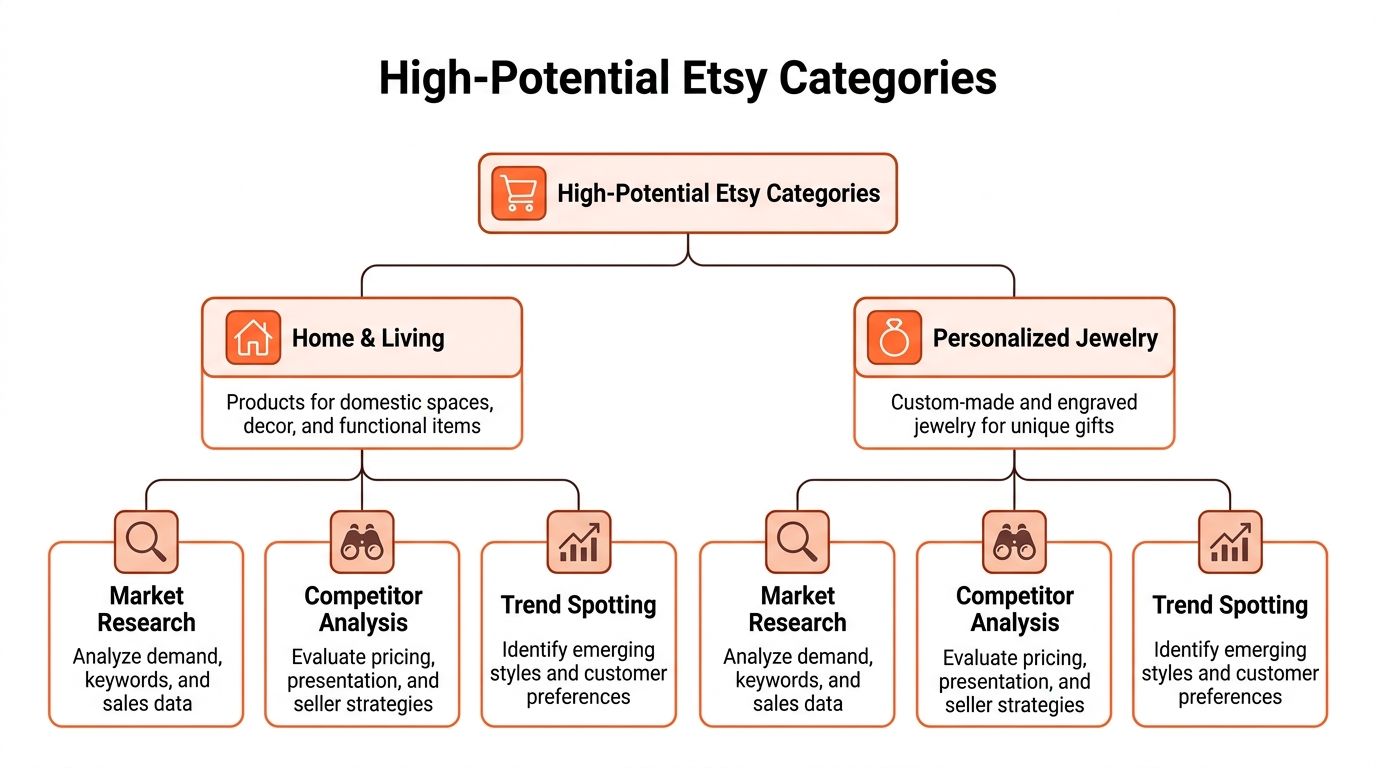
Two category groups tend to hold up well under actual shop conditions: Home & Living and personalised products with controlled variation, including jewellery. They attract steady buyer interest, but they also give sellers room to build collections instead of relying on one-hit listings.
Home and Living rewards category discipline
Analysts at Plus Favorites noted continued strength in Etsy-friendly home categories, including demand around minimalist and sustainable styles, in their review of top-selling Etsy product types. The opportunity is not the broad label. It is the ability to enter through a narrow subcategory that buyers can understand in one glance.
The strongest Home & Living shops usually avoid vague positioning. They build around a repeatable product family with a clear visual system.
Better entry points inside Home and Living
- Printable wall art sets instead of general art
- Minimalist nursery decor instead of broad home decor
- Kitchen storage labels instead of generic organisation products
- Custom house portraits instead of all-purpose personalised gifts
That narrowing does three useful things at once. It tightens keyword targeting, reduces thumbnail confusion, and makes it easier to standardise listing images. If the main image style changes wildly from product to product, catalogue growth gets messy fast.
For physical decor, the image requirements matter early. Colour-sensitive items, reflective finishes, and textured materials need stricter shot planning than many sellers expect. A clean white background product image workflow often helps for hero shots, especially when you need consistency across dozens of related listings.
Personalised jewellery works when the variation count stays under control
Personalised jewellery earns attention because the buying intent is clear. It sits at the intersection of gifting, sentiment, and customisation. That combination can convert well.
It can also punish sloppy operations.
Jewellery is one of the fastest ways to expose weak production systems. Mixed lighting shifts metal tones. Tight crops make engraving hard to read. Variant-heavy listings create a long photo checklist if each chain length, finish, birthstone, or packaging option needs separate visual proof.
The sellers who do well here usually limit complexity on purpose. They might offer one core pendant shape in three finishes, or one ring style with a small set of stone options, instead of launching a catalogue with endless combinations. That keeps the offer attractive without creating an editing backlog that eats the margin.
Validate the category before you build the catalogue
Demand is only one filter. The better question is whether the category stays manageable after listing 20, 50, or 100 products.
Use this validation grid
| Category type | Usually easier | Usually harder | |---|---| | Digital wall art | Mockups can be templated | Similar thumbnails can blur together | | Personalised jewellery | Strong gift intent | Many variants and detail images | | Home decor accessories | Easy to turn into collections | Colour accuracy matters | | Memorial or sensitive gift items | Clear emotional relevance | Presentation tone needs more care |
This grid is simple, but it catches problems early. A category with moderate demand and clean repeatability often outperforms a trend category that creates too much listing friction.
Practical checks before you go deep
- Count the image requirements per SKU: front view, angle view, scale reference, packaging, personalization example, material close-up
- Test repeatability: can the next 30 listings use the same shot order, crop logic, and thumbnail structure
- Price the hidden labour: editing, retouching, mockups, file exports, and listing updates
- Check line extension: can one product become a family of related listings without rebuilding the visual system each time
One common mistake is validating only the first product. Etsy shops do not scale on one listing. They scale on a catalogue that stays coherent while it grows.
The best category for your shop is the one that leaves room for differentiation, acceptable margins, and a photo process your team can repeat without constant improvisation.
Your Visual Strategy for High-Volume Listings
A product photo is not a standalone asset. On Etsy, it is part of a visual pipeline. That pipeline starts with capture and ends with listing-ready files that are cropped, cleaned, consistent, and usable across your catalogue.
Sellers who treat photo prep as a one-off creative task usually hit a ceiling. Sellers who build a repeatable system can launch faster, refresh listings faster, and keep the shop looking coherent even as the range expands.

Different products need different visual rules
One of the biggest blind spots in Etsy advice is that image quality and presentation requirements for underserved niches often go unexamined. Categories like grief and memorial gifts or adaptive clothing have distinct visual demands that generic “use high-resolution photos” advice does not solve, as noted in this discussion of overlooked niche presentation needs.
That gap matters. A memorial plaque should not be photographed like a novelty mug. Adaptive clothing should not rely on a single front-facing flat lay if the key buyer concern is accessibility of fastenings, seams, or fit adjustments.
Build the pipeline before you need it
Think in sequence, not in isolated edits.
A workable visual pipeline looks like this
Capture with consistency Use the same lens range, lighting direction, surface choice, and spacing wherever possible.
Sort by product family Jewellery, printables, ceramics, clothing, and gift sets each need their own templates.
Apply base corrections Exposure, white balance, colour consistency, and dust cleanup should be standardised.
Prepare listing crops Etsy thumbnails need breathing room, but the subject still has to read clearly on mobile.
Export platform variants One asset set may need Etsy listing images, square website crops, and plain-background versions. If you also sell elsewhere, plain-background assets become even more important, especially if you need guidance on images with white background.
Doing this for a whole catalog?
MerchLoom runs background removal, upscaling and AI editing across every product photo you have — one prompt, whole batch. Try 2 batches free, no signup.
Try it freeAt this point, many shops lose time. They edit one listing beautifully, then reinvent the process for the next twenty.
Match photo style to product type
Not every listing should be treated the same. Some categories need polish. Others need proof.
Products that benefit from close-up proof
- Personalised jewellery: Engraving clarity, clasp quality, chain thickness
- Adaptive clothing: Stitching, closures, texture, openings, tag placement
- Memorial gifts: Material finish, inscription legibility, subdued colour treatment
Products that benefit from environmental context
- Wall art: Room mockups, scale references, framed and unframed views
- Kitchen decor: Countertop use, shelf styling, finish comparison
- Handmade storage items: Function in real spaces, size relation to common objects
A good rule is simple. Show what the buyer fears getting wrong.
Standardise what should never vary
The most scalable shops reduce unnecessary decisions. If every product line gets its own random crop, lighting style, or cover composition, the catalogue feels fragmented.
Create fixed rules for:
| Asset element | Standard to set |
|---|---|
| Cover image crop | Same visual distance for each product family |
| Background treatment | Pure white, soft neutral, or lifestyle, decided by category |
| Detail shot order | Same sequence across listings |
| Text overlays | Use sparingly and consistently |
| File naming | Product type, material, variation, size |
Those rules save far more time than most sellers expect. They also help if you hand off editing later.
Here is a useful production reference before you batch your next upload:
Think in collections, not single SKUs
A high-volume Etsy shop is a collection business. Even if you sell handmade items one by one, the buyer experiences the shop as a visual set.
That means your image process should answer these questions:
- Can a new listing inherit an existing template?
- Can a holiday variation use the same shot structure?
- Can one photo session cover multiple products?
- Can edits be applied in groups instead of individually?
The faster you can move from raw shoot files to consistent listing assets, the faster you can test more products without lowering presentation quality.
This is why product selection and image strategy are connected. The best products to sell on etsy are often the ones that let you create a disciplined visual pipeline around them. A good product with chaotic visuals stays stuck. A good product with a repeatable image system becomes a scalable catalogue.
Mastering Etsy SEO for Your Product Photos
Etsy SEO is usually taught as a text problem. Titles, tags, attributes, and descriptions matter, but photos affect whether shoppers click, pause, and keep engaging with a listing. That behaviour shapes how your catalogue performs in search over time.
A weak thumbnail can waste strong keywords. A strong thumbnail can give your listing a better chance to earn the click your text has already won.
Your main image is part of SEO
The first listing image does two jobs at once. It tells the buyer what the product is, and it competes against nearby listings in crowded results.
That means your cover image should be built for search conditions, not just for beauty shots.
What helps in search grids
- Clear subject separation: The product should read instantly on mobile.
- Simple framing: Too many props can blur the selling point.
- Consistent catalogue style: Shoppers browsing multiple listings from your shop should recognise the brand quickly.
- Readable detail: Fine engraving, texture, or print style should still register at thumbnail size.
If you have to squint to understand the product, the buyer will keep scrolling.
Batch your image metadata habits
Many sellers do SEO manually one listing at a time. That does not hold up once the catalogue grows. Build templates for repeated categories.
Useful batch habits
- File naming before upload: Name files by product type and variation in a way that stays organised internally.
- Alt text patterns: Create reusable formulas for wall art, jewellery, and decor instead of writing every line from scratch.
- Shot sequence structure: Keep the same narrative order across a category, such as cover image, angle, detail, scale, packaging, variation chart.
You also need the technical side of image quality to stay under control. If your files are too soft, too compressed, or inconsistently exported, the listing suffers before the shopper even reads the title. A clear grasp of resolution in AI image workflows helps when you are upscaling, resizing, or repurposing product photos across platforms.
Think at catalogue level
A single listing can be optimised. A shop grows when the whole catalogue is optimised in a repeatable way.
Use a review cycle like this:
| Review item | What to check |
|---|---|
| Cover images | Do they look related across the category? |
| Variation graphics | Are options easy to understand? |
| Detail shots | Do they answer common buyer doubts? |
| Crop consistency | Do similar products share the same framing logic? |
This type of review often reveals why some listings lag. The issue is not always keyword targeting. It is often visual mismatch.
Etsy search brings the shopper to the shelf. Your photos determine whether the shopper picks up the product.
That is why photo prep belongs inside your SEO routine. Not after it.
Pricing Shipping and Scaling Your Operations
A product can get favourites, clicks, and even steady orders while still being a weak business. The problem usually shows up after the sale. Margins disappear into packing time, message handling, photo fixes, relisting work, and the small delays that pile up when a catalogue was never built to run cleanly.

Price the workflow, not just the item
Many Etsy sellers calculate materials and Etsy fees, then stop there. That misses the full cost of a listing that has ten variants, custom personalisation, three rounds of buyer questions, and image edits every time a new option is added.
I price products by asking a harder question. How much admin does this item create after I decide to sell it? A simple pair of earrings with three finishes can be profitable at a lower price than a custom sign with endless size combinations, even if the sign has a higher ticket price. The sign often consumes more labour in proofing, photography, file management, and customer support.
That matters even more once the catalogue grows. If every new listing needs manual resizing, retouching, and export checks, the shop hits a ceiling long before demand does.
Shipping strategy should match the range
Shipping problems usually start with product mix, not postage rates. A shop that combines framed art, candles, jewellery, and personalised gifts needs different packaging materials, different storage logic, and different damage-prevention steps for each order type.
A narrower range makes operations easier to control:
- Fewer packaging SKUs to keep in stock
- More predictable dispatch times
- Less training friction if you hire help
- Cleaner shipping profiles and listing setup
This is one of the least glamorous parts of product selection, but it affects profit every week. Sellers often chase higher-priced items and ignore fulfilment complexity. In practice, a product that ships safely in one standard box can outperform a more popular item that creates breakage claims, oversized postage, or packing bottlenecks.
Scale the parts buyers never see
Growth usually breaks at the asset level first. The photos are inconsistent. Variant graphics live in random folders. Old listing files get reused with the wrong dimensions. Someone has to stop and fix everything before the next batch can go live.
That is why scaling is partly an operations job and partly an image pipeline job. Use repeatable templates for thumbnails, packaging inserts, spec graphics, and personalised previews. Keep export settings fixed across a category. If older images need cleanup before reuse, a simple HD photo converter for listing image prep can save hours across a larger catalogue.
The shops that scale cleanly are not just choosing products with demand. They are choosing products they can photograph, pack, price, and relaunch without rebuilding the process every time.
A scalable Etsy shop is measured by how quickly you can publish the next fifty listings without lowering quality or losing control of the back end.
From Product Idea to a Scalable Etsy Business
The best products to sell on etsy sit at the intersection of demand, clarity, and operational fit. Demand gets you attention. Clear product positioning gets clicks. Efficient execution turns a promising listing into a full business.
That is why broad trend lists only help so much. A strong Etsy shop is built by choosing categories you can validate, presenting them with disciplined visuals, and organising the back end so new listings do not create chaos.
The practical takeaway
If you are deciding what to sell, ask three questions before you commit:
- Does this category have a clear buyer use case or gift use case?
- Can I build a recognisable collection around it?
- Can I prepare the images and listing assets repeatedly without bottlenecking the shop?
If the answer to the third question is weak, the product is weaker than it looks.
What scales is what stays organised
The sellers who last on Etsy are not only creative. They are organised in ways buyers never see. Their photos match. Their crops are deliberate. Their variant visuals make sense. Their catalogue expands without becoming visually inconsistent.
That marks the significant shift from product idea to business. You stop treating listings as isolated uploads and start treating them as connected assets inside one visual system. If you need to combine multiple visuals into cleaner listing assets, mood boards, or bundled previews, a structured AI image combiner workflow fits that way of thinking.
The product still matters. It always will. But once a shop moves past a few listings, the image workflow becomes part of the product.
If you manage a growing catalogue and need a faster way to prepare listing-ready product photos, MerchLoom is built for batch work, not one-off edits. You can run chained AI image pipelines across entire collections, keep results consistent, and prep assets for Etsy, Shopify, Amazon, and more without rebuilding the workflow every time.
Stop editing product photos one at a time
Upload your catalog or connect your store. Describe the result once. MerchLoom does the rest.
Try it free — no signup