
Your Guide to Using an AI Image Combiner for E-commerce
Learn to use an AI image combiner to batch-process your product catalog. A practical guide for e-commerce sellers on creating stunning visuals at scale.
An AI image combiner isn't just a tool for blending two photos together. For any seller with a real catalog, it's a production-level machine for processing hundreds of images at once—not just editing a single picture.
The Reality of E-commerce Product Photography
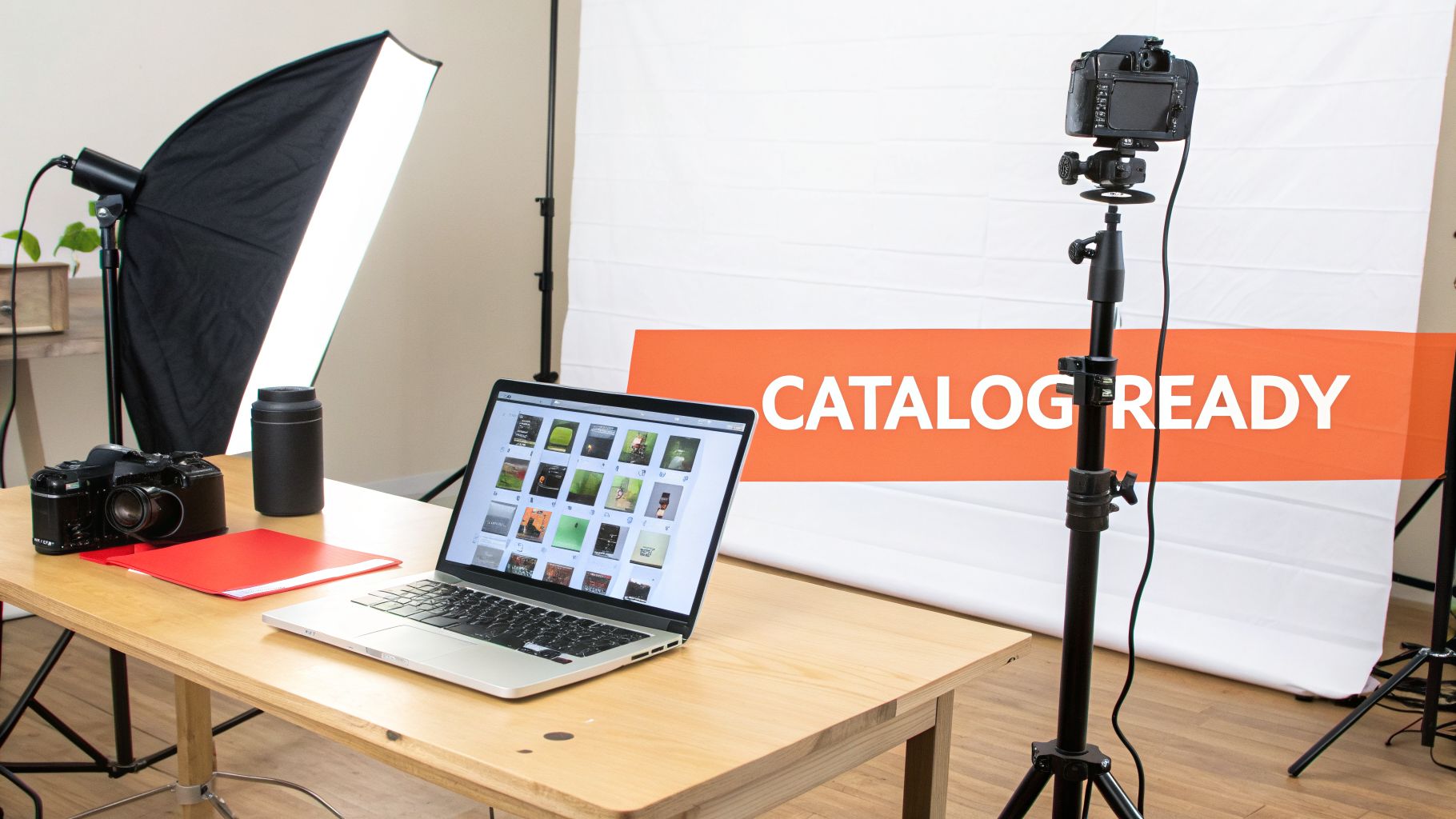
Let's be honest. You’re not a casual user trying to merge two vacation snapshots. You're an online seller or product photographer staring down a mountain of product images that all needed to be perfect for your store yesterday.
The daily grind is a relentless cycle of trying to meet the unique, non-negotiable image requirements of every single platform you sell on.
The Catalog-Scale Problem
This isn't about making a few artistic edits in Photoshop. This is about production at scale. You're juggling a constant stream of conflicting rules for your entire collection:
- Amazon: Demands a pure, non-negotiable white background. Anything else gets your listing suppressed.
- Shopify: Pushes for uniform square crops to keep your collection grids looking clean and professional.
- Etsy: Recommends images be at least 2000px on the shortest side, so customers can zoom in without seeing a pixelated mess.
- Social Media: Requires an entirely different set of vertical or square assets for feeds and stories.
Tackling this manually for an entire catalog is the kind of bottleneck that kills growth. It’s repetitive, soul-crushing work that steals your time away from marketing, sourcing new products, and actually talking to your customers. Editing images one by one simply doesn't scale.
As a seller, your most valuable asset is time. Any process that forces you to edit images individually for different platforms is actively costing you money and opportunity. The goal is to touch each image collection once and have it ready for everywhere.
This is exactly where the old-school approach falls apart. Even if you're a wizard with editing software, keeping the lighting, background colour, and cropping perfectly consistent across 500 different photos is a nightmare. Those tiny variations become glaringly obvious on a product page, cheapening your brand's look.
A Better Way to Process in Batches
This is where an AI image combiner completely redefines your workflow. It’s not a gimmick; it's a production powerhouse built for the reality of e-commerce. Imagine being able to describe your ideal final image just once, then having an AI apply that exact recipe to your whole collection automatically.
This is the idea behind what's called an agentic flow. Instead of you clicking through every single step, an AI agent understands your end goal—like "create Amazon-ready images"—and chains together all the necessary operations for you. That could mean:
- Removing the background from hundreds of photos at once.
- Placing every single one on a consistent, pure white backdrop.
- Automatically resizing and reframing each image to perfect square dimensions.
- Upscaling the final results to meet high-resolution marketplace standards.
This is precisely the kind of workflow platforms like MerchLoom are designed for. You're not just "combining images"—you're automating an entire production pipeline for your product collections. This approach is fundamental for any seller looking to grow their business without multiplying their workload.
Of course, it all starts with a clean shot. For more on getting that perfect, compliant backdrop from the start, check out our guide on achieving a clean white photoshoot background. It’s the first step to building a catalog that scales.
How to Think in Batches for Catalog-Scale Editing
To make an AI image combiner work for your business, you have to stop thinking like a photographer and start thinking like a factory manager. Seriously. You’re not editing one photo. You're designing a repeatable assembly line—a single recipe—that can process your entire product catalogue, whether it’s one hundred images or a thousand.
This isn’t about mashing two pictures together for fun. It's about defining a consistent, automated workflow for your brand. For a busy seller, that means preparing your product shots, lifestyle backgrounds, and brand elements with the full understanding that a machine will be processing them in bulk. It’s the only way to get brand consistency across a sprawling product line without losing your mind.
From Manual Clicks to Automated Recipes
The old way was painful: open an image, click through a dozen steps in Photoshop, save, close, and repeat for hundreds of photos. The new way is about defining the rules for those steps just once. This "recipe" becomes your standard operating procedure for every single image in a collection.
This approach forces you to get strategic about your assets before you even start.
- Product Shots: How consistent are your source images? Sure, AI can fix a lot, but starting with decent lighting and similar angles will always give you a cleaner result. Garbage in, garbage out still applies.
- Backgrounds: Do you need a clean white background for Amazon, or are you dropping products into lifestyle scenes for Instagram? You can feed the AI a folder of pre-approved stock photos, or you can have it generate entirely new, unique backgrounds on the fly.
- Brand Elements: Do you add a small logo watermark or a specific colour filter to every shot? That can be built right into your pipeline as a final, automated step.
The whole point is to front-load the creative decisions. You design the perfect look once, then you let the machine execute it flawlessly across the entire batch.
Leveraging AI Image Generation Models
This is where things get really interesting for e-commerce. AI image generation models aren't just for creating fantasy art anymore. For a seller, they're a background-creation engine on steroids. Imagine you have 200 different handmade items and you want each one on a rustic wooden table, but you don't want them to look like lazy copy-pastes.
An AI model can generate those 200 variations for you, ensuring each background is unique but stylistically cohesive. This is a core function of a modern AI image combiner built for commerce—it intelligently blends your real product photo into a brand new, perfectly matched, AI-generated scene.
Agentic Flows: The Smart AI Assistant
The most advanced systems don't just give you a bunch of buttons and sliders. They use what’s called an agentic flow. Think of it less like a tool and more like a smart assistant who understands your goals for a whole collection of images.
Instead of you needing to know the exact technical sequence—"remove background, then resize to square, then add shadow"—you just describe the outcome you want in plain English: "Place these products on a white background for my Shopify store."
An AI agent interprets your intent and automatically builds the most efficient pipeline to get it done. It knows Shopify prefers square images and that Amazon demands pure white. You provide the goal for the batch; the agent handles the tedious execution.
This is exactly the thinking behind a tool like MerchLoom. You can upload an entire folder of product photos, describe what you need, and the platform’s AI agent builds the correct multi-step pipeline for you. It can combine your product image with a new background, colour correct it, reframe it, and get it ready for any marketplace without you needing a degree in computer science.
It’s a far better use of your time than, say, manually trying to blur the background on your iPhone for every single shot. The focus shifts from doing the work to directing the work for your entire catalog.
Alright, let's move past the theory and get our hands dirty. Forget about editing your photos one by one. We're going to build an automated assembly line that can process your entire product catalogue.
The goal here is a repeatable, hands-off process. One that takes a folder of raw product shots and turns them into a full set of marketplace-ready images. You get to skip the tedious, soul-crushing repetition. This is exactly how the pros handle thousands of images without losing their minds.
It all starts with the one step every e-commerce seller knows far too well: isolating your product. You have to get a clean background removal for every single primary product shot. This isn't just about making things look nice; it's a non-negotiable rule for platforms like Amazon and a solid best practice everywhere else.
Thinking about it this way helps shift your mindset from endless manual work to smart, strategic design. You prepare your assets, create a repeatable recipe, and then let the automation run wild.
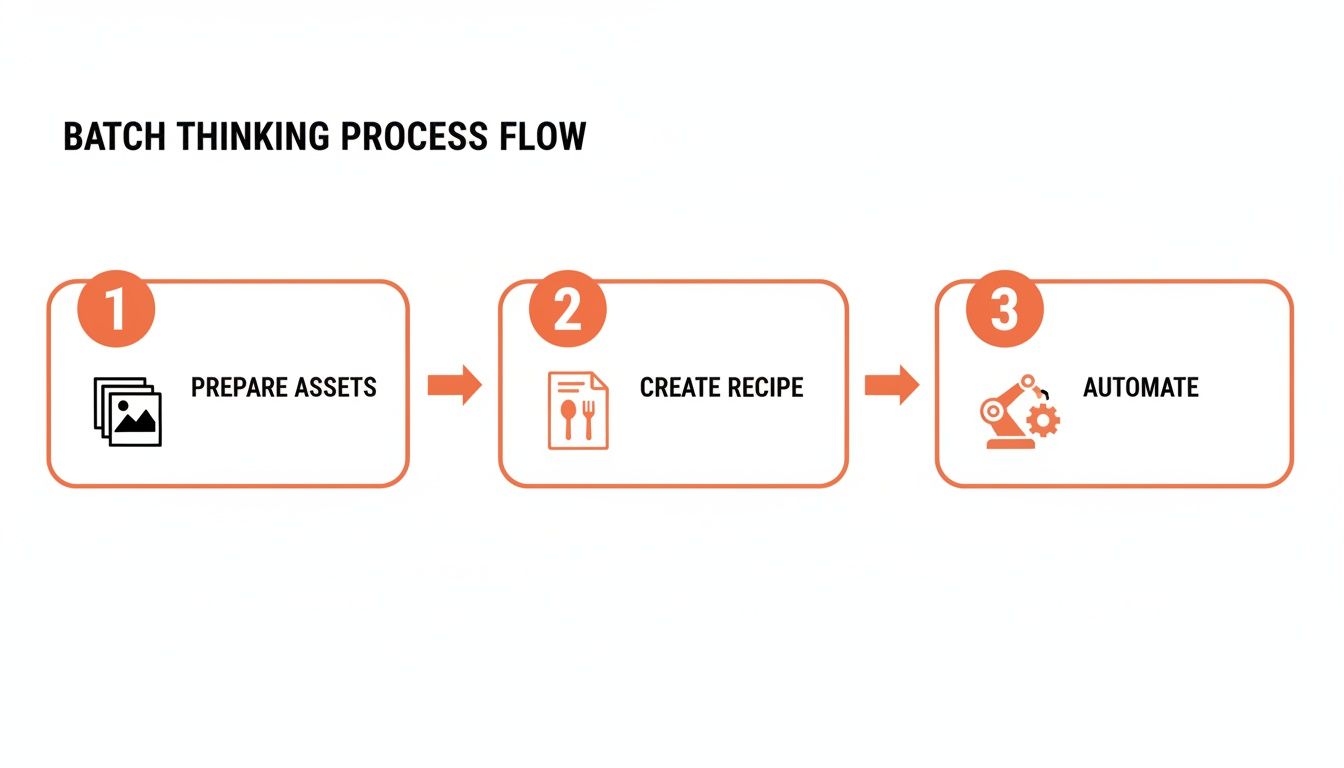
When you see your workflow like this, you stop focusing on the grunt work and start directing the strategy.
The Power of an Agentic Flow
This is where the real magic of a proper AI image combiner kicks in. Instead of you manually chaining different tools together, you use what's called an agentic flow. Think of it like describing what you need to a highly skilled assistant for your entire photo collection. You don’t tell them how to do the job, step-by-step. You just tell them the result you're after.
You can state your goal in plain English, something like: "Take my product photos, remove the background, and place them on a clean white backdrop suitable for Amazon."
An AI agent then translates your intent into a sequence of technical commands. It knows that "Amazon" means a pure white background—specifically #FFFFFF—and likely a certain aspect ratio. This is a world away from traditional software where you’re on the hook for knowing and clicking through every single step. For tools like MerchLoom, this is the core experience. You direct; the AI builds and executes the pipeline for you across hundreds of images.
Building Your Core Combination Pipeline
Once your product is isolated with a transparent background, the real combination work begins. This is where you decide what new world your product is going to live in across the entire batch.
Solid Colours: This is the bread and butter for Amazon listings and clean catalogue pages. The AI simply slips a new layer behind your product with the exact colour hex code you need.
Stock Photos: Already have a folder of approved lifestyle shots? You can feed them to the AI and have it place your product realistically onto that kitchen counter, bathroom shelf, or hiking trail scene.
AI-Generated Scenes: This is how you create truly unique visuals at scale without booking a photo shoot. You can prompt the AI to generate a custom background—like "a minimalist marble podium with soft morning light"—and it will produce a unique, fitting scene for every single product in your batch.
If you're still wrestling with background removal and want to understand the manual principles that AI automates, our guide on how to remove a background in GIMP is a great place to start.
Essential E-commerce Finishing Steps
Getting the product onto a new background is just one part of the pipeline. To get your photos truly ready for a listing, a few more AI-powered steps are critical, especially if you sell across multiple platforms. These are the details that separate amateur-looking listings from professional, high-converting ones.
To show how this all connects, here’s a typical pipeline for an e-commerce brand processing a new batch of product photos.
Example AI Image Combination Pipeline for a Product Catalog
| Pipeline Stage | Action | E-commerce Goal |
|---|---|---|
| 1. Masking | Remove background from all product photos. | Creates a clean, isolated product on a transparent background, meeting Amazon's core requirement. |
| 2. Blending | Place the product onto an AI-generated scene. | Creates unique, high-quality lifestyle images without the cost of a photo shoot, boosting engagement. |
| 3. Relighting | Add realistic shadows and adjust lighting. | Makes the composite image look natural and believable, increasing customer trust and conversion. |
| 4. Framing | Reframe all images to a 1:1 square aspect ratio. | Ensures consistent, professional branding across your Shopify store grid and Instagram feed. |
| 5. Upscaling | Increase image resolution to 2000px wide. | Meets marketplace recommendations (like Etsy's) for zoom functionality, allowing customers to see details clearly. |
This table maps out the journey from a raw photo to a polished, multi-platform asset, with each step building on the last to create a final product that looks professional and drives sales.
The most effective workflow isn't just a series of disconnected actions; it's a chained pipeline where the output of one step becomes the input for the next. This creates a fully automated journey from raw photo to finished, marketplace-compliant asset.
Once you design your workflow this way, you have a powerful, repeatable recipe. You can apply this exact same pipeline to next season's collection and the one after that, guaranteeing brand consistency and saving yourself countless hours. This is what it means to truly scale your e-commerce visuals.
Optimizing Your Costs for Batch Image Processing
When you're editing just one or two photos, the cost is an afterthought. But when you’re running a batch of hundreds, every single cent multiplies. Suddenly, processing costs aren't trivial—they're a real line item on your budget.
Doing this for a whole catalog?
MerchLoom runs background removal, upscaling and AI editing across every product photo you have — one prompt, whole batch. Try 2 batches free, no signup.
Try it freeAs a seller, you live and die by your margins. Managing your visual asset budget is just as critical as sourcing good products. This isn't about finding the cheapest possible option; it's about being smart and squeezing the most value out of every dollar you spend.
The good news is, a well-designed AI workflow can drastically cut your processing costs without sacrificing an ounce of quality. The secret isn’t just in what tools you use, but the order you use them in.
The Right Steps, in the Right Order
Think about a common task: you need to remove the background from a product shot and then upscale it for a high-resolution marketplace listing. Most people’s first instinct is to upscale the image at the start, thinking it’s better to work with a high-quality file from the get-go. That’s a logical assumption, but it’s also a costly one when you're processing hundreds of images.
A truly intelligent system does the exact opposite. It understands that AI upscaling is almost always the most expensive, processor-intensive part of any pipeline. So it works smarter, not harder.
- First: It starts with your original, smaller image to perform tasks like background removal and cropping.
- Then: It handles all the other intermediate steps while the image data is still small and manageable.
- Last: It performs the AI upscaling only at the very end, on the final, composed image.
This isn’t just a small optimization. By shrinking the image data before hitting the most resource-heavy step, the cost savings are huge. With a platform like MerchLoom, this smart sequencing can slash your processing costs by as much as 87% across an entire catalog. An AI agent handles this for you, automatically arranging your pipeline for the lowest possible cost without you having to lift a finger.
Let an AI Agent Worry About Efficiency
This is where having an AI agent manage your workflow becomes your financial secret weapon. You don't need to be a pipeline architect or a data scientist to figure out the most efficient order of operations. You just state your end goal for the whole collection, and the AI agent builds the most cost-effective "agentic flow" to get you there.
You can tell the system, "I need these 500 images ready for my Etsy store," and the AI agent automatically builds a pipeline to remove the background, place the product in a new scene, and then upscale the final result to 2000px wide. It’s like having a production manager who is obsessed with efficiency working for you 24/7.
This focus on efficiency is more critical than ever. The AI image upscaler market in North America is exploding—a trend every seller should be watching. For e-commerce brands, using this tech cost-effectively isn't just a nice-to-have; it's a major competitive edge. You can dive deeper by checking out the full market research on AI image upscaling.
Pay-Per-Image vs. The Subscription Trap
Finally, let’s talk about how you pay. Many tools push you into a monthly subscription. It sounds simple enough, but then you have a slow month with less inventory and find yourself paying for credits you don’t even use. For sellers with seasonal product drops or fluctuating needs, that's just burning cash.
A pay-per-image model gives you far more control. You only pay for what you actually process. This is a game-changer when you're launching a new collection and need to process hundreds or thousands of images all at once. You can run a massive batch and know you won't get slapped with overage fees or waste the remainder of a monthly subscription.
This approach, which is at the core of MerchLoom, gives you the freedom to scale your production up or down instantly, directly in line with your business needs. Freeing up your time from tedious tasks like this also gives you more runway to get creative, like learning how to change the colour of a car in your product photos.
Fine-Tuning Your Automated Catalog Workflow
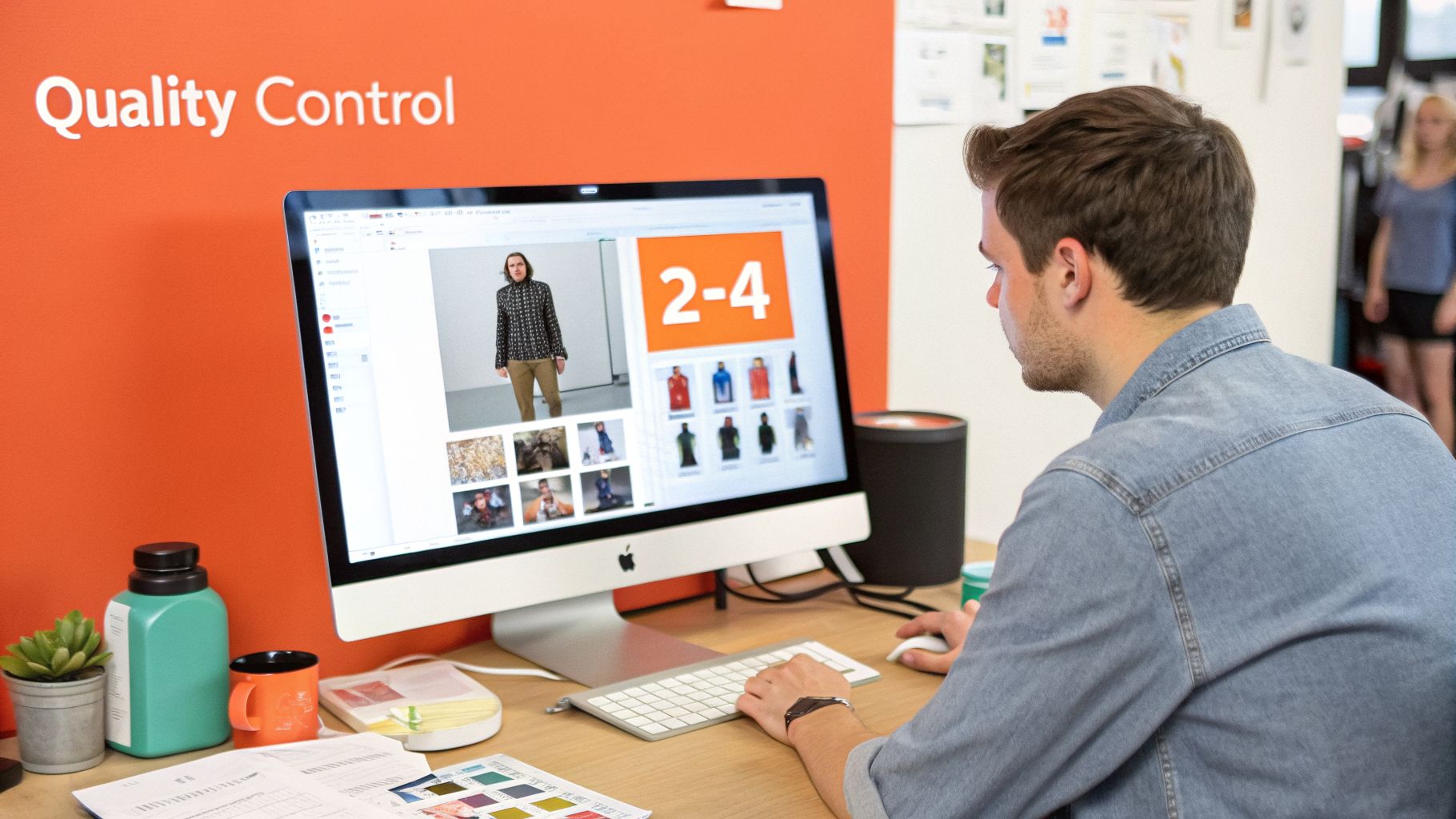
Automation is a powerful tool, but let's be honest. What happens when you run a batch of 500 product photos through your shiny new AI pipeline and the results look… a little off? This is the reality check every seller hits when they try to scale.
The dream is a "set it and forget it" workflow. The truth is that even the smartest AI can get tripped up by the details. The good news? The issues are usually predictable if you know what to look for. Automation doesn't eliminate your oversight; it just makes it faster and more strategic.
Spotting Common Hiccups in Batch Processing
When you’re dealing with a huge catalog, you start to see patterns in the errors. The problem usually isn't the AI itself, but the inconsistencies in the photos you fed it. Even tiny variations in your source shots get magnified across a large batch.
Here are the usual suspects you’ll run into:
- Inconsistent Lighting: You shot half your products on a sunny day and the other half under studio lights. The AI might struggle to apply a consistent relighting effect, leaving some images looking unnaturally bright or weirdly dark.
- Wandering Product Positions: If your products aren't all centred or framed the same way, an automated cropping step might chop off important details on some items. A perfectly centred necklace in one shot becomes a cut-off chain in the next.
- AI Getting Confused: Sometimes, the AI just gets it wrong. A complex product shape—think fuzzy sweaters or intricate jewelry—might confuse the background removal tool, leaving behind artifacts or cutting into the product itself.
The fastest way to troubleshoot your AI workflow is to fix your inputs. A few minutes spent standardizing your source photos will save you hours of fixing botched outputs later.
This is becoming more critical as AI gets baked into e-commerce. AI-based image analysis is no longer a novelty; it’s a key tool for catalog management. You can dig into these trends in AI-based image analysis yourself.
Best Practices for Getting Predictable Results
You can dramatically improve the consistency of your pipeline by building a solid quality control process. This isn't about checking every single image by hand; it's about creating a smarter system.
Start by getting specific with your prompts. Instead of a vague instruction like "make this look good," tell the AI exactly what you want. Use plain-English prompts like, "place this product on a pure white background, #FFFFFF, and add a soft, natural shadow to the bottom right." The more precise your instruction, the more predictable the result from the AI image combiner.
It’s also crucial to prep your photos for the AI. A quick pass to standardize brightness or roughly crop your images can make a huge difference in the final output. For shots that just aren’t crisp enough, our guide on how to sharpen an image in Photoshop explains the principles that these AI tools automate.
Real-Time Quality Control and Quick Fixes
The real game-changer for batch processing is a system that lets you monitor and adjust as you go. Waiting until a batch of 500 images is finished to spot-check is a recipe for wasted time. You might find a fundamental error that affects every single image, forcing you to start all over again.
A better approach is to use a platform that streams results in real-time. With a tool like MerchLoom, you see the processed images appear as they’re completed. This lets you catch any widespread issues within the first few dozen images, pause the job, and tweak your pipeline without wasting credits on the whole batch.
This iterative process is where a truly effective AI workflow proves its worth. Imagine you run a batch and notice the AI is cutting off the straps on 15 out of 200 handbags. Instead of re-uploading everything, a good system lets you:
- Select only the 15 flawed images from your results.
- Feed them directly back into a new pipeline.
- Give a simple corrective prompt like, "refine the mask around the handbag straps."
- Re-process only those specific images for a quick fix.
This ability to iterate without re-uploading is vital. It bridges the gap between mass automation and the need for hands-on quality control, helping you maintain perfect brand standards across your entire store without getting bogged down in manual edits.
Answering the Tough Questions
As a seller, you've heard it all before. Every new tool promises to be the one, and most of them just add another login to your already long list. Your time is your most valuable asset, and you need to know if this will actually work for a real catalogue—not just a pretty demo with one perfect photo.
Here are the honest answers to the questions we get from sellers who are, justifiably, skeptical.
Can I Throw All My Different Products into One Batch?
Yes, but you need to be smart about it.
For the grunt work—like stripping backgrounds and putting everything on a clean white canvas for your main catalogue—absolutely. A good AI can look at a pile of photos containing shoes, bags, and hats and correctly identify the main product in each. It will apply the same pipeline—"remove background, place on white, resize for Amazon"—to all of them at once. This is a massive shortcut for standard catalogue prep.
Where you want to be more specific is with creative tasks. You wouldn't frame a necklace the same way you'd frame a floor lamp. For those jobs, it’s better to group similar items. But for the bread-and-butter task of making clean cutouts, a solid AI will handle a mixed bag of products without you having to sort them first.
How Do I Make Sure My Images Actually Meet Marketplace Rules?
This is where building an agentic AI workflow really changes the game for sellers. Instead of you keeping a checklist of specs for every single platform, you just tell the AI agent what you need.
Think of it this way: with a tool like MerchLoom, your prompt isn't a bunch of clicks and settings. It's a simple instruction in plain English: "Create a 2000px square version with a pure white background for my Etsy listings."
The AI agent takes that instruction, figures out the correct steps, and then executes them on your entire batch. It’s like having an assistant who already knows all the rules for background fills, reframing, and upscaling. You get compliant images without having to become an expert on every marketplace's latest image policy.
Is This Really Cheaper Than Hiring a Freelance Editor?
For one or two hero shots? Maybe not. But for an entire catalogue? Almost certainly, yes.
A freelance editor is great for high-touch, creative work, but their per-image or per-hour rate gets expensive fast when you’re looking at hundreds of SKUs for a new season.
The real power of an AI image pipeline is in the economies of scale. Because it processes images in seconds and uses smart logic—like removing the background before upscaling to save on processing costs—the per-image cost plummets. It’s a fraction of what you’d pay for manual editing.
This frees up your budget and, more importantly, your time. You can put that energy back into the things that actually grow your business: marketing, customer service, and sourcing your next winning product.
What Happens if the AI Screws Up on a Big Batch?
A great workflow isn't about getting it 100% perfect on the first try. It’s about making it fast and easy to fix the handful of images that don't come out right.
Let's say 10 out of 500 images have a small masking error. A system like MerchLoom is built for this. You just select those 10 flawed images—without re-uploading anything—and feed them back into a new pipeline.
You can then give a simple correction like, "refine the mask on the shoelaces," and rerun only those images. It’s this combination of mass automation with the ability to make targeted fixes that lets you achieve perfect results at scale, without the headache.
Ready to stop editing photos one-by-one and get your time back? MerchLoom is built for the reality of e-commerce. Upload your entire catalogue, describe what you need in plain English, and let an AI pipeline do the work.
Try it now at https://merchloom.ai.
Stop editing product photos one at a time
Upload your catalog or connect your store. Describe the result once. MerchLoom does the rest.
Try it free — no signup