
Virtual Car Color Change: A Guide for E-commerce Stores
Discover the best car color change methods for your online dealership. Compare AI vs. manual editing to save time and money on your automotive photography.
Changing the color of a car in a single photo seems straightforward, but for anyone running a Shopify store or an online dealership, it's a massive drain on time and money. The manual grind of creating color variants from one master photo is an expensive bottleneck that kills profits, stalls your listings, and leaves you wondering why such a simple task is so hard.
The Hidden Costs of Single-Colour Car Listings
You've felt this exact pain. You have one perfect shot of a white sedan, but you also need to show it in blue, red, and gray. The typical fix? You either hire a graphic designer or spend hours wrestling with complex software like Adobe Photoshop.
Either choice kicks off a chain reaction of hidden costs that add up faster than you'd think.
Let's run the real numbers. Say you have a modest inventory of just 10 car models, and each one comes in 5 different color options. A designer needs to manually create 40 new images, because your original photo only covers one color for each model. That’s 40 separate, painstaking edits.
The Financial Drain of Manual Edits
A good designer, the kind who can pull off a realistic color change while keeping all the reflections and shadows intact, bills around $50 per hour. And a high-quality color swap on a car can easily take two hours for a single image.
Now, let's do the math on that small inventory:
- Edits Needed: 10 cars × 4 new colors = 40 images
- Time per Image: 2 hours
- Total Time: 40 images × 2 hours/image = 80 hours
- Total Cost: 80 hours × $50/hour = $4,000
And this isn't a one-and-done expense. Every time a new model arrives or you want to test a new color, you’re right back to spending thousands and waiting weeks. It’s an operational nightmare that directly hits your bottom line.
The Problem with Inconsistency
Even if you can stomach the cost, the manual process creates another huge problem: inconsistency. When edits are done by hand, often days or even weeks apart, you get subtle differences. The lighting is a little off, the reflection intensity doesn’t quite match, and the color saturation varies.
A "metallic blue" on one model ends up looking slightly different from the same color on another. This creates a sloppy, unprofessional look that can erode a customer’s trust.
The real pain of manual editing isn't just the invoice from your designer. It's the 80 hours of lost time—time you could have spent on marketing, sales, or talking to customers. It’s the sales you lose simply because a buyer couldn't see the car in the color they actually wanted.
The table below shows just how painful the traditional workflow is compared to an automated one.
| Metric | Manual Photoshop Workflow | AI-Powered Workflow (MerchLoom) |
|---|---|---|
| Cost Per Image | $100 (2 hours @ $50/hr) | ~$0.19 (background removal + edit) |
| Total Cost for 40 Images | $4,000 | ~$7.60 |
| Time for 40 Images | 80 hours | ~5-10 minutes |
| Consistency | Variable; depends on designer skill | Perfectly consistent across all images |
| Required Skill | Expert-level Photoshop skills | None; use simple text prompts |
This old way of working isn't just inefficient; it’s unsustainable for any business trying to grow. You can see how pay-as-you-go pricing works at MerchLoom, where you process images for cents instead of hundreds of dollars. There are no subscriptions, and credits never expire. The manual approach forces a terrible choice: either burn through your budget or settle for an incomplete product catalog.
Comparing Car Color Change Workflows
When you need to change a car’s color for your online listings, you’re basically looking at three ways to get it done. Each one hits your time, your budget, and the quality of the final image. Getting this choice right is what separates a growing dealership from one that’s just burning cash on busywork.
Let's get real about what each workflow actually looks like—doing it yourself, hiring it out, or using an AI pipeline.
In-House Manual Editing
This is the DIY path. You or someone on your team fires up Photoshop and gets to work. The appeal is obvious: total control. You can nudge every shadow and perfect every reflection. For a single hero shot, that control feels necessary.
But that control comes at a brutal cost when you need more than just one image. A realistic car color change is a slow, fiddly process. A skilled designer can easily spend two hours on one photo. Need to do that for a batch of 100 images? You’re now looking at 200 hours of pure manual labor.
This is what that cost looks like in the real world. For just 50 images, the numbers get out of hand fast.
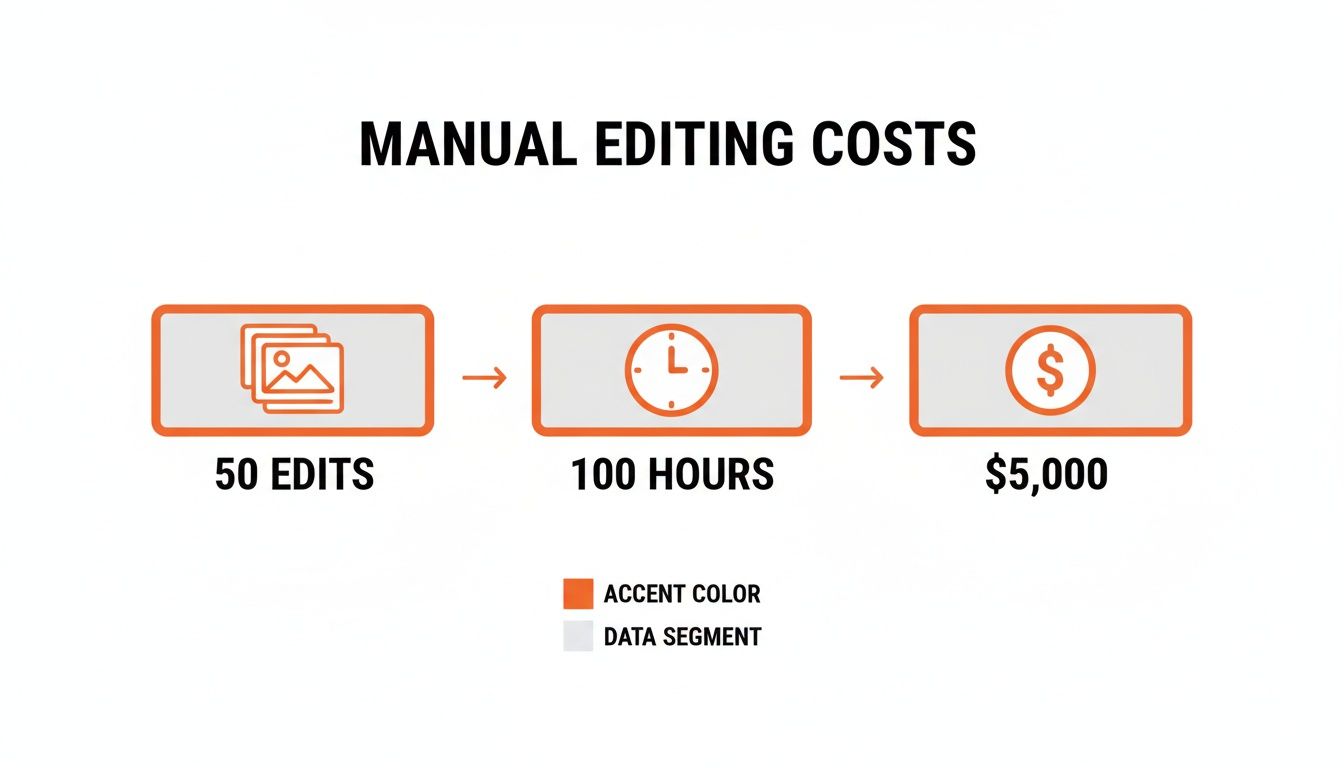
The math doesn't lie. A manual workflow doesn't scale. It becomes a massive financial drain, turning a simple content need into a major expense.
Outsourcing to Freelancers
If you don't have a designer on staff, hiring a freelancer on a site like Upwork or Fiverr feels like the next logical step. You get access to a global talent pool, and it seems like a shortcut to professional results.
The problem here is the wild inconsistency. A good automotive photo editor will charge anywhere from $10 to over $50 per image. For that same batch of 100 images, your project costs can balloon to anywhere between $1,000 and $5,000+. Worse, the quality is a lottery. One freelancer might deliver brilliant work, while the next sends back edits with mismatched lighting and colors that just look off.
The hidden cost of freelancers is all the management. You're suddenly spending your time vetting portfolios, haggling over rates, writing detailed creative briefs, and managing endless rounds of revisions. It's a time sink, and the result is often an inconsistent-looking catalog that hurts your brand.
The AI-Powered Pipeline
The third option is to use an AI platform like MerchLoom to automate the whole thing. This approach is built for speed and consistency. No design skills needed. You upload your original photo, get the background removed with one click for $0.05 per image, then apply a new color with a simple instruction like, "Change car color to cherry red." That AI editing step costs just $0.14 per image.
For that same 100-image batch, an AI pipeline finishes the job in minutes, not weeks. The total cost lands around $19—that’s $5 for background removal and $14 for the color changes. It’s a staggering reduction in both time and money. The real win is the perfect consistency. The AI applies the exact same "cherry red" to every single car, every single time.
While there’s a place for manual work, it's not a real business process. If you want to get your hands dirty, our guide on how to remove a background using GIMP is a good place to start with a powerful, free tool.
To make the choice even clearer, here’s a side-by-side look at how these three methods stack up.
Car Color Change Method Comparison
| Criteria | In-House Manual Editing | Outsourcing to Freelancers | AI-Powered Pipeline (MerchLoom) |
|---|---|---|---|
| Cost per 100 Images | $5,000+ (at $50/hr) | $1,000 - $5,000+ | ~$19 |
| Turnaround Time | 200+ hours (weeks) | Days to weeks | Minutes |
| Consistency | Low; varies by designer and day | Medium; varies between freelancers | Perfect; identical results every time |
| Required Skill | Expert-level design skills | None (but requires management) | None; use simple text prompts |
| Scalability | Poor; very difficult to scale | Limited; depends on freelancer availability | Excellent; process thousands of images easily |
For any Shopify store owner trying to grow, the numbers speak for themselves. Manual methods give you control but create a bottleneck that stops you from moving quickly. An AI-powered workflow delivers the speed, cost savings, and consistency you need to keep your online showroom looking fresh without the crippling overhead.
Putting AI to the Test: One Car, Multiple Colors, in Minutes
Let's walk through a real-world scenario. You’ve got a single, perfect photo of a new white sedan. Problem is, you need to show that same car in metallic blue, cherry red, and graphite gray. The old way meant booking a designer, waiting days, and paying for each variation.
Here’s how you can turn that one white car into a full gallery of color options in less time than it takes to make coffee, and for less money.
Before: The Manual Grind
Your starting point is a great photo of a vibrant green sedan. You need to show it in a modern bronze color to test market demand. Manually, this would take a designer about 2 hours and cost you around $100. You'd send a brief, wait for a draft, and likely go through a round of revisions to get the reflections right.
After: 30 Seconds and $0.19
With an AI tool like MerchLoom, the process is simple:
- Upload the image and remove the background for $0.05.
- Use a simple prompt: "Change the car paint to a metallic bronze color." This edit costs $0.14.
In under a minute, you have a perfectly realistic bronze variant ready for your product page. Total cost: $0.19. You can see a live example of this exact transformation on merchloom.ai.
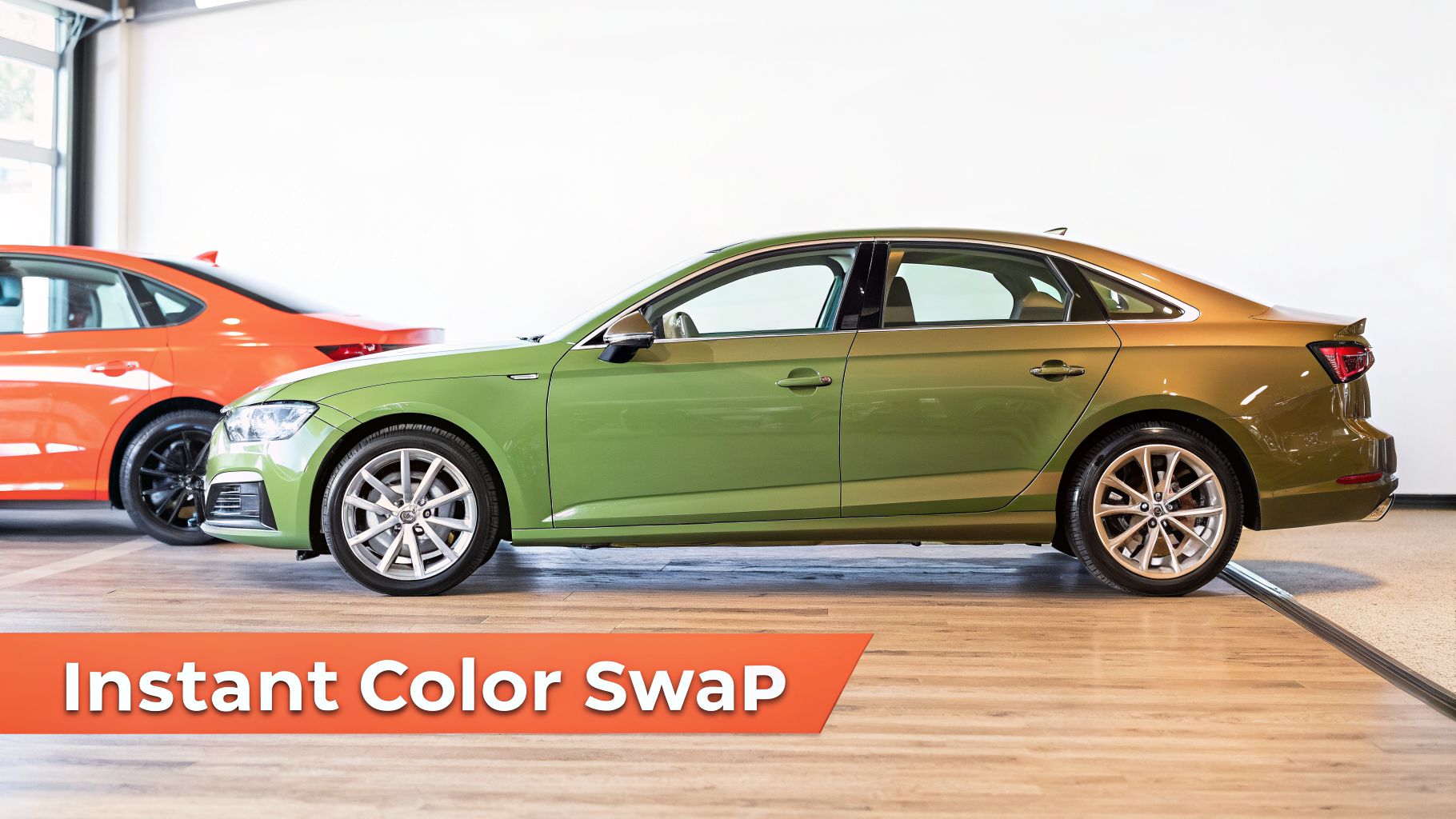
The result is a set of studio-quality photos, ready for any marketplace. For those looking to automate even further, you can explore the agentic future of AI, where entire multi-step workflows like this can be chained together automatically.
The whole process is built to be dead simple. You don't need an account to try it, and the pay-as-you-go model means credits never expire. There’s no barrier to entry. You can prove it works on your own images, right now, before committing to anything.
Why Neutral-Coloured Inventory Is Your Secret Weapon
You look out at your lot, and all you see is a sea of white, gray, and black cars. It feels like a limitation, right? Every dealer faces this reality—neutral tones just dominate the sales floor. But what if that wasn't a weakness? What if it was actually a secret weapon for building out a full-color catalog without spending a fortune?
Doing this for a whole catalog?
MerchLoom runs background removal, upscaling and AI editing across every product photo you have — one prompt, whole batch. Try 2 batches free, no signup.
Try it freeThis isn't just a feeling; it’s a hard, data-backed trend. According to one study, grayscale colors exploded from 60.3% of the North American market back in 2004 to a staggering 80% by 2023. You can dig into more of the numbers on these popular car colour trends and their market impact on iseecars.com.
This overwhelming market preference for neutral-colored vehicles just happens to give you the perfect starting point for virtual color changes.
The Power of a Blank Canvas
Think of a white or light silver car as a perfectly primed canvas. From a technical standpoint, it’s far simpler and faster for an AI to apply a new color accurately onto a light, neutral surface. The AI doesn’t have to fight against dark pigments or try to overcome a heavily saturated base color to get to a realistic final image.
It’s a different story when you want to change a black car to a vibrant yellow. That requires a much more complex transformation. The AI has to convincingly add brightness and new color data where there was almost none, to begin with.
But changing a white car to yellow? Or blue? Or that deep metallic green? It’s a much more direct path. The AI can layer the new hue directly onto the bright surface, preserving the car's original gloss, shadows, and reflections with incredible fidelity. The market trend just made your life easier.
The bottom line is that your existing, neutral-colored inventory is the ideal raw material for an efficient AI workflow.
From Market Trend to Business Advantage
This reality turns a simple market statistic into a real, tangible business advantage. You don’t need to hunt down cars in every exotic shade just to get them in front of a camera. Your current inventory of white, gray, and silver vehicles is already optimized for a fast, affordable, and high-quality virtual car color change process.
This strategy lets you:
- Simplify Your Photoshoots: You just need one great shot of a single neutral-colored car.
- Get Better AI Results: Starting with a light-colored vehicle produces more realistic color swaps.
- Lower Your Editing Costs: A simpler transformation means quicker processing and lower costs when using pay-as-you-go AI services.
For a deeper look at how you can showcase these kinds of transformations, you might want to check out our January 2026 Product Showcase, where we get into some more advanced techniques. By simply recognizing the strategic asset you already have on your lot, you can sidestep the massive costs of manual editing and quickly build a diverse, colorful online catalog.
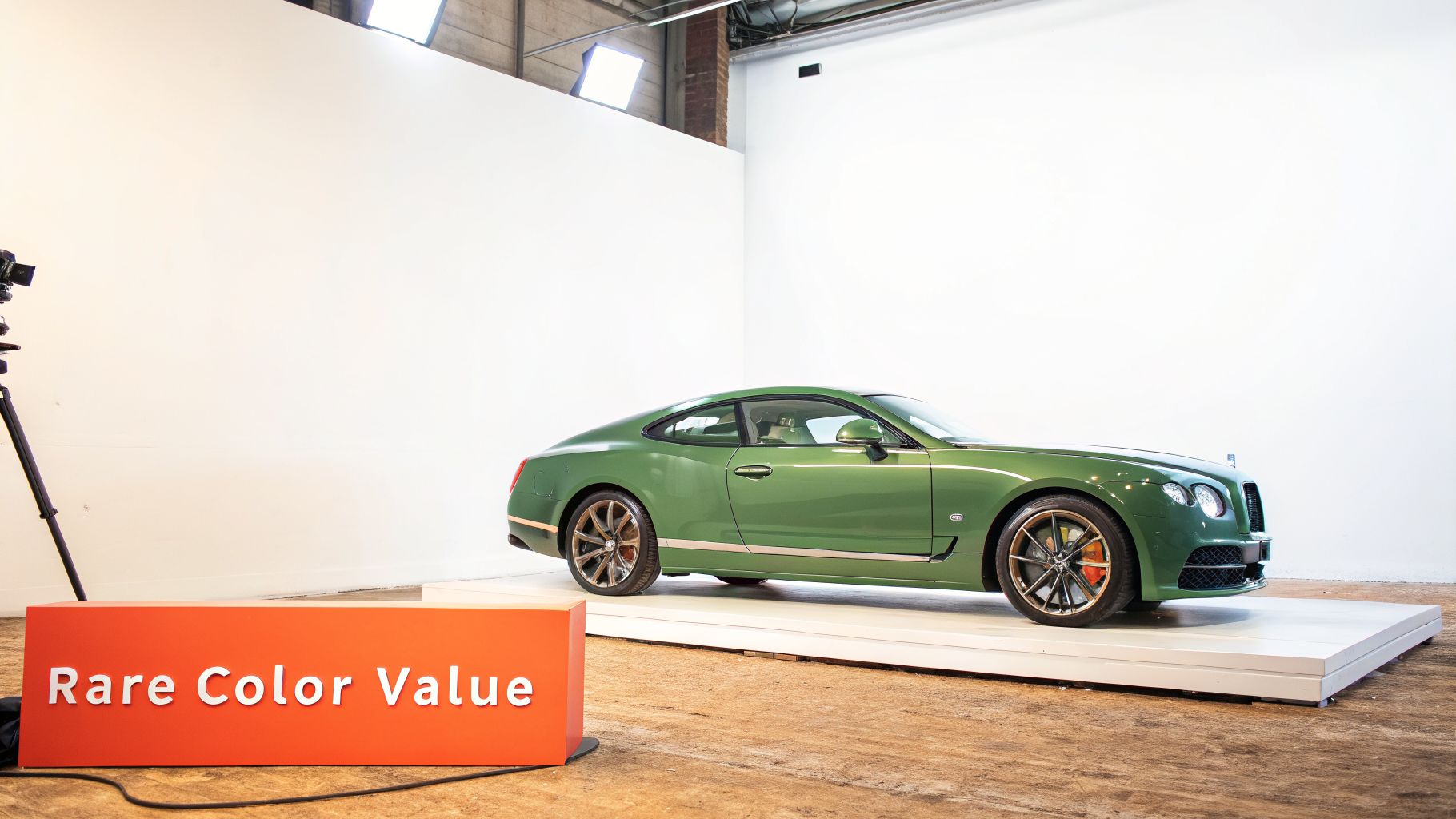
It’s easy to look at a lime green or bright yellow car as a liability. The pool of potential buyers is just smaller than it is for the grays and whites. But here’s the twist: that exact rarity can be what drives a higher resale value. It’s a classic case of the "rarity premium."
Turning Rarity Into Profit
While most buyers lean toward neutral tones, a strange thing happens in the used car market. Research consistently shows that bolder, less common colors often hold their value better and depreciate slower than their more popular cousins.
One study found that yellow vehicles actually commanded the highest resale value, followed by other eye-catching colors like green and orange. In a surprising reversal, white cars—the most popular choice at purchase—suffered some of the worst depreciation. You can dig into these vehicle depreciation findings on YouTube.
This data completely flips the script. That weirdly-colored car isn't just taking up space; it's a high-value asset waiting for the right person to find it. The entire game is about making its unique color pop online to grab the attention of the buyers who are specifically looking for something that stands out.
For a seller with a rare-colored car, AI tools aren't for a car color change. They are for color enhancement. This is about maximizing the appeal of what you already have, not just creating something new.
A Real-World Example: Making a Rare Colour 'Pop'
Let's say you have a vintage coupe in a classic British racing green. It’s a gorgeous car, but your standard lot photos make it look a bit flat. The lighting is harsh, and the color just doesn’t have the rich depth it does in person. This is where a quick, targeted AI edit can make all the difference.
Here’s the simple workflow:
- Start with Your Best Shot: Grab your standard, unedited picture of the green car.
- Use an AI Editor: Upload it to MerchLoom's AI Editor.
- Apply a Simple Prompt: Use a text command like, "Increase the color vibrancy of the green paint, make the chrome bumper more reflective, and adjust the lighting to look like a bright, overcast day."
For just $0.14 per image, the AI instantly punches up the vibrancy of the green, sharpens the reflections in the chrome, and balances the light to get rid of distracting shadows. The car goes from looking like just another used vehicle to a premium, must-see classic. Our guide on how to sharpen an image beyond Photoshop's capabilities digs into similar enhancement tricks.
This tiny, low-cost edit directly boosts the car's perceived value online. It helps you connect with that niche audience willing to pay a premium for that exact shade—proving that AI is just as powerful for marketing the assets you already have as it is for creating new ones.
The Real Cost of Changing Car Colours
You’ve seen the numbers. You know the workflow. The old way of showcasing every car colour is a massive drain on your resources. Spending thousands of dollars for a designer to manually change colours in Photoshop isn't just expensive; it's a painful bottleneck. That process, costing upwards of $100 per image and chewing up 80+ hours for a small batch, creates inconsistencies that chip away at your brand's credibility.
You've also seen the alternative. Instead of wrestling with complex software or chasing down freelancers, you can get better results in minutes. An AI workflow lets you generate an entire lineup of colour variants from a single photo for less than $0.20 per finished image.
Stop Reading and See for Yourself
All this analysis is just talk until you see it work on your own cars. The next step isn’t to read another blog post. It’s to prove this works with your own assets, without any risk.
Here’s the simple, direct way to do it right now:
- Grab one of your own product photos. A neutral-colored car is a perfect place to start.
- Go to MerchLoom.ai and upload your image. You don't need an account.
- Use a simple prompt from this guide to generate a new colour. For example: "Change the car's colour to metallic blue, keeping the original reflections."
In seconds, you'll have a new, high-quality image ready for your catalog. You'll see exactly how fast you can execute a car colour change while keeping the realistic lighting and shadows that make a listing believable.
This isn't about replacing designers. It's about replacing a slow, expensive, and inconsistent process. It's about taking a task that used to cost a hundred dollars and take hours, and turning it into a 19-cent, 30-second action.
This is your chance to get past the manual grind. There’s no subscription to worry about, and any credits you decide to buy never expire. Test it out with your own images. See the results for yourself on the interactive demos at merchloom.ai.
A Few Common Questions
You’ve seen the numbers. You get how much time and money an AI workflow can save compared to the old manual slog. But you probably have a few practical questions. Let’s get into them.
How Realistic Can an AI Car Colour Change Actually Look?
This is the big one. We’ve all seen cheap, fake-looking color swaps that are worse than having no options at all.
The secret to a result that doesn’t look like a bad video game mod is in the details the AI is built to protect: reflections, shadows, and even the subtle metallic flake in the paint. When you tell it, "Change the car's colour to metallic blue," it isn't just dumping a bucket of blue pixels onto the image. It’s analyzing the original light sources, the gloss of the factory paint, and the faint environmental reflections on the car’s body panels.
It then applies the new color while preserving those critical details. You can see this in action on the before-and-after carousels right on the MerchLoom site.
Can I Really Change a Black Car to White?
This is one of the toughest edits, and it's where most simple tools fail. Going from a dark color like black to a bright one like white is a huge challenge because the original photo has almost no light information on the car's surface to work with.
The AI has to essentially "invent" highlights and brightness where there were only dark, flat tones. Sometimes this works, but it can look less natural than going from a light color to a dark one.
Pro Tip: For the absolute best results, always shoot a light-colored vehicle—ideally white or silver—as your "master" image. This gives the AI a perfect, neutral canvas, making it incredibly easy to apply any new color, light or dark, with maximum realism.
What’s the Real-World Cost for My Entire Catalogue?
This is where the math gets really interesting. Forget about unpredictable freelance invoices. The pricing is completely transparent and based on simple, pay-as-you-go steps.
Let's run a real-world scenario. Say you have a catalog of 50 cars and want to show each one in 5 different color variants. That’s 250 images in total (50 originals + 200 new variants).
For each new color, the workflow is just two steps:
- AI Background Removal: $0.05 per image
- AI Editing (Color Change): $0.14 per image
That’s a total cost of just $0.19 for one new, perfectly rendered color variant. To generate the 200 new variants for your entire 50-car catalog? The total cost would be just $38.
That’s a tiny fraction of the thousands you’d budget for the same result with manual editing.
Stop editing product photos one at a time
Upload your catalog or connect your store. Describe the result once. MerchLoom does the rest.
Try it free — no signup