
AI Product Mockup Generator: A Guide for E-commerce
Discover how an AI product mockup generator can transform your e-commerce catalogue. Learn batch processing workflows for Amazon, Shopify, and Etsy.
You've probably got a folder full of product photos right now. Some need clean white backgrounds for Amazon, some need square crops for Shopify, some need larger lifestyle images for Etsy, and a few need ad-ready versions for paid social. One image isn't the problem. The pile is the problem.
That's why the conversation around an AI product mockup generator often starts in the wrong place. Most demos show a single clever before-and-after. Real e-commerce work is messier. You're trying to keep a catalogue organised, make output consistent across collections, and avoid redoing the same edit fifty times because one setting changed halfway through the batch.
The E-commerce Challenge Beyond Single Images
A seller adding a new product line rarely struggles with creativity first. They struggle with throughput. The issue isn't whether an image can be turned into a nice mockup once. It's whether the whole set can be processed fast enough, with the same framing, background logic, naming, and channel-specific formatting.
That's why bulk tooling is already normal in online retail. Approximately 80% of eCommerce brands in the U.S. use specialised image-editing software for bulk processing, background removal, and batch cropping, according to market coverage of eCommerce product photography workflows. AI didn't create the need for batch operations. It just changed what can be automated inside them.
For a small seller, the pain shows up when a supplier sends mixed image sizes and inconsistent angles. For a larger team, it shows up when one launch includes apparel flats, packaging shots, room-scene assets, and ad crops that all need different handling. That's where single-image tools start to feel slow, even if they look impressive in a demo.
What sellers actually need
Most catalogue work comes down to a short list:
- Consistency across collections: The same product line should look related, even when images come from different shoots or suppliers.
- Platform compliance: Marketplaces and storefronts all have their own expectations for crop, background, and resolution.
- Repeatability: If one workflow works for mugs, labels, or tote bags, the team needs to run it again next week without rebuilding everything.
- Selective creativity: You may want conservative listing images for marketplaces and more expressive scenes for ads or landing pages.
Practical rule: If a tool only works well when a person babysits every image, it isn't solving the catalogue problem.
Sellers exploring AI product visualization workflows usually start by asking which generator makes the nicest image. A better question is which system reduces manual handling across the whole collection. That's the shift from design toy to operations tool.
Understanding AI Product Mockup Generators
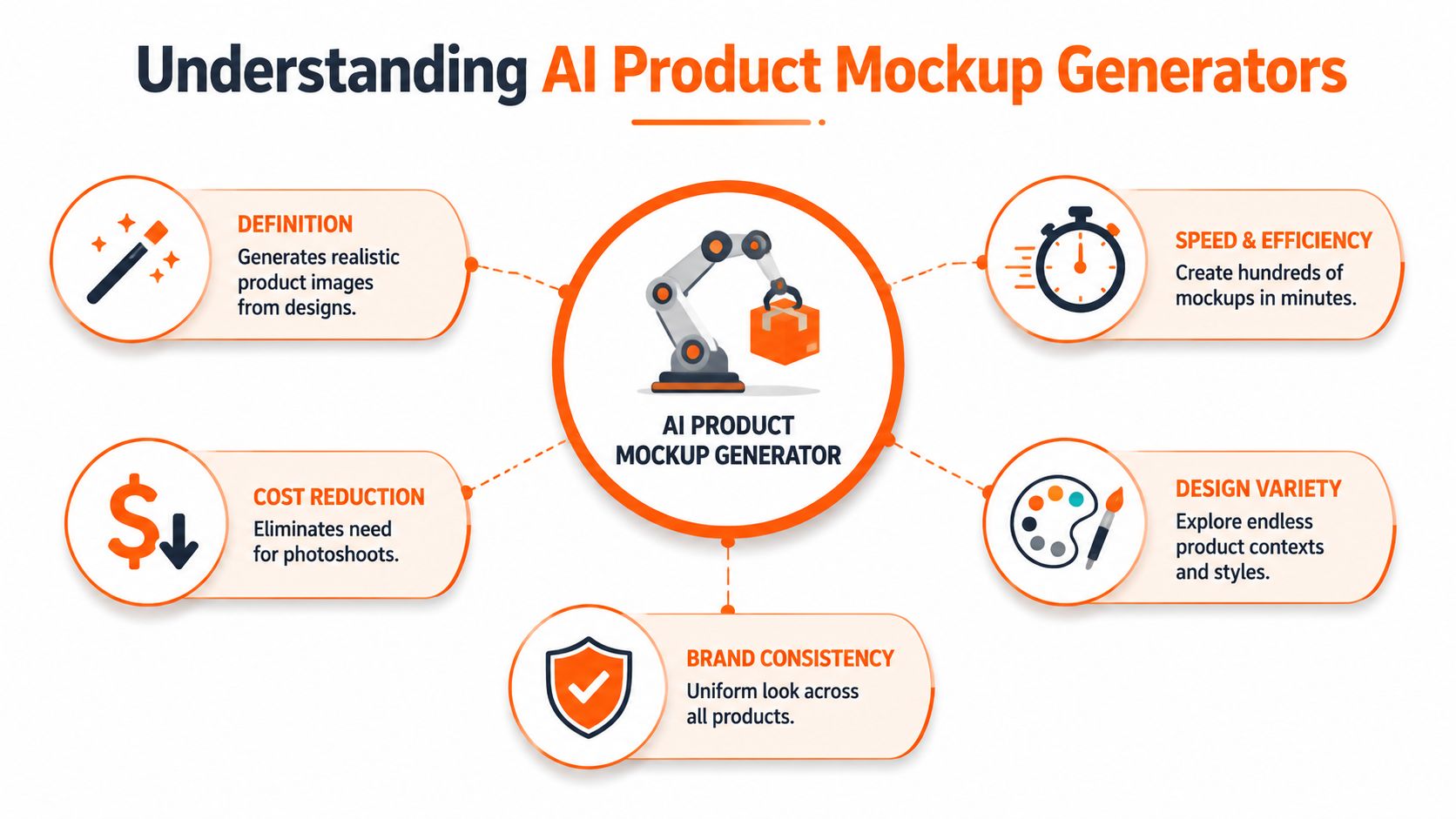
An AI product mockup generator takes a product image or design asset and places it into a scene that looks like it was photographed that way. In practice, that could mean a candle on a bathroom shelf, a hoodie on a model, a framed print above a sofa, or a supplement pouch in a clean branded layout.
There are two broad categories, and the difference matters.
Template-based systems
Template-driven tools are the predictable option. You choose a preset scene, upload the product art or cutout, and the software places it into a defined composition. These are useful for packaging mockups, apparel previews, label placement, and catalogue-safe variations where the output needs to stay controlled.
One major advantage is sheer availability. The market offers over 27,000 editable templates across 60+ categories, with coverage that includes apparel, accessories, home and living, packaging, tech, and jewellery, according to Mockey's overview of AI mockup templates and implementation timelines. For sellers, that means template systems are often the fastest route to volume.
Template systems are usually best when you need:
- Controlled placement: Logos on packaging, artwork on posters, prints on apparel
- Collection consistency: Similar camera angle, scale, and lighting across many SKUs
- Fewer surprises: Less chance of warping, floating objects, or odd shadows
Generative systems
Generative tools are more flexible. Instead of choosing a rigid scene, you describe one. That opens up room sets, ad visuals, social content, and more varied lifestyle imagery. It also creates more failure points.
Prompt quality matters a lot here. Specific spatial anchoring reduces generative ambiguity by 40% compared with vague scene descriptions, according to Prodigi's guidance on AI mockup prompting. In plain terms, “vase on a timber side table beside a beige sofa” gives the model more to work with than “nice living room scene”.
A good prompt doesn't just describe style. It tells the model where the product belongs in physical space.
That's why generative mockups often break when sellers write prompts like “luxury background” or “clean modern setting”. The tool fills the gaps, and the product can end up bent, resized oddly, or merged into the scene.
Which type fits which job
A practical split looks like this:
| Use case | Better fit |
|---|---|
| Packaging mockups | Template-based |
| Apparel and accessory previews | Template-based first, generative for campaigns |
| Home décor in room scenes | Generative or hybrid |
| Marketplace catalogue images | Template-based and post-processed |
| Ad creative exploration | Generative |
If you run paid campaigns and need image variants for testing, teams often pair mockup generation with resources on software for media buyers to keep creative production tied to ad operations rather than treating mockups as a separate design task.
For sellers comparing tools, a useful companion read is AI product photo generator workflows, especially if you're deciding when to generate a scene from scratch and when to start from a cleaner product image.
Key Mockup Applications for Catalogue Scale
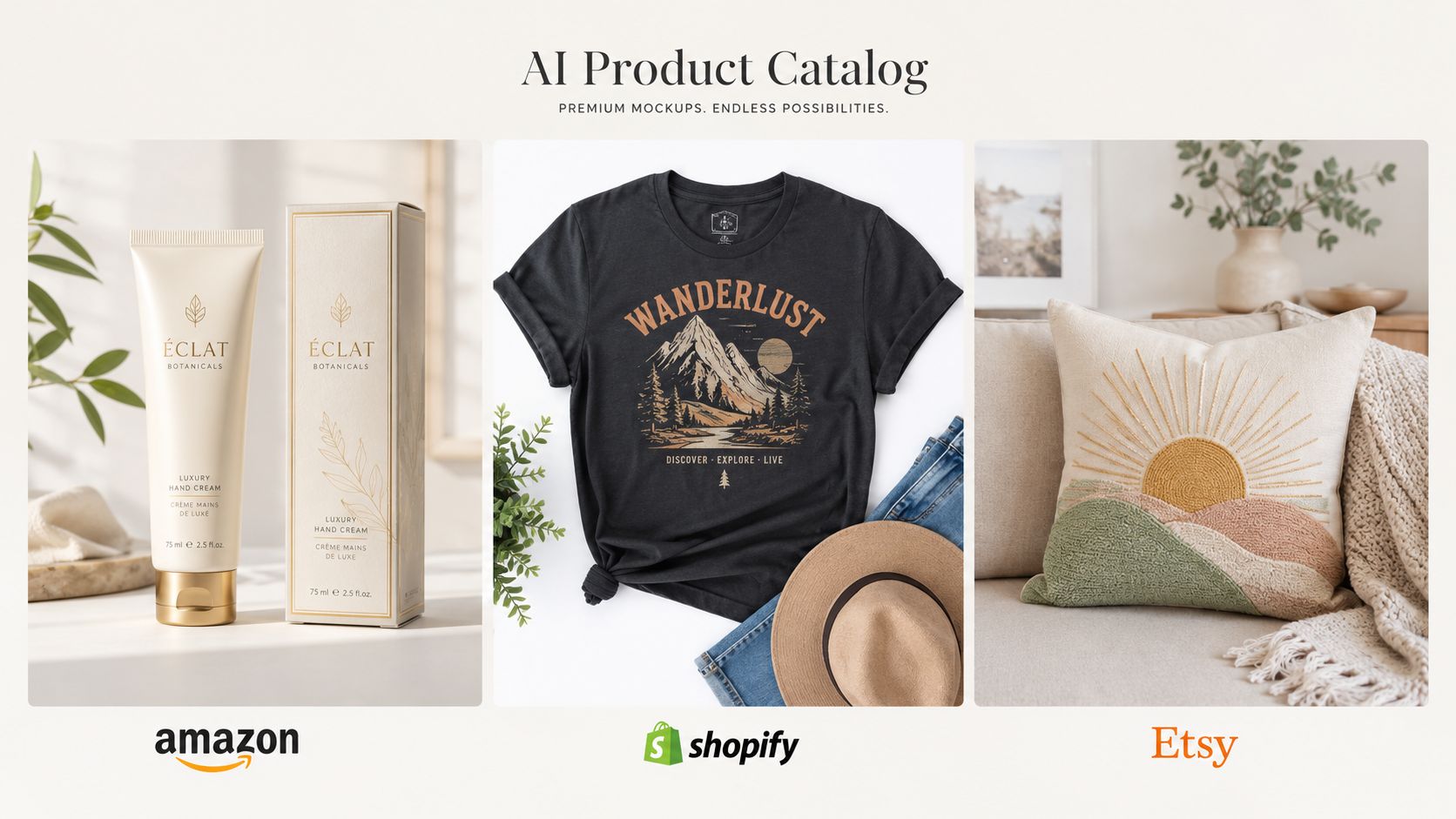
The value of mockups changes once you stop thinking about one hero image and start thinking about full collections. A candle shop doesn't need one kitchen-scene visual. It needs a repeatable way to produce labelled packaging previews, neutral catalogue shots, seasonal lifestyle scenes, and channel-ready exports for every scent and size.
Packaging and label mockups
Packaging is one of the cleanest uses for AI-assisted mockup work because the product geometry is often stable. Boxes, pouches, bottles, and labels tend to perform well when the art is applied to controlled shapes or a known scene.
This helps with:
- Pre-launch packaging previews: Useful before a physical sample shoot is available
- Variant rollouts: Same package structure, different flavour, scent, or size
- Retail and wholesale decks: Fast generation of consistent line sheets and product sheets
If packaging is a major part of your catalogue, AI label mockup generator workflows are often more relevant than generic mockup tools because they focus on art placement and pack consistency rather than dramatic lifestyle scenes.
Apparel, accessories, and on-model context
Apparel sellers usually hit the same wall. Flat lays are easy to repeat, but customers often convert better when they can see fit, styling, or real-world context. AI can help place shirts, hats, bags, or jewellery into more engaging scenes without organising a full shoot for every SKU.
The operational challenge is keeping the range coherent. One tote bag on a studio-white background and another in a heavily stylised street scene can make a collection feel uneven. For catalogue scale, the better approach is to define a handful of approved visual styles and apply them across the batch.
Home décor and product-in-room previews
Home goods are where mockups become commercially useful fast. Wall art, lamps, cushions, throws, small furniture, storage containers, and decorative objects all benefit from room context. Buyers want scale cues and style cues.
The trick is restraint. A room scene should support the product, not compete with it. For a large catalogue, choose a small set of room types and keep perspective disciplined. That makes review easier and prevents half the collection from looking like it belongs to a different brand.
The best room mockups don't feel “AI-generated”. They feel boring in the right way. The product stays clear, the scene stays believable, and the collection hangs together.
Ad visuals and multi-platform catalogue assets
The moment you sell in more than one place, formatting becomes operational. Amazon requires JPEG product images with a minimum dimension of 2,560 pixels on the longest side, while Etsy requires a minimum of 2,000 pixels, according to this batch processing overview for e-commerce imagery. That means the mockup itself isn't the final task. The image still has to be exported correctly for each destination.
For teams building image variants for campaigns, it's useful to connect mockup production with testing plans. If you're comparing room scenes, model scenes, and plain-background product cuts, it helps to learn multivariate testing with Social Loop AI so creative variation feeds a repeatable ad decision process.
Moving Beyond One-Off Mockups to Batch Workflows
Single-image generators are fine for experimenting. They're not how a catalogue gets maintained.
Doing this for a whole catalog?
MerchLoom runs background removal, upscaling and AI editing across every product photo you have — one prompt, whole batch. Try 2 batches free, no signup.
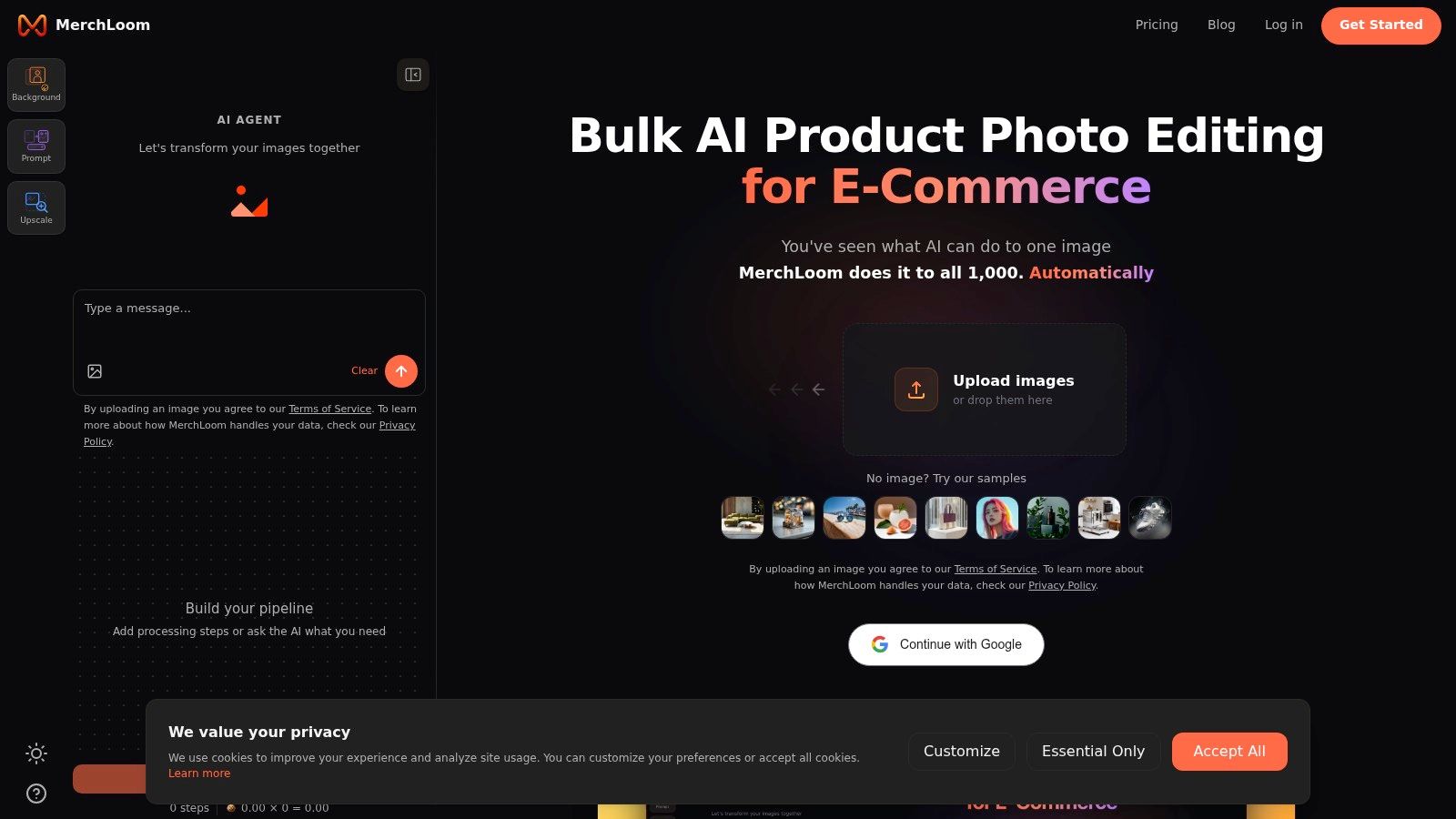
Try it freeThe gap becomes obvious once you're working with recurring product drops, seasonal refreshes, or marketplace updates. A one-off tool asks you to upload, prompt, tweak, export, rename, and repeat. A batch workflow starts with the opposite assumption. The system should recognise what came in, route it to the right treatment, process the full set, and let a human review exceptions instead of touching every file.
What a real batch system does
A proper workflow for mockups usually includes several linked steps rather than a single prompt box. Product images come in from storage, storefront exports, or existing photography folders. The system identifies product type, applies the relevant background or scene logic, prepares marketplace-safe outputs, and sends selected assets through final enhancement.
That's a different mindset from “generate me one nice image”.
In practice, batch processing for mockups often means:
- Routing by product category: Apparel follows one workflow, packaging another, home décor another
- Using references intelligently: Existing supplier shots, past approved scenes, and brand style examples shape the output
- Applying finalisation consistently: Upscaling, reframing, and export settings happen after the visual transformation, not as random manual clean-up
For sellers reading about AI batch image editing, this is usually the point where the value clicks. The core win isn't that AI can make a lifestyle image. It's that the same logic can be reused across the full image collection.
Why workflow logic matters more than image novelty
A lot of AI mockup content still treats the process like digital art generation. That's useful for concept work, but e-commerce operations care about repeatability. If a seller has packaging, mugs, framed prints, and tote bags in the same launch, each category needs a predictable workflow. The output also needs to be reviewable by a merchandiser or listing manager, not only by a designer.
A strong batch process also creates cleaner handoffs. Creative teams can define approved scene families. Marketplace teams can set compliance rules. Paid media teams can request ad variants from the same source set instead of asking for a new asset build every time.
Here's a practical example of the workflow mindset in action:
Where batch mockups fit operationally
The most mature setups treat mockups as one stage in a broader image pipeline. Product images and references are imported from existing sources, recognised, routed into the right workflow, edited by AI, and then finalised with Clarity upscaling once the image is worth preserving. That order matters. It keeps teams from spending time and processing cost on files that still need structural edits.
How Smart Workflow Design Reduces Costs and Improves Quality
Most sellers compare AI image tools by output style. The sharper comparison is workflow design. Two systems can produce similar-looking mockups, yet one burns budget because it runs expensive steps too early or applies the wrong process order across the batch.
That matters more as catalogues grow. Once you're processing hundreds of images, the economics of sequence, routing, and review start to outweigh the novelty of a single generated scene.
Step order changes the cost profile
The clearest example is background removal before upscaling. Batch AI mockup workflows can achieve an 87% cost reduction when background removal happens before upscaling, because the smaller, simpler image reaches the more computationally expensive step later in the pipeline, as described in this workflow analysis on batch product visualisation.
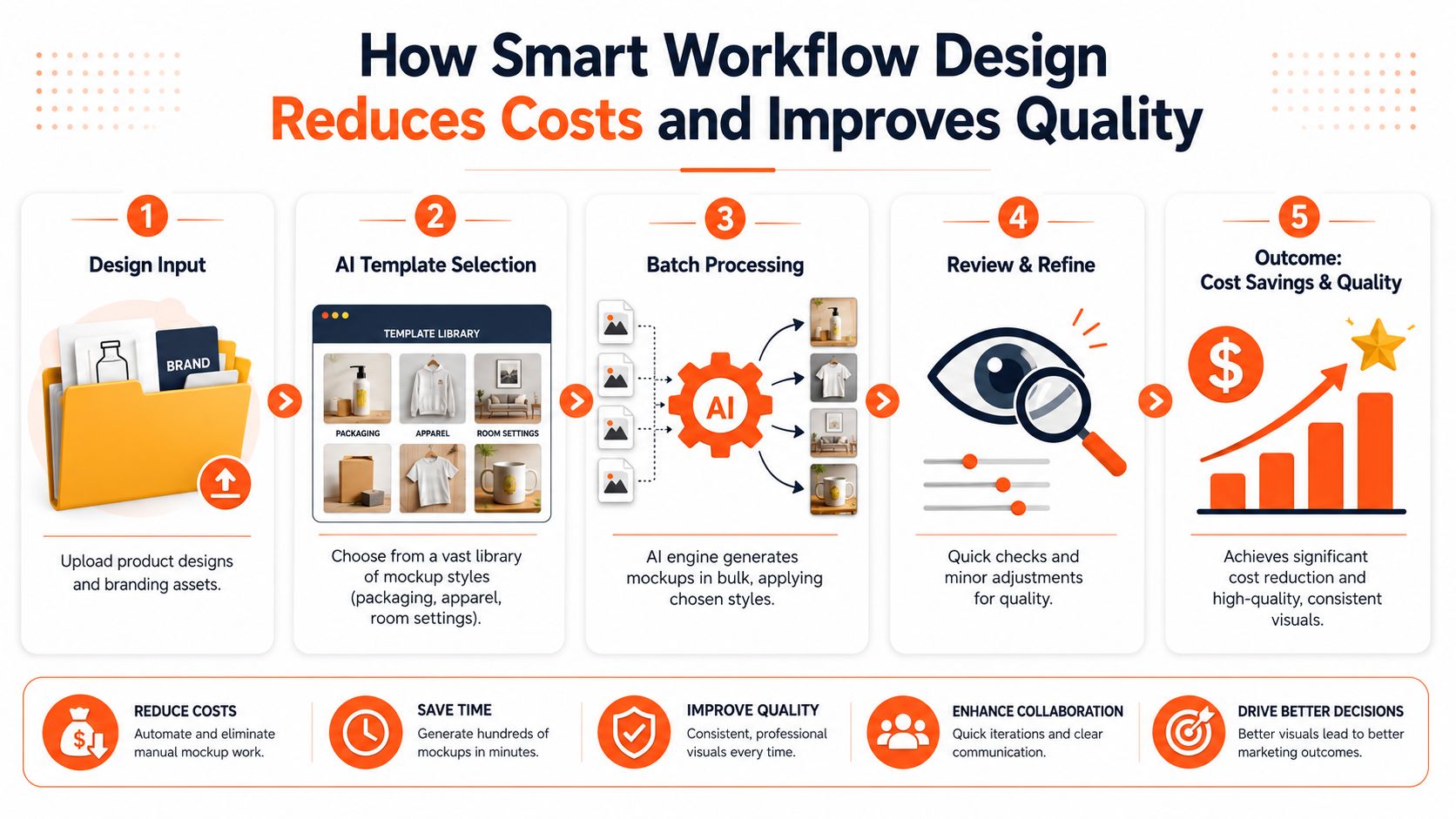
That sounds technical, but the operational lesson is simple. Don't upscale mess. Clean first, enlarge later.
A practical sequence for catalogue work
For most sellers, a smart order looks something like this:
Ingest and organise
Pull product files from the source that already holds them. Keep categories and variants intact.Remove distractions first
Background removal, edge clean-up, and simple isolation should happen before any premium enhancement.Generate or place the mockup
Apply the product to a template or scene once the product shape is stable.Review exceptions
Check the failures, not every success. Glass, reflective packaging, fine straps, transparent fabric, and metallic detail usually need the closest look.Finalise with upscale and exports
Once the image is compositionally correct, run Clarity upscaling and channel-specific output settings.
Operational advice: The best batch workflow isn't the one with the most AI steps. It's the one that postpones expensive steps until the image has already survived the cheap ones.
Quality isn't only about realism
A mockup can look visually attractive and still be wrong for commerce. The label may bend around a pouch unnaturally. A necklace may lose scale accuracy. A glass bottle may gain highlights that don't match the room. In a single social post, that might slide. In a product catalogue, those errors compound because buyers compare images side by side.
A useful review framework is to check three things:
| Check | What to look for |
|---|---|
| Product integrity | Shape, dimensions, label placement, material realism |
| Collection consistency | Similar crop logic, scene style, tonal balance |
| Channel readiness | Export format, aspect ratio, background suitability |
Where AI still falls short
This is the part many articles avoid. As of 2026, an exhaustive test found zero AI mockup generator tools produced output usable as a final e-commerce listing image across major product types without review, and current systems still struggle with complex materials such as glass, metal, and transparent fabrics, according to Creasty's evaluation of AI mockup tools in 2026.
That matches what operators see in practice. AI is strong at ideation, background generation, and bulk visual variation. It's weaker when the product itself has to remain physically precise. It also can't produce editable PSD files, which means teams still need traditional post-production paths when layered edits or strict retouching control matter.
AI mockups are best treated as a production layer inside a workflow, not as a total replacement for product photography or final QA.
The teams getting the most value out of AI right now aren't pretending those limits don't exist. They build around them. They use AI to cut repetitive work, then reserve human review for the images that deserve scrutiny.
Integrating AI Mockups into Your E-commerce Operations
The safest way to adopt AI mockups is to treat them like an operations upgrade, not a creative revolution. Start from the work you already do. Identify where the team is losing time, where images repeatedly fail marketplace checks, and where a collection needs more context without creating a new photo shoot.
The current standard is still caution. As of 2026, no AI mockup generator produces final e-commerce listing images across all product types without review, and no tool can guarantee material consistency or create editable PSD files, based on the 2026 assessment of AI mockup limitations. That doesn't make AI less useful. It defines where it belongs.
A rollout that won't create more work
A sensible adoption plan usually has four parts:
- Audit the source images: Separate clean product photography from weak supplier images. AI works better when the starting files are organised.
- Choose one repeatable use case: Packaging previews, room scenes for wall art, apparel on neutral templates, or ad variants for bestsellers.
- Pilot on a limited batch: Use a product category with enough volume to expose workflow issues, but not so much that mistakes become expensive.
- Write review rules: Decide what a human checks before export. Material edges, label distortion, and channel-specific formatting are common points.
Match the workflow to the channel
Different selling channels need different levels of conservatism. Marketplace listings usually need cleaner, more standardised results. Shopify collection pages can tolerate richer scene work. Paid social and landing pages benefit most from variation.
That's why AI mockups work best when they sit beside staging, reframing, clean background generation, and export logic. If you're building broader creative operations around product imagery, a guide for scaling Meta ads can help tie catalogue visuals to campaign production, so mockup creation supports actual media workflows rather than becoming another disconnected design task.
For merchants exploring more environmental placement, AI product staging is often the next step after basic mockups because it bridges the gap between catalogue images and in-context retail visuals.
The practical role of AI going forward
For a casual seller editing one photo, an AI product mockup generator is a convenience tool. For a busy e-commerce operator, it's part of a larger image pipeline. The win comes from handling collections, reducing repetitive manual work, and staying consistent across marketplaces, store pages, ads, and seasonal refreshes.
The strongest setup is usually hybrid. Use AI where it speeds up predictable work. Keep human review where product truth matters. Build workflows that can run again next week without starting from zero.
If your team is tired of editing product images one by one, MerchLoom is built for the catalogue reality most sellers encounter. It imports product images and references from the sources you already use, recognises what belongs in which workflow, runs chained AI edits across full collections, and finalises approved outputs with Clarity upscaling. That makes it useful for packaging mockups, apparel previews, room scenes, ad visuals, and marketplace image prep without turning image operations into a manual bottleneck.
Stop editing product photos one at a time
Upload your catalog or connect your store. Describe the result once. MerchLoom does the rest.
Try it free — no signup