
AI Label Mockup Generator: Streamline Catalog Visuals
Use an AI label mockup generator for catalog visuals. Batch process, ensure brand consistency, & export marketplace-ready assets.
You've got a new label approved. The launch date is set. Marketing needs product pages, ads, retailer sell sheets, and marketplace images. Then the main issue shows up: that label has to appear correctly on every bottle, jar, can, pouch, and carton in the line.
For a single hero SKU, manual mockup work is manageable. For a private-label catalogue, a seasonal supplement range, or a limited-edition cosmetics run, it turns into production work. The bottleneck isn't design taste. It's throughput, consistency, and whether your team can push hundreds of images through the same visual standard without spending days in Photoshop.
That's where an AI label mockup generator becomes useful. Not as a magic replacement for all product imaging, and not as a one-click promise. Its core value shows up when you treat label application as a repeatable image operation across a collection, not a one-off creative task.
Beyond Single Mockups The Shift to Scalable Product Visualization
A lot of advice about mockups still assumes you're making one nice image for a presentation. That's not how most online sellers work. A food brand rolling out a holiday flavour, a supplement company refreshing compliance text, or a cosmetics line testing a limited-edition sleeve usually needs a full set of updated visuals, fast.
The shift is from single-image creation to catalogue-scale processing. Instead of asking, “Can this tool make one realistic bottle shot?”, the more useful question is, “Can this workflow apply the right label treatment across the whole collection with predictable output?”
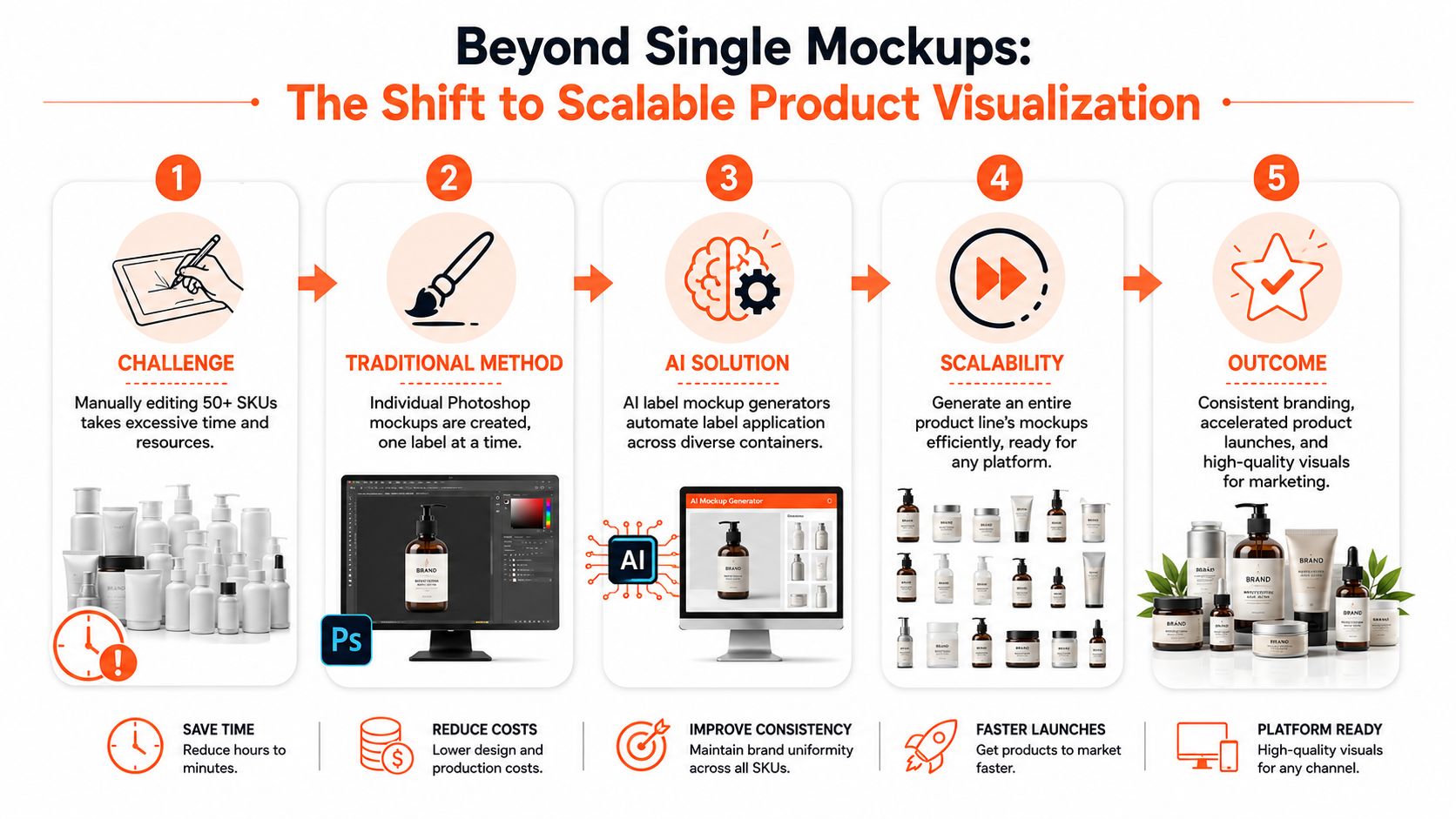
Why batch thinking matters
For product teams managing lots of variants, the speed difference is no longer marginal. AI mockup generators now enable sellers to create up to 100 unique, high-quality product mockups in just 10 seconds using automated bulk creation features, according to Dynamic Mockups' overview of AI mockup tools. That matters less as a novelty and more as an operational change. It means a launch manager can review a whole product family in one pass instead of waiting on individual comps.
This is also why the best workflow discussions increasingly sound more like operations than design. Teams need source folders organised by container type, label version, market, and channel. They need outputs sized for listings, social, and ad placements. They need consistency that survives volume.
Practical rule: If your process only works nicely for one SKU, it's not a catalogue workflow yet.
Some sellers start with standalone visual tools and then realise they still need a system for collections. That's why broader resources such as WearView's AI photography tools are useful to compare, especially if you're weighing mockups against AI-assisted product photography for different parts of the content stack.
The operational end of this shift is well captured in MerchLoom's overview of AI product visualization, which reflects how sellers now think in batches, reusable pipelines, and channel-ready outputs rather than isolated mockup files.
Where the real value shows up
The biggest gains appear when labels change often. New SKUs. Regional compliance edits. Seasonal packaging. Trial-size launches. Marketplace-specific variants. In those cases, an AI label mockup generator isn't replacing brand design. It's compressing the production time between approved artwork and usable visuals.
That's the difference between mockups as presentation assets and mockups as part of an e-commerce image pipeline.
Preparing Your Core Assets for AI Processing
The quality of the output starts with the quality of what you feed into the system. Label application fails in predictable ways when the input assets are messy: warped source photos, low-resolution artwork, glare across the container face, or inconsistent crop ratios across the set.
For container-based products, you need two clean asset groups. First, the base product image. Second, the label file that should be applied.
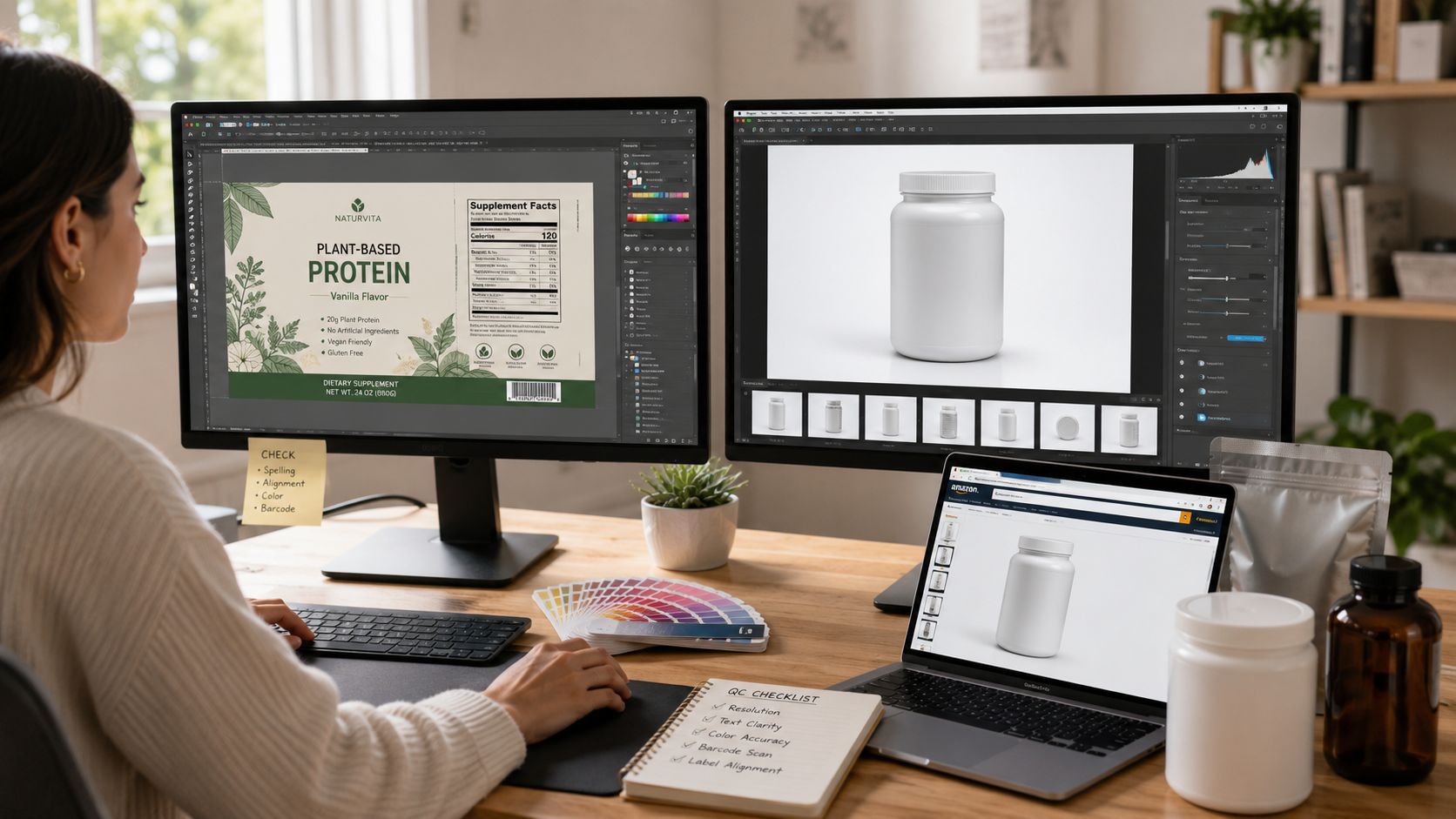
What to prepare for the container images
The best base images are boring in the right way. They're evenly lit, centred, and consistent across the line. That gives the AI less ambiguity when identifying the container surface where the label belongs.
A practical checklist:
- Use clean, unobstructed product photos: Blank bottles, jars, pouches, boxes, and cans work better when the front-facing surface is clearly visible.
- Keep angles consistent within a family: If half the line is shot straight-on and the rest at a three-quarter angle, the collection will feel uneven even if the AI applies the labels correctly.
- Avoid aggressive reflections: Shiny cosmetic jars and beverage cans can still work, but heavy glare makes label placement less reliable.
- Standardise framing early: Don't let one SKU fill the frame while another sits tiny in the centre. The inconsistency shows up later in listings and ads.
If your team still needs help producing better source shots, SendPhoto's AI photo editing guide is a useful companion read because it focuses on the editing side of product-image preparation, not just generation.
What to prepare for the label files
The label file should be treated like production artwork, not a casual export. Clean edges matter. So does keeping the artwork versioned properly if you're handling seasonal runs or retailer-specific packaging.
A workable approach looks like this:
- Export the approved label artwork as a clean image file with transparent background where appropriate.
- Keep the front panel version separate from wraparound or multi-panel packaging art if the product line includes both.
- Name files in a way that survives batching. SKU, label version, market, and season usually need to be visible in the filename.
- Separate final artwork from draft concept labels. Once those get mixed into one folder, batch jobs become risky.
Brand accuracy is the whole point when you're applying labels to real products. That's where specialised tools stand out. Advanced tools like VisualGPT allow users to upload an image of their specific product label and select a container to generate a photorealistic mockup that preserves the exact label details, ensuring brand accuracy, as described in this VisualGPT demonstration.
Clean files save more time than clever prompts. Most “AI problems” in packaging mockups are input problems.
For small physical goods such as lip balm, sample sachets, or travel-size supplements, camera setup matters even more. Practical shooting guidance like this guide to photographing small items is useful before you start automating anything.
Executing Your Batch Label Mockup Workflow
The most effective batch workflow starts with a simple separation of roles. One folder holds the container images. Another holds the approved label artwork. Then the system needs to match each product with the correct visual treatment without forcing someone to edit every file manually.
A realistic example is a cosmetics brand releasing a limited-edition run across pump bottles, frosted dropper bottles, jars, and cartons. The art director doesn't want fifty handcrafted comps. The operations team needs a repeatable method that can apply the new label set across the whole range and still leave room for review.
What the AI is actually doing
Under the hood, this isn't just “placing an image on top of another image”. The important part is geometric interpretation. The underlying AI pipeline involves 3D surface mapping that warps a 2D label onto a product's geometry, simulating perspective, curvature, and lighting. This process reduces manual editing time by 87% compared to traditional Photoshop workflows, according to Mockuplabs.ai.
That reduction matters most when containers vary. A flat carton, a curved can, and a cylindrical supplement bottle can't all use the same naive overlay. Good label mockup output depends on whether the system can recognise the object surface and adapt the artwork accordingly.
A batch run in practice
In a catalogue workflow, the team usually moves in this order:
- Import the base set: Bring in the blank or minimally branded product images for the full collection.
- Group by container type: Cans with cans, pouches with pouches, jars with jars. This reduces error and simplifies review.
- Attach the correct label reference: New seasonal art, compliance update, retailer variant, or limited-edition design.
- Apply one workflow across the set: The point isn't to babysit every image. It's to run a repeatable operation and then inspect the outliers.
- Review exceptions only: Strange reflections, unusual angles, metallic finishes, and awkward crops usually need the human eye.
That's where batch-oriented systems become more useful than one-image mockup tools. They can identify the container and the label or reference image, generate an edit plan, apply the label visually, and then upscale the result for product pages or ads. That differs greatly from generating one pretty comp and calling the job done.
A more detailed look at this kind of collection-based processing is available in this guide to AI batch image editing.
Doing this for a whole catalog?
MerchLoom runs background removal, upscaling and AI editing across every product photo you have — one prompt, whole batch. Try 2 batches free, no signup.
Try it freeLater in the workflow, visual review is easier when the team can watch the pattern of results rather than opening files one at a time.
Where human review still matters
Even with a strong pipeline, not every SKU behaves the same. Glossy serum bottles, metallic caps, transparent packaging, and shrink sleeves still deserve closer inspection. The efficient move isn't pretending automation solved everything. It's using automation to shrink the manual queue down to the difficult files.
That's the difference between a workable production system and a demo.
Maintaining Brand Consistency Across the Collection
Generating a lot of files quickly is useful. Generating a collection that still looks like one brand is harder. Many AI label mockup generator workflows struggle to maintain this consistency, especially when teams let each image vary too much in angle, shadow depth, crop, or colour rendering.
The biggest mistake is treating output quality as the same thing as marketplace readiness. They aren't the same. A mockup can look impressive at a glance and still fail your product-page standards because the highlights drift, the label edge alignment is off, or the colour doesn't hold across variants.
The compliance gap is real
This isn't just a fussy design concern. A 2026 benchmark found that 68% of US e-commerce managers report that AI-generated mockups require at least 20% manual editing to meet marketplace compliance, according to Creatsy's benchmark of AI mockup generators. That's the gap most vendor copy skips over.
For operators, the practical takeaway is straightforward. Use AI to accelerate the collection. Don't assume it removes QA.
Marketplace-ready means more than “looks good”. It means the image survives the rules of your channel, your brand guide, and your customer's expectations.
How to hold the line visually
Three controls matter most in batch label work:
| Control area | What to standardise | Why it matters |
|---|---|---|
| Framing | Crop ratio, headroom, product scale | Prevents the catalogue from feeling assembled from different shoots |
| Surface rendering | Highlight intensity, shadow style, curvature realism | Keeps labels believable across bottles, jars, and pouches |
| Colour fidelity | White balance, brand colour treatment, label contrast | Stops packaging from drifting away from approved artwork |
When teams skip these controls, each generated image starts making its own aesthetic decisions.
A useful tactic is to define one visual baseline for the collection first. Hero angle. Shadow behaviour. Crop style. Background treatment. Then force exceptions to justify themselves. If the serum bottle needs a different angle because of the pipette, fine. If every SKU starts freelancing, the line loses cohesion.
Where manual cleanup is worth doing
Don't spread manual effort evenly. Concentrate it on the files that shape perception:
- Hero SKUs: Your best sellers and ad-driving products deserve hand review.
- Reflective packaging: Foils, gloss, chrome, and transparent plastics expose errors fast.
- Brand-sensitive colours: If the label relies on exact tones, inspect colour output carefully.
For label-heavy collections, tools that help standardise brand colours across assets can also support consistency work later in the pipeline, including utilities like this logo colour changer workflow.
Optimizing for Marketplaces Cost and Quality
Once the label looks right, the next job is technical compliance. At this stage, teams often waste time and money. They generate an attractive image first, then discover it doesn't match channel requirements, or they upscale too early and pay more to process files that should have been cleaned first.
Marketplace work rewards the right order of operations.
Start with the channel, not the mockup
Your export target should shape the final pass. Amazon listing images, Shopify collection grids, and Etsy product thumbnails don't all behave the same way.
Amazon mandates JPEG files at exactly 2560 pixels on the longest side for full-size product images, according to this review of batch product image processing for e-commerce workflows.
Here's a practical reference point for common listing needs:
| Platform | Recommended Dimensions (px) | Background Requirement | Primary Format |
|---|---|---|---|
| Amazon | 2560 on the longest side | White background for main listing image | JPEG |
| Shopify | Square format preferred | Flexible, depends on theme and merchandising style | JPEG or PNG |
| Etsy | 2000px | Flexible, but clean framing matters for thumbnails | JPEG or PNG |
If Etsy is part of your mix, visibility also depends on merchandising and listing structure, not just images. Trendlytic's Etsy SEO guide is worth reading alongside image planning because poor thumbnail decisions often undermine good search work.
The cheapest workflow is usually the best workflow
This is the part most guides miss. Cost doesn't depend only on which AI tool you choose. It depends on when each processing step happens.
Batch workflows can reduce AI image processing costs by up to 87% by optimizing step order, such as removing backgrounds to shrink image size before the expensive upscaling step. That's why an operations-minded pipeline beats a purely creative one. If you upscale first, then remove the background, then reframe, you're paying the highest compute cost on files that still need heavy modification.
Workflow rule: Remove what you don't need before you enhance what you plan to keep.
For a large catalogue, the savings compound because the same sequence runs across every SKU. This is one reason batch-first systems with chained processing are better suited to product collections than tools designed around one-image sessions. The strongest setups can identify the container and label reference, apply the visual edit, then upscale only the final approved result for listings or ads.
A good benchmark for final-mile compliance work is this guide to Amazon product image size requirements, especially if your catalogue has to serve multiple channels from one master image workflow.
The Future of Your Product Catalog Is Automated
The useful change isn't that AI can make a bottle mockup faster. It's that product visuals can now be handled as a repeatable catalogue process rather than a pile of isolated design tasks.
That changes how teams launch. Private-label brands can preview new packaging without waiting on a full studio round. Food and supplement sellers can update seasonal labels across the line without rebuilding every image by hand. Cosmetics brands can keep variants aligned instead of treating each SKU as a separate art problem.
The smartest teams still keep human review in the loop. They use automation to handle the volume, not to avoid judgement. That's a healthier model than pretending every generated image is instantly listing-ready.
An AI label mockup generator works best when you pair it with disciplined asset prep, batch processing, consistency rules, and marketplace-aware exports. That combination gives you speed without losing control. For e-commerce operations, that's the main advantage.
If you're managing a large product catalogue and need a practical way to process entire collections, MerchLoom is built for that kind of work. It can pull in your existing product images, identify the container and label or reference image, generate the right edit plan, apply the label visually, and upscale the approved result for product pages or ads. The advantage isn't just AI generation. It's running repeatable image workflows across hundreds of SKUs without treating every file like a one-off project.
Stop editing product photos one at a time
Upload your catalog or connect your store. Describe the result once. MerchLoom does the rest.
Try it free — no signup