
Ads on Etsy: A Practical Seller Playbook for 2026
Learn how ads on Etsy work in 2026, from bidding and budgets to creative production and ROAS. A practical playbook for sellers with large catalogs.
If your Etsy dashboard looks busy but sales feel random, you're not alone. You set a daily budget, you switch on a few listings, and then you end up staring at clicks, views, and a budget number that changes faster than your confidence.
The fix starts with the creative, not the bid. On a catalog-sized shop, ads on Etsy live or die on whether the listing can win the click, hold the click, and convert the visit across hundreds of SKUs without you editing each one by hand.
How Ads on Etsy Actually Work
You save a campaign, and Etsy starts sorting your listings against every other listing competing for that search placement. Etsy says ads in Etsy search run through an auction system, and the two inputs that matter most are the likelihood of a click, which reflects listing quality, and the bid amount, which is what you pay per click. You are not buying rank. You are competing for it.
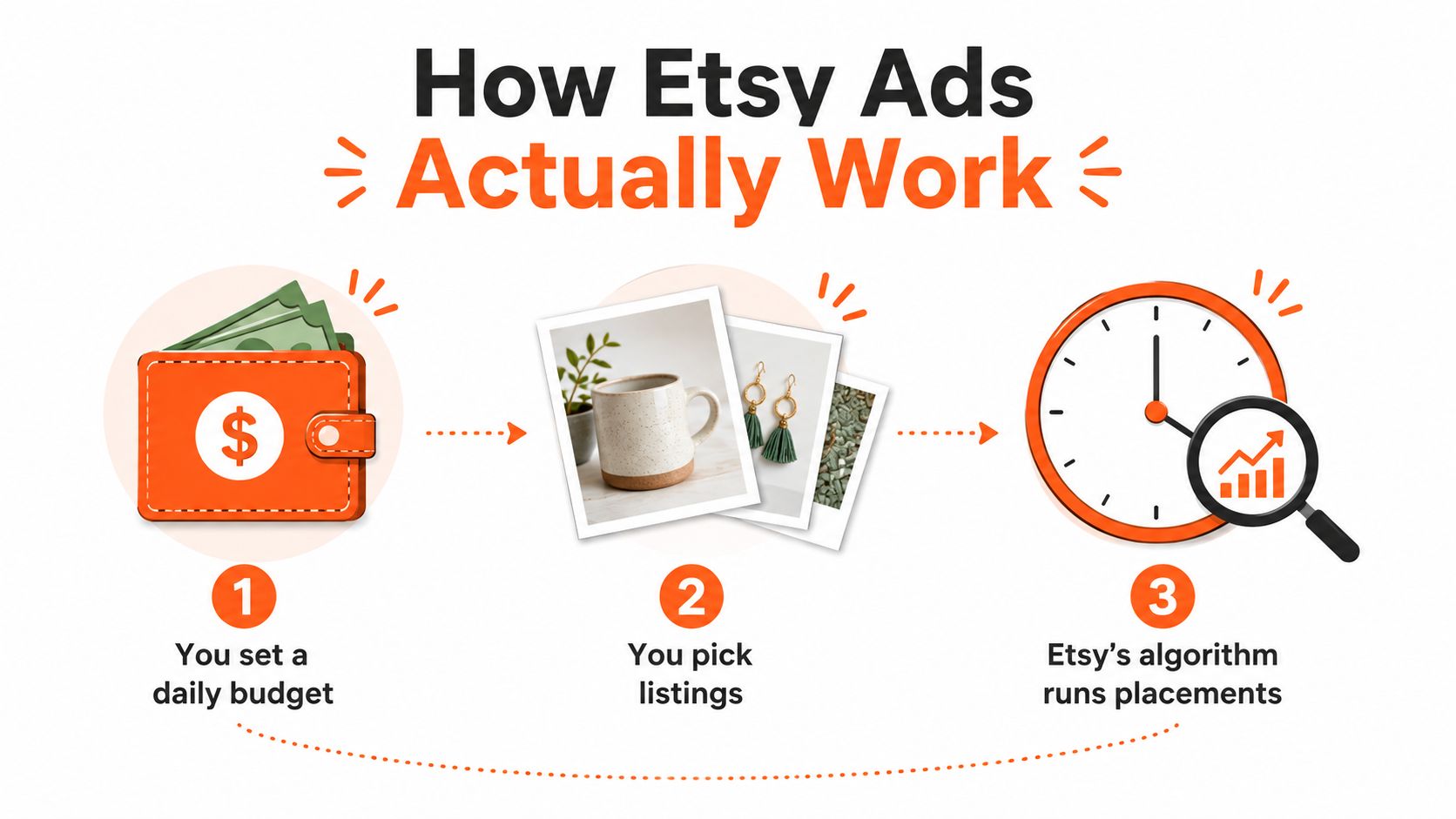
A low daily budget can still outperform a bigger one if the listings are stronger. I have seen a shop with sharp photos, clear titles, and decent conversion get more from a small spend than another shop burning through a larger budget on weak click appeal. The auction does not reward enthusiasm. It rewards fit.
What Etsy judges
Etsy looks at whether shoppers are likely to click your listing after seeing it. That makes the first image, title clarity, and the listing's overall trust signal part of the ad system, not just organic SEO. If click probability is low, spending more does not fix it.
Practical rule: weak creative loses twice, first in the auction, then after the click.
Large catalogs feel this the hardest. One underperforming photo set can drag down a whole listing cluster, even when the product itself is fine. A good auction win starts before the ad appears, because the listing has to look worth the click at thumbnail size.
For a quick reminder on which listings are worth paid traffic, I'd start with a catalog-level product filter like the one in this Etsy product selection guide. The point is not to guess which item is “best,” it is to avoid feeding the auction listings that never had a real chance.
Why category competition matters
The same budget behaves differently across categories because the auction keeps changing. A crowded keyword can push effective costs up, while a quieter pocket can give you more room to test. That is why a shop with dozens of listings should treat Etsy Ads as a set of small bets, not one giant campaign.
If you sell hundreds of SKUs, the question is not whether Etsy Ads work in general. It is whether each listing can earn its own place in the auction with enough quality to justify the click.
Setting Up Your First Etsy Ads Campaign
Open the Advertising Dashboard and keep the setup simple. Choose the listings that already look strong, set a daily budget, and remember that Etsy's built-in Ads campaign has a default minimum of $1.00 per day and lets you change that budget any time as Etsy explains here. That flexibility is useful because you are testing, not locking yourself into a long campaign calendar.
The dashboard's spend number can confuse new sellers. Etsy says total budget spend reflects what you've spent in the past 30 days, so what you see is a rolling view, not a lifetime campaign total per Etsy's performance view. During the first two weeks, that matters a lot, because early volatility can make a campaign look louder or quieter than it really is.
How I'd structure the first run
Start with a narrow group of listings. Put winners in one set, borderline items in another, and thin-margin products somewhere else so they don't drain spend from the best performers. That separation matters more than fancy naming conventions, because the dashboard is only useful if you can tell which type of item is eating budget.
For a catalog shop, the mistake is lumping everything together. A handmade product with margin room should not be judged beside a low-trust item that needs a better photo sequence before it deserves ad spend. Split by margin tier, then let the data tell you which group deserves more room.
Budget is a throttle, not a rescue plan.
What to watch in the first week
Do not chase every daily swing. A tiny budget can still teach you something useful if the listing quality is good, while a bigger budget can just buy you faster evidence that the listing is weak. The goal is to get enough signal to make a decision, not to force a win on day one.
A clean launch looks like this. Pick the listings with the best photos, set a modest daily budget, leave it alone long enough to collect signal, and read the rolling 30-day view instead of panic-scrolling after every click.
Bidding, CPC, and Calculating ROAS
Most Etsy ad advice gets fuzzy right here, and that is where sellers lose money. Etsy Ads run on a cost-per-click basis, so you pay when someone clicks, not when they merely see the ad. Seller-education guidance commonly puts Etsy CPCs in the $0.20 to $0.50 range, and treats 3x ROAS as the rough floor for continuing or scaling a listing as summarized in Etsy seller handbook guidance.
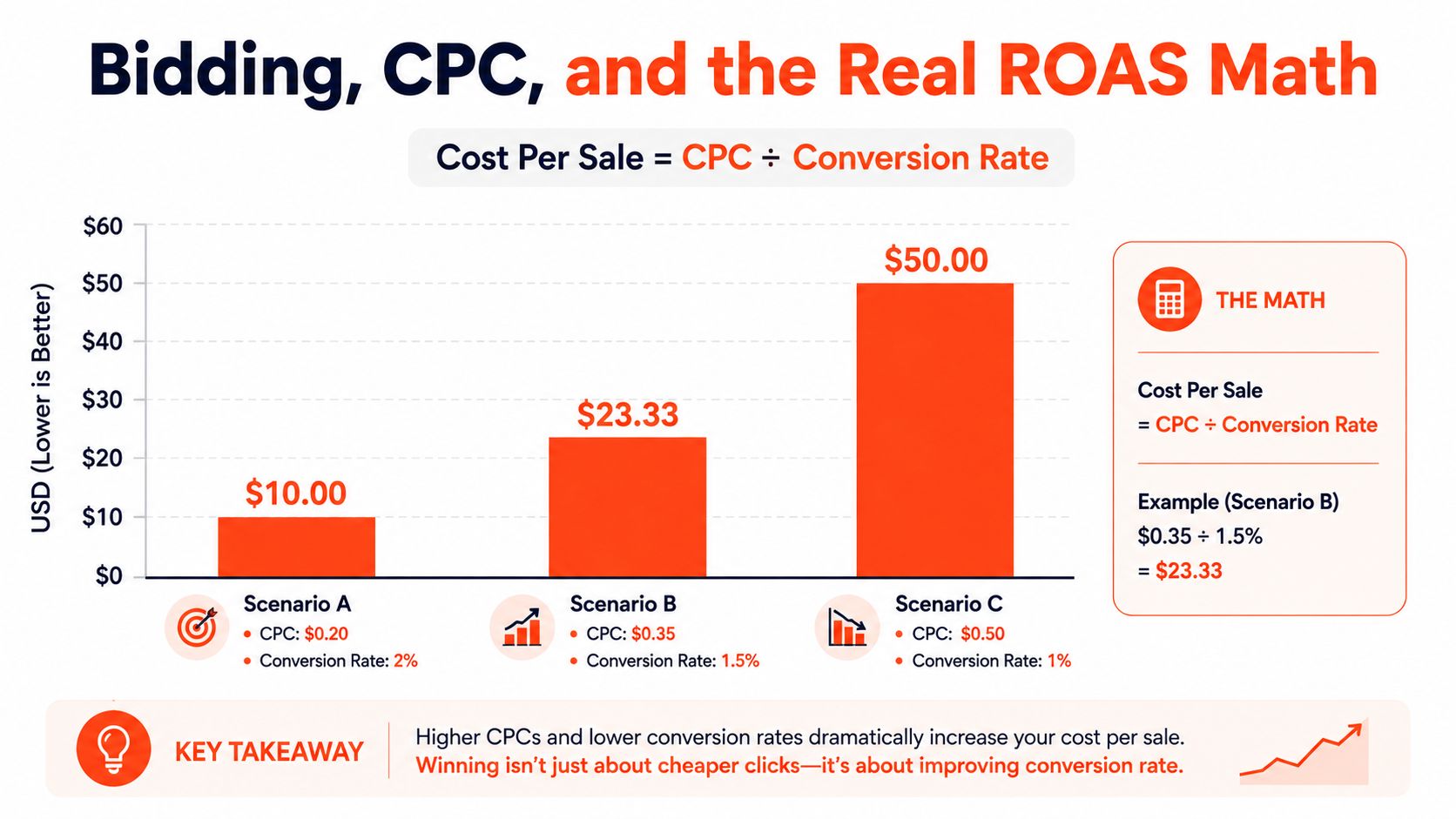
If your listing converts at 10%, the click cost starts to tell a very different story. At a $0.20 CPC, that implies about $2.00 cost per sale from clicks alone. At a $0.50 CPC, the same conversion rate implies about $5.00 per sale before fees and product cost, which is why the same campaign can look healthy on one product and expensive on another using the CPC benchmark above.
Key ROAS calculations
ROAS is straightforward on Etsy, because Etsy defines it as revenue generated divided by advertising budget spent in the seller handbook performance view. If your revenue from attributed orders divided by ad spend does not clear your margin needs, the listing is not ready for more budget.
Here's the simplest way to read it.
- Low CPC, weak conversion: cheap clicks still waste money if the listing does not close.
- Higher CPC, strong conversion: expensive clicks can still be fine if the listing converts cleanly.
- Good ROAS, bad margin: the ad can look healthy while the product still loses money after fees and production.
A quick margin check before scaling
Use a calculator before you raise spend. Next Point Digital's ROAS calculator is a handy way to sanity-check whether the return you are seeing can survive fees and product costs.
If you can't name your break-even ROAS, you're guessing.
That is the part most shops skip. They see clicks, maybe a few orders, and assume the campaign is “working.” It only works if the ad cost still leaves enough room for your real margin after everything else gets paid.
When Etsy Ads Are a Waste of Money
Etsy's own guidance points you toward listings that already convert, not listings that need a miracle. That alone should make sellers cautious. If the product has thin margin, fuzzy photos, or confusing price presentation, ads usually just accelerate the problem.
The pre-launch check that saves cash
Before a campaign goes live, check the listing against the basics. Healthy margin matters. Clear first image matters. Strong reviews matter. So does the seller's willingness to leave the campaign alone long enough to absorb normal early noise.
A shop that keeps changing everything every day usually learns nothing. Etsy's ad system needs enough time to show whether a listing can hold its own once the clicks start arriving. Quick judgment usually kills a potentially decent test.
The bigger trap is discount-heavy pricing. Etsy's Advertising & Marketing Policy says sellers must avoid perpetual sales, because a sale has to be a temporary reduction from a real regular price, and strikethrough pricing has to be backed by a prior price that was offered for a substantial period and sold in reasonable quantities per Etsy's policy. If your shop leans on constant markdown language, your pricing story is already working against trust.
When to skip the campaign
Doing this for a whole catalog?
MerchLoom runs background removal, upscaling and AI editing across every product photo you have — one prompt, whole batch.
Try MerchLoomSkip ads if the listing still needs basic cleanup. A weak hero image, muddy title, or unclear shipping expectation can sink conversion before the ad spend has a chance to matter. Ads amplify what is already there, they do not repair the listing for free.
Good test, bad rescue: if organic buyers aren't trusting the page, paid clicks won't fix that.
A lot of sellers ask whether Etsy Ads are “worth it.” The better question is whether the product is already strong enough to deserve traffic. If the answer is no, spend the time on photos, price presentation, and listing clarity first.
Listing Photos That Win the Auction
On Etsy Ads, the photo does a lot of the bidding work before a shopper ever reads the title. A sharp first image can earn the click, while a weak one gets ignored even if the product itself is solid. Etsy says the first photo, dimensions, keywords, and concise but informative descriptions all affect discoverability and buyer trust, and its listing guidance puts real weight on strong first images, relevant keywords, and detailed photos as outlined in the seller handbook. For ad traffic, that means the image is not decoration. It is the first filter.
Build the sequence for the whole catalog
For a catalog shop, the photo set should be a template, not a one-off. The first image needs to carry the listing at thumbnail size. The next images should answer the questions that keep buyers from clicking away. A repeatable sequence saves time and keeps the store visually consistent across dozens or hundreds of listings, which matters if you are running Etsy Ads across a large catalog and cannot afford to hand-edit every page.
| Slot | Purpose | Shot Type | Notes for Consistency |
|---|---|---|---|
| 1 | Stop the scroll | Hero image | Keep the product clear and easy to read at small size |
| 2 | Show scale | In-hand or next-to-object | Use the same style of reference across similar items |
| 3 | Show detail | Close-up | Keep lighting and crop logic consistent |
| 4 | Show use | Lifestyle or context | Match background style to the product line |
| 5 | Answer objections | Packaging, fit, or finish | Use the same framing language across the catalog |
| 6 | Reinforce trust | Review, label, or process detail | Keep typography and spacing uniform |
| 7 | Compare options | Size, color, or variant | Make the comparison visually simple |
| 8 | Show depth | Alternate angle | Avoid random camera angles that break the set |
| 9 | Clarify features | Diagram or annotated view | Keep annotation style consistent |
| 10 | Close the sale | Final confidence image | Use the same brand tone across the whole series |
Etsy lists listing images at 2000px on the shortest side in its guidance, which helps zoom and detail work on device screens per the listing photo requirements guide. If your catalog has hundreds of SKUs, that resolution target is less about chasing perfection and more about keeping the file quality high enough that buyers can inspect the product without squinting.
What good photo consistency looks like
Consistent does not mean identical. It means the same background logic, the same crop logic, and the same information hierarchy from one product to the next. If one listing uses a bright studio shot and the next uses a cluttered tabletop, the store feels stitched together by accident. Etsy Ads punish that kind of inconsistency because the auction favors listings that look trustworthy at a glance.
For a seller managing many listings, the Etsy photo requirements guide is useful because it keeps the shot list grounded in what the marketplace shows. The ad click starts with the image, but the listing wins or loses after the click based on whether the sequence answers the buyer's questions fast. Shops that build a repeatable image pipeline spend less time reworking single listings and more time improving the whole catalog in a way that scales.
Ad Creative Variants Without Re-Shooting Everything
The bottleneck is not usually the budget. It's creative fatigue. The same ten photos get old fast, and no one with a real catalog wants to re-shoot two hundred products every quarter just to keep ads fresh.
Reuse angles, not just assets
A useful ad set has multiple angles. One image can lead with the problem. Another can lead with proof. Another can show use case. Another can flip an objection. The product stays the same, but the message changes enough to test what gets the click.
That's the part most Etsy sellers don't systematize. They edit one listing, then another, then another, and the whole process becomes a manual grind. A batch workflow is better because you can apply the same creative logic across the catalog without rebuilding the process every time.
A practical angle matrix
- Problem angle: show the pain point the product solves, then keep the visual clean.
- Proof angle: use detail, review cues, or craftsmanship cues to build confidence.
- Use-case angle: show where and how the item gets used.
- Objection flip angle: answer the doubt that usually stops the click, like size, fit, or finish.
The point is not to create more clutter. It's to give the auction fresh signals without abandoning the brand style that keeps the store recognizable. If the creative feels random, the catalog starts to look unstable.
For sellers dealing with big image libraries, this AI ad creative workflow guide maps well to the problem of turning existing photos into multiple ad-ready variants. A tool like MerchLoom fits that kind of work when the job is to run chained AI pipelines across a whole collection, not one image at a time. The first images can be tried with no account, and it's pay-per-image with credits that never expire, which matters when you're testing a lot of SKUs.
Don't re-shoot a whole catalog just to get one new angle.
Measuring Etsy Ads the Right Way
A listing can look fine in the dashboard and still be losing money if you read the numbers too soon. Etsy attributes an ad-generated order when a shopper clicks an ad and then buys any item in the shop within 30 days. That long window helps you see delayed purchases, but it also makes same-day judgments unreliable.
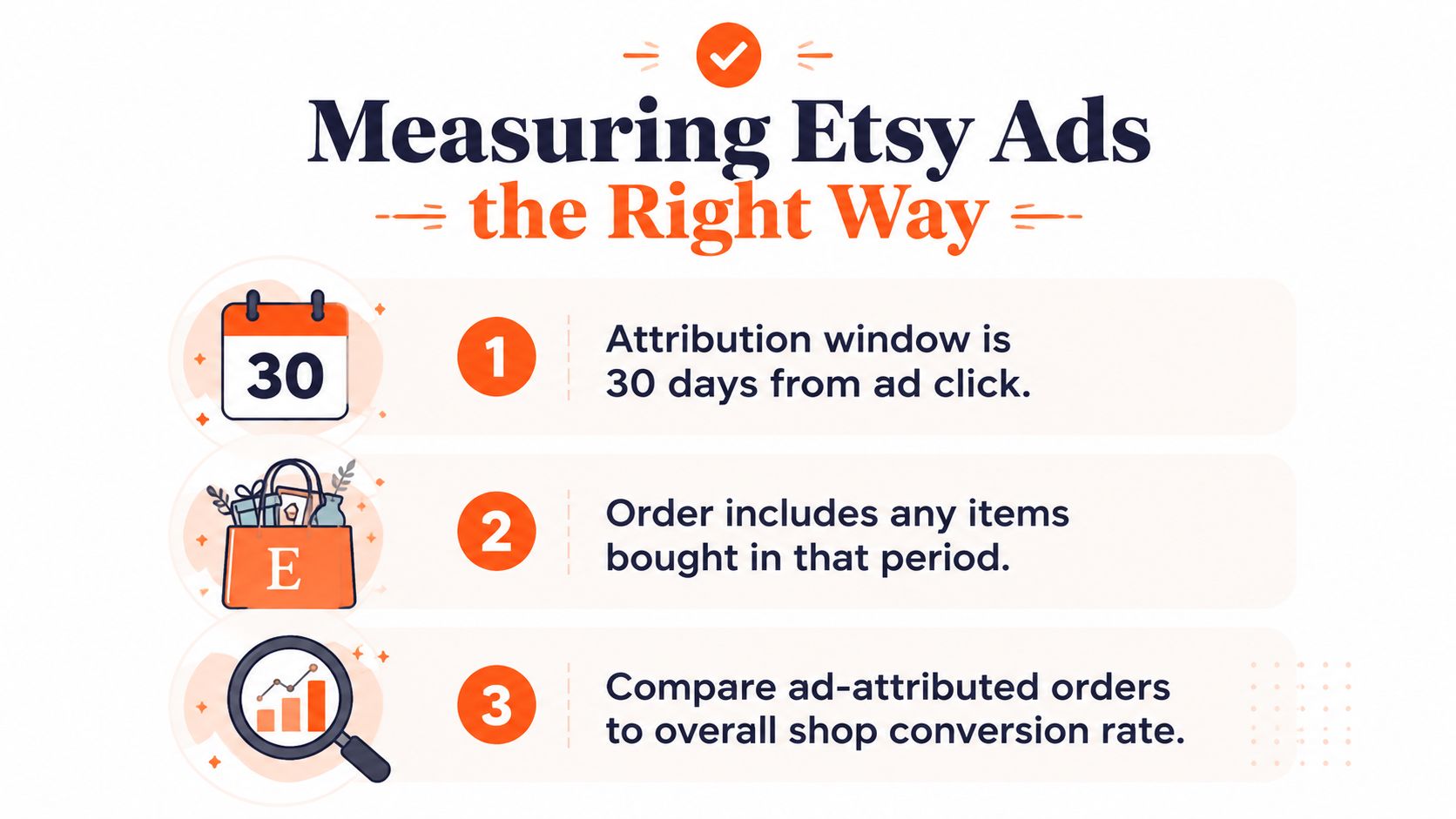
Etsy's performance view also shows spend as a rolling 30-day figure, so the dashboard behaves like a moving record rather than a final report. If you treat it like a daily scorecard, you will end up cutting listings that were still collecting useful data. Read it as a window, not a verdict.
The three patterns you'll see most
| Pattern | What it usually means | Next action |
|---|---|---|
| High impressions, low CTR | Creative is not pulling clicks | Replace the first image or tighten the title |
| Low impressions | Budget may be too tight or the category is competitive | Raise budget carefully or pick a different listing |
| Clicks but no conversions | Price, trust, shipping, or listing clarity is off | Fix the offer before spending more |
For a wider framework on how to track what matters, measure marketing performance is a useful companion read. The main lesson is straightforward, match the metric to the decision window, or you will cut ads before the shop has had enough time to convert.
A cleaner reading habit
Daily noise should not drive your decisions. Look at ad-attributed orders, rolling spend, and listing-level conversion together. If clicks are coming in but orders are not, the ad is doing its job by getting attention, and the listing is where the sale is breaking down.
For catalog sellers, measurement also depends on how well the creative files are organized. If you are handling many products at once, managing your product image library effectively keeps creative testing from turning into a mess of duplicated files, mismatched versions, and unclear winners. That matters more as the catalog grows, because the work is not just checking results, it is connecting each result to the right image set and the right listing.
A Repeatable Operating Loop for Etsy Ads
The best Etsy ad routine is boring in the right way. Refresh the photo brief, produce new variants for the listings worth testing, let the campaigns breathe, then review the rolling numbers without pretending one bad day means anything. That rhythm keeps you from wasting money on emotional decisions.
An effective weekly loop
Monday is for creative. Update the first image plan, refresh the angle matrix, and build new variants for the listings that already have a chance. Tuesday through Thursday, leave the ads alone and watch for signal rather than noise.
Friday is the decision day. Check the 30-day ROAS, compare it against your margin needs, and stop spending on anything that can't clear the bar. Etsy's own performance view and attribution window are built around that longer horizon, as noted in its help docs, so your management rhythm should match the data window.
Where AI fits, and where it doesn't
AI is useful for batch image production, variant generation, and catalog-wide consistency. It does not replace human review. Every output still needs a pass for accuracy, branding, and policy, especially when you're working across many SKUs and every small mistake gets multiplied.
A tool like MerchLoom is built for that kind of catalog workflow, because it runs chained AI pipelines across a whole collection instead of one image at a time. That matters when the bottleneck is throughput, not a single ad image. If the workflow is starting to sprawl, automating your AI image workflows can keep creative production organized while the first images are tested with no account and credits never expire.
The final checklist
- Keep the budget controlled: raise spend only after the listing earns it.
- Keep the photos consistent: don't let each SKU drift into a different style.
- Keep the time window honest: judge results on the rolling 30-day view, not panic.
- Keep the math visible: if ROAS can't support the margin, stop.
A shop with hundreds of products needs a repeatable system more than a clever trick. The ad account is just the last mile. The work happens in the image pipeline, the listing sequence, and the decision to stop promoting weak items before they burn through cash.
If you're managing Etsy listings at catalog scale, MerchLoom gives you a way to batch image work across the whole collection instead of fixing one product at a time. Visit MerchLoom if you want to turn existing product photos into ad-ready variants, keep the output consistent, and move faster without pretending human review isn't still part of the job.
Stop editing product photos one at a time
Upload your catalog or connect your store. Describe the result once. MerchLoom does the rest.
Try MerchLoom