
Ultimate Prompting Guide for Nano Banana
Ultimate Prompting Guide for Nano Banana. Batch process hundreds of product photos for Poshmark, Shopify & Etsy using catalogue-scale workflows.
If you're editing one hero image for a product launch, almost any Nano Banana guide will get you close enough. If you're sitting on a new seasonal drop, a thrift haul, or a back catalogue that needs to be cleaned up for Amazon, Shopify, and Etsy at the same time, those guides stop being useful fast.
The problem isn't getting one nice result. The problem is getting the same standard across hundreds of images without babysitting every prompt. That's where most sellers lose time, burn credits, and end up with listings that look like they came from three different shops.
Beyond Single Prompts Catalogue-Scale Thinking
Most Nano Banana advice assumes a one-off workflow. You upload one image, write one prompt, tweak it a few times, and move on. That works for experimentation. It breaks down when your real job is to process a catalogue.
California sellers feel this pain more than most. Existing guides often miss the reality that over 150,000 Shopify and Amazon sellers in California manage large catalogues and still get pushed toward single-image prompt techniques, according to the Nano Banana prompt guide. The same source notes that prompt-ordered steps such as background removal before reframing can produce 87% cost savings, and that workflow has seen adoption among 40% of Bay Area DTC brands.
That matters because catalogue work isn't a creative writing exercise. It's operations.
What changes when you're working in batches
A single-image prompt asks, "Can I make this image look good?"
A batch prompt asks:
- Will this hold up across product variation: different colours, fabrics, reflective surfaces, packaging, and crop ratios.
- Can I rerun it reliably: after spotting one systemic issue across a set.
- Does it map to marketplace requirements: white backgrounds for marketplaces, square crops for collection pages, taller formats for social and mobile.
- Will it stay cost-efficient: when every extra pass multiplies across the whole collection.
Generic prompts usually fail at the exact moment a seller needs repeatability.
That's why the useful mindset isn't "prompting for an image". It's prompting for a pipeline.
Prompting for pipelines, not isolated edits
In catalogue-scale work, the prompt has to cooperate with the order of operations. Background removal, reframing, colour correction, label preservation, and upscaling all influence each other. If the prompt ignores that sequence, you get drift. The subject moves, the crop gets awkward, shadows turn inconsistent, and text gets mangled.
The best operators think in chained outcomes. They decide what must be stable first, then what can vary later. That's also why sellers looking at broader AI image workflows often end up comparing different systems and prompt behaviours, including guides like this overview of Gemini AI image workflows, before settling on a process that scales.
The wrong goal
The wrong goal is writing the "perfect" prompt for a single image.
The right goal is building a prompt structure that survives contact with a messy folder of source photos. That means fewer conversational flourishes, fewer aesthetic adjectives piled on top of each other, and much tighter control over subject, scene, technical specs, and exclusions.
If you're managing a catalogue, consistency beats novelty every time.
The Nano Banana Philosophy for Batch Processing
Nano Banana works best in batch environments when you treat prompts as instructions, not conversation. Sellers often get worse outputs because they write to the model the way they'd talk to a designer. That's fine for brainstorming. It isn't fine for catalogue production.
If you're trying to make product photos look polished at scale, this is much closer to a technical brief than a chat. A practical reference point is this guide on making product photos look professional, because the same discipline applies. You need clarity around framing, lighting, background, and what absolutely must not change.
The five building blocks that actually matter
The most reliable Nano Banana prompts for batch work tend to follow a fixed structure.
| Building block | What it does | Example shape |
|---|---|---|
| Subject-action block | Defines the hero object and its state | vintage handbag centred upright on pedestal |
| Environment anchor | Locks the setting and spatial logic | clean studio, soft left shadow, isometric 16:9 view |
| Technical specs | Controls photographic interpretation | 50mm lens, f/2.8, high detail, 4K output |
| Negative constraints | Prevents recurring defects | no geometric distortion, no warped handles, no text blur |
| Input weighting | Preserves the source when needed | stronger reference retention for original product shape |
This framework comes from real production logic. The model does better when each instruction has a job.
Why conversational prompts break in e-commerce batches
A common bad prompt looks like this:
Please make this look beautiful and modern, maybe a premium fashion campaign vibe, but also very clean and simple, with nice lighting and maybe a cool background.
That prompt has no hierarchy. "Beautiful", "premium", "modern", and "cool" aren't operational instructions. They don't tell the model what to protect, what to change, or what to ignore.
A stronger batch prompt is shorter and more rigid:
- Subject first: black leather ankle boot, front three-quarter angle, centred
- Scene second: continuous light grey studio background, soft shadow falling right
- Technical third: 35mm lens look, crisp texture, accurate stitching detail
- Exclusions last: no extra laces, no warped sole, no text artefacts
The batch rule most sellers learn late
When you're processing a catalogue, every unnecessary adjective becomes a source of variance. That's why filler language hurts more in e-commerce than in creative image generation.
Practical rule: If a word can't be checked by a reviewer looking at the output, it probably doesn't belong in a batch prompt.
"Matte white background" is checkable. "Elegant energy" usually isn't.
Think in fixed fields and variable fields
The easiest way to stay organised is to split prompt elements into two buckets:
- Fixed fields stay the same across the collection. Background standard, camera feel, output ratio, shadow direction, brand mood.
- Variable fields change per SKU. Colour, material, product type, visible label text, orientation, and any platform-specific copy.
Once you think that way, Nano Banana stops feeling unpredictable. It becomes much easier to create reusable prompt templates that survive large runs.
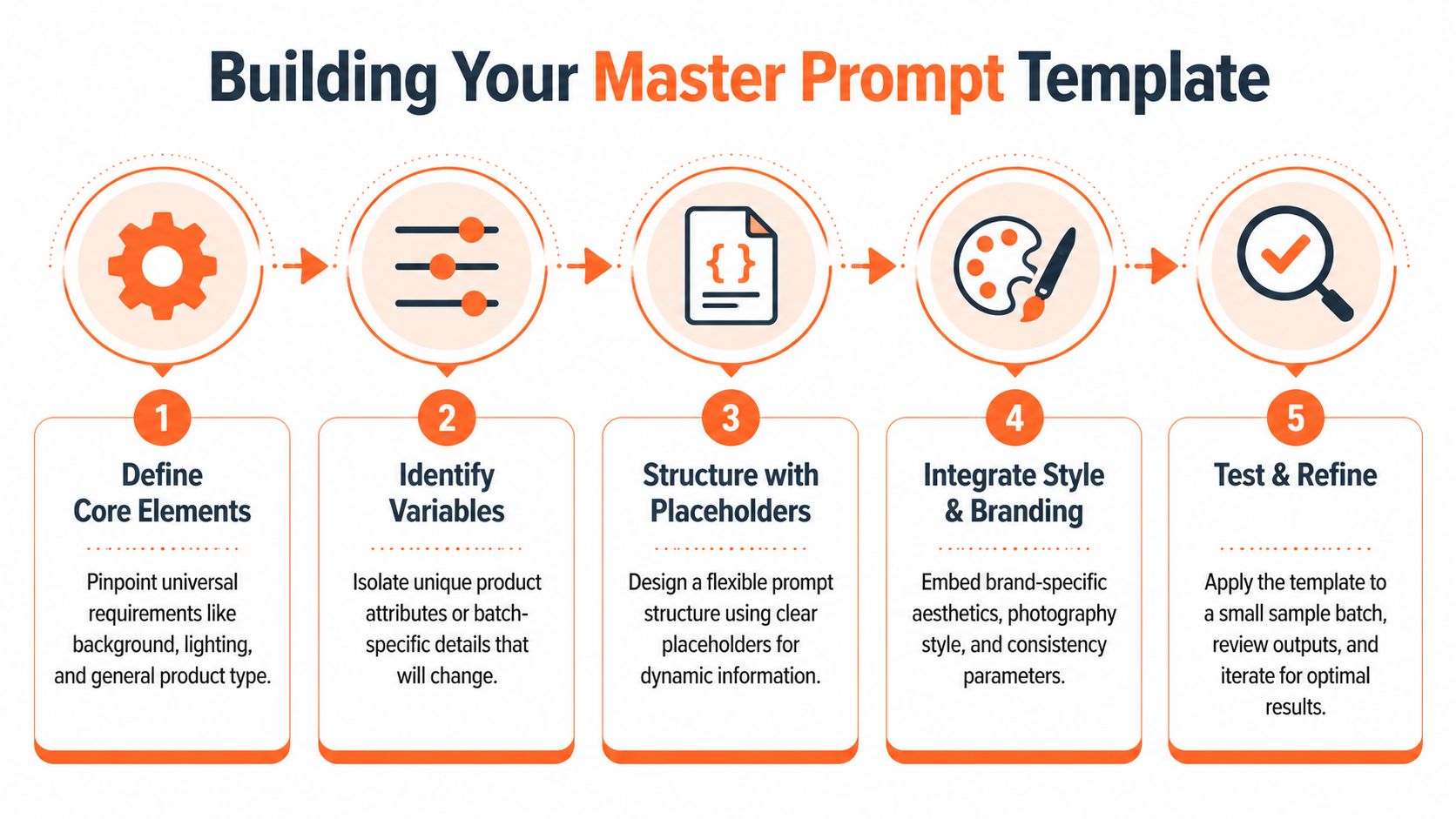
Building Your Reusable Master Prompt Template
The master template is the part most sellers skip, then regret skipping. They prompt each batch from scratch, get inconsistent outputs, and can't tell whether the problem came from the source images or the wording.
CA-region benchmark data gives a pretty strong case for doing the work upfront. E-commerce sellers using structured Nano Banana prompting methodologies for batch pipelines reached a 73% success rate in first-pass product photo optimisation, compared with 42% for unstructured prompts, according to the Higgsfield Nano Banana Pro prompt guide. The same benchmark notes 87% compute cost savings when steps are ordered intelligently, such as shrinking images through background removal before upscaling.
For sellers building image sets from multiple source shots, this kind of thinking also overlaps with workflows like AI image combining for product visuals, where consistency only happens if the underlying prompt structure is stable.
Start with the non-negotiables
Don't begin with style. Begin with compliance and consistency.
Your base template should lock the parts that reviewers, marketplace rules, or brand standards care about most:
- Background requirement: pure white, soft grey studio, lifestyle interior, or transparent source prep
- Framing standard: centred, top-down, three-quarter angle, hanging flat lay
- Shadow behaviour: none, soft drop shadow, left-lit studio falloff
- Detail priority: preserve fabric texture, retain embossed logo, maintain accurate packaging edges
If you sell across channels, create a base template per output family, not per SKU. That keeps your structure simple.
Then insert placeholders, not prose
A reusable prompt isn't a paragraph. It's a template with slots.
A strong template might look like this:
[product type], [material/finish], [primary colour], [view angle], centred on [background type], [lighting style], [camera spec], preserve [critical detail], no [known defects], output [aspect ratio/resolution], retain reference shape strongly
That gives you controlled variation without rewriting the whole instruction every time.
Here's a significant advantage. When a batch fails, you can tell whether the issue came from a placeholder value or from the template itself. That's much harder when every prompt is custom-written.
Build around known failure points
The benchmark behind the Higgsfield guide includes two pitfalls sellers should take seriously: overloading prompts with filler language reduced success sharply, and vague camera specs caused significant composition drift in fashion catalogues. In practice, those problems show up as off-centre crops, inconsistent angles, and product edges that feel subtly wrong.
Use the template to force precision where models usually drift:
| Failure point | Weak prompt language | Strong template field |
|---|---|---|
| Camera drift | nice close-up shot | 50mm lens look, eye-level, centred product |
| Background inconsistency | clean background | seamless #FFFFFF white background |
| Shape warping | realistic product | preserve reference silhouette, no geometric distortion |
| Texture loss | high quality | retain leather grain and seam definition |
A short sample batch is enough to expose whether your base template is stable.
This video is a useful companion if you want to think visually about prompt structure and production habits before rolling a full catalogue run.
Write one core template per catalogue type
Don't try to force one universal prompt to cover shoes, cosmetics, ceramics, and folded apparel. That usually creates too many compromises.
A better setup is:
- Apparel template: flat lay, folded or worn, fabric texture priority, wrinkle control
- Footwear template: shape preservation, sole edge detail, balanced shadow
- Packaging template: text fidelity, corner accuracy, front-facing alignment
- Vintage or thrift template: material wear retention, colour balancing, consistent backdrop
Build templates the way you'd build product photography sets. One standard for each category, then adapt the variables.
Doing this for a whole catalog?
MerchLoom runs background removal, upscaling and AI editing across every product photo you have — one prompt, whole batch.
Try MerchLoomThe Ultimate prompting guide for Nano Banana becomes much more practical once you stop hunting for a magical all-purpose prompt and start maintaining a small library of reliable masters.
Advanced Techniques for Catalogue Consistency
Consistency is where sellers either look established or look chaotic. The challenge gets harder when the source images weren't shot under the same conditions. That's common with thrift inventory, mixed supplier photos, old catalogue assets, or restocks shot months apart.
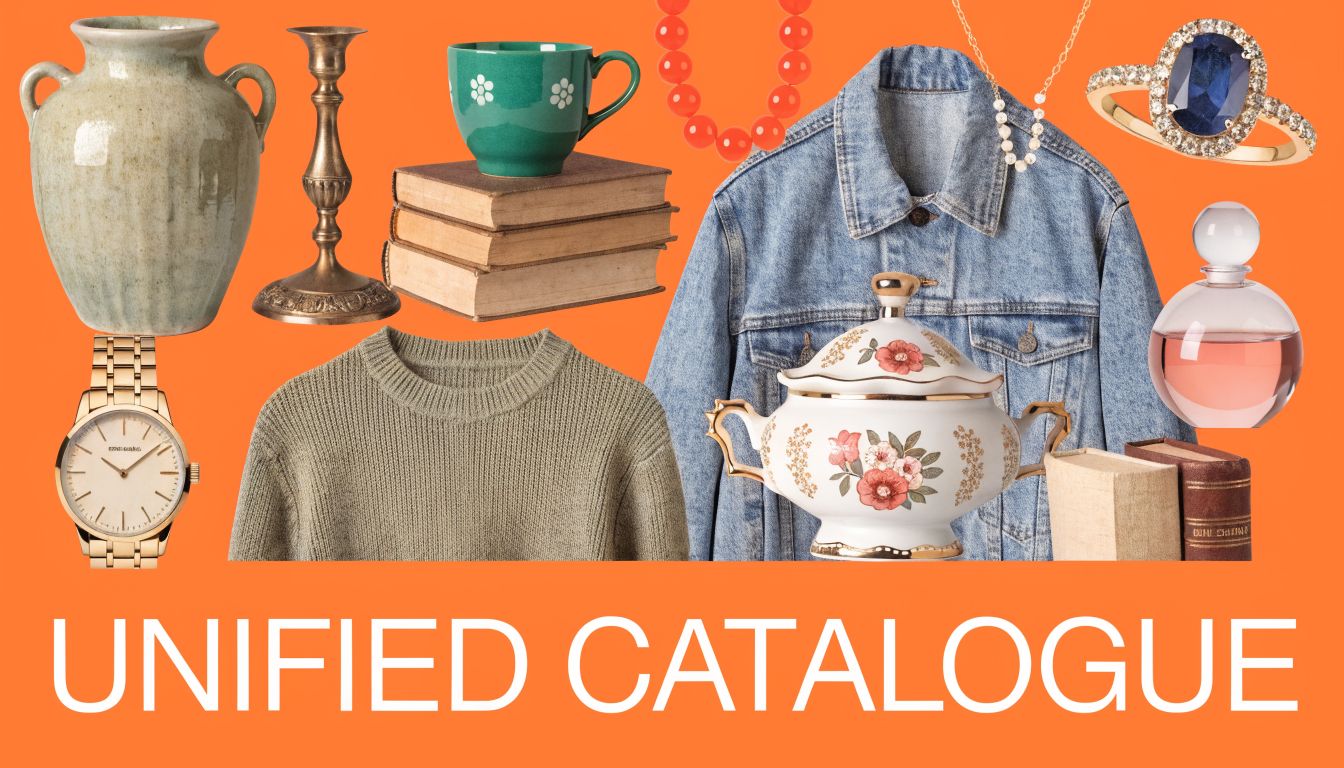
The fix isn't adding more stylistic language. The fix is locking a few visual constants so every image gets pulled toward the same standard.
What to lock across a varied batch
If a collection has mixed products, choose a small set of controls and keep them fixed:
- Light direction: soft light from left, even frontal light, or top-down studio wash
- Shadow behaviour: minimal grounded shadow or no visible shadow
- Colour treatment: neutral whites, slightly warm editorial tone, or muted vintage palette
- Framing logic: centred hero, equal headroom, consistent crop margin
- Surface treatment: matte pedestal, plain white sweep, textured table, or no visible surface
That gives the batch cohesion even when the products themselves vary widely.
Label and text accuracy need their own prompt logic
Text is where sloppy prompting gets exposed. Labels, packaging, slogan tees, ingredient panels, and book covers all need more control than the rest of the image.
CA-specific benchmarks found that Nano Banana Pro prompts in batch workflows produced 91% text legibility on product labels for Amazon.ca listings versus 54% with generic prompts, according to this Toronto AI Image Processing Study coverage on YouTube. The method behind that result matters. It relied on isolating text strings in double quotes, simulating photography conditions, enforcing canvas bounds, and checking outputs mid-batch.
Use that in practice like this:
- Quote exact text:
"Organic Cotton Tee"instead of asking for readable label text - Specify capture context: macro lens texture, shutter feel, front-facing package shot
- Set canvas boundaries: 2:3 portrait, centred label, no drift
- Preserve source hierarchy: brand name largest, secondary copy smaller, no invented text
If text matters to the listing, treat it as product data, not decoration.
Consistency for imperfect source images
When a batch includes dim phone photos, uneven crops, or mixed backgrounds, don't try to solve everything at once. Prioritise the defects that make the collection feel disorganised.
A useful sequence is:
- normalise background
- stabilise framing
- unify lighting direction
- sharpen critical product details
- check text-bearing items separately
That sequence is especially helpful for vintage sellers, where patina, edge wear, and material age should stay visible but the listing still needs a coherent storefront look.
When to use stronger constraints
Some categories need more restrictive prompts than others.
| Product type | Constraint priority | Why |
|---|---|---|
| Fashion basics | silhouette, seam lines, colour accuracy | small deviations are obvious |
| Beauty and supplements | label clarity, edge geometry, front alignment | packaging errors hurt trust |
| Home décor | scale cues, shadow softness, material texture | realism affects perceived quality |
| Printed goods | text fidelity, straight-on framing, crop control | distortion ruins usability |
If you're cleaning defects after generation, support tools like content-aware fill workflows in Photoshop can help with one-offs. For repeat catalogue work, though, the prompt should do more of the heavy lifting before you reach that stage.
Multi-Platform Outputs from a Single Batch
Most sellers still build marketplace images one channel at a time. That's why image prep drags on for days. They make the Amazon version, then crop for Shopify, then realise Etsy needs a different presentation, then come back again for social.
That isn't a prompt problem. It's a planning problem.
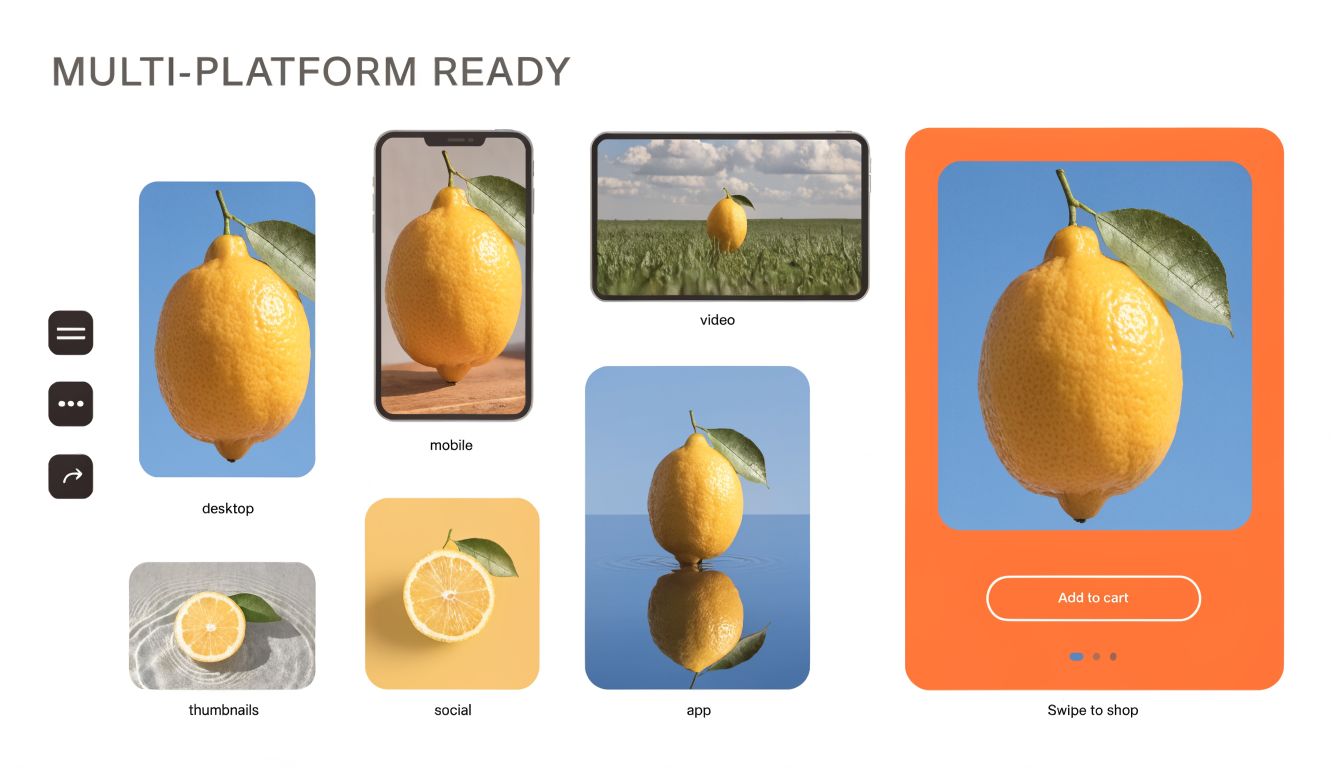
The better approach is to treat one source batch as the raw material for several output sets. You define the stable product representation once, then generate channel-specific variants from that same visual base.
One product standard, multiple output rules
The product itself should stay consistent. The output wrapper changes.
A simple way to organise this is to keep one core subject prompt, then append a platform block for each destination.
| Platform output | Prompt addition |
|---|---|
| Amazon main image | pure white background, centred product, square crop, no extra props |
| Shopify collection image | square framing, slightly more breathing room, clean merchandising look |
| Etsy hero image | wider crop, more contextual styling if relevant, listing-ready high resolution |
| Social vertical | taller composition, stronger focal placement, mobile-first framing |
You don't need a fresh creative direction for each channel. You need format discipline.
How to structure the platform block
The easiest method is to keep the prompt modular.
Use this pattern:
core product description + visual consistency block + platform output block
For example, the same ceramic mug can become:
- Marketplace version: front-facing ceramic mug, centred, white background, clean edges, no props, square crop
- Storefront version: same mug, softer shadow, slightly wider composition, square collection layout
- Editorial version: same mug, warm tabletop context, horizontal crop for banner or feature grid
The core identity doesn't change. Only the output context does.
Avoid the trap of over-stylising channel variants
Sellers often overcorrect when making non-marketplace versions. The Amazon image is clean, then the Shopify image suddenly has dramatic shadows, props, colour shifts, and a completely different mood. That breaks trust because buyers feel like they're seeing different products.
Keep the product stable. Change the framing and environment only as much as the channel requires.
If you need portrait-friendly versions for mobile-heavy channels, practical crop planning matters more than extra effects. This reference on Instagram portrait sizing is a useful reminder that layout constraints often matter more than visual flair.
A small prompt library beats endless ad hoc editing
For sellers with regular catalogue turnover, the maintainable setup is a short bank of output presets:
- Marketplace clean
- Storefront square
- Etsy detail-led
- Vertical social
- Promotional banner
Attach those to your product-category master templates and you've got a system that can scale without reinventing the workflow every week.
That's the operational value of the Ultimate prompting guide for Nano Banana. Not prettier prompts. Fewer repeated decisions.
The Iterative Workflow Refining and Rerunning
Good batch prompting isn't about getting everything perfect on the first run. It's about spotting what failed fast, correcting the system once, and rerunning without friction.
A typical review session looks familiar. The first outputs stream in, and you notice the leather bags look right but the metal hardware is too soft. Or the apparel crops are consistent, but the shadows are slightly heavier than your storefront standard. That's not a reason to rewrite everything. It's a reason to adjust the master prompt with one controlled change.
Review the batch for patterns, not isolated misses
When checking results, don't start by fixing the weirdest single image. Start by asking whether the problem is systemic.
Look for recurring issues like:
- Framing pattern errors: too tight on tall products, too loose on compact ones
- Lighting bias: shadows too harsh, highlights too glossy, whites too warm
- Detail loss: seams, grain, embossing, labels, or printed graphics softening
- Background instability: slight tone shifts, edge halos, inconsistent grounding
If the same flaw appears across the batch, the prompt is telling you exactly what to update.
Make one edit at a time
Sellers prevent considerable confusion. If you change lighting, crop rules, text handling, and negative constraints all at once, you won't know which edit solved the issue.
A cleaner rerun process looks like this:
- identify the dominant failure pattern
- adjust the specific line in the master template
- rerun a small subset
- approve the change
- rerun the full batch
That keeps the prompt library usable. It also turns the prompt into an asset your team can improve over time instead of a one-off block of text nobody wants to touch.
The fastest operators don't chase perfection. They reduce the number of unknowns with every rerun.
Treat prompts like production assets
A solid master prompt gets versioned. It gets notes. It gets reused by category and by platform. Over time, you end up with a small collection of dependable templates for shoes, folded apparel, packaging, labels, and vintage hard goods.
That's when Nano Banana becomes operationally useful. Not when it makes one beautiful image, but when it helps you push a whole catalogue to listing-ready quality with less rework, fewer credits wasted, and a process your team can repeat.
If you're ready to apply this at catalogue scale, MerchLoom is built for exactly that kind of workflow. You can upload entire collections, run chained image steps in the right order, review results as they stream in, and rerun refined prompts without starting over. It's a practical fit for sellers who need listing-ready outputs across Amazon, Shopify, Etsy, and social without turning image prep into a full-time job.
Stop editing product photos one at a time
Upload your catalog or connect your store. Describe the result once. MerchLoom does the rest.
Try MerchLoom