
AI Packaging Mockup Generator: Scale Visuals for E-commerce
Unlock efficiency with an AI packaging mockup generator. Create visuals at scale for e-commerce. Optimize batch workflows, cut costs, and prepare for
You've got a new product line ready, but the images aren't. That's where most launches slow down.
A supplement brand adds five flavours across three sizes. A coffee company tests a holiday roast in two bag formats. A cosmetics team wants the same serum shown in a bottle, a carton, a shelf scene, and a paid social creative. None of that is hard as a single image. It becomes hard when the catalogue has to look consistent across hundreds of files, meet marketplace specs, and stay cheap enough to update again next month.
That's why an AI packaging mockup generator matters now. Not as a novelty. As an operations tool for brands that need to test packaging visuals without booking a full shoot every time they tweak a label, launch a seasonal SKU, or localise a listing.
Beyond One-Off Mockups The New Reality of Product Visualization
The old workflow assumed you'd finalise packaging, order samples, stage a shoot, then distribute a handful of approved hero images. That model breaks when your catalogue changes constantly.
Most e-commerce teams don't have one package to visualise. They have bottles, jars, boxes, pouches, cosmetic tubes, coffee bags, supplement containers, and seasonal packaging variants that need to appear in listings, bundles, shelf scenes, and ad placements at the same time. The operational question isn't “can AI make one nice render?” It's whether you can create a full visual system for a collection before committing to production.
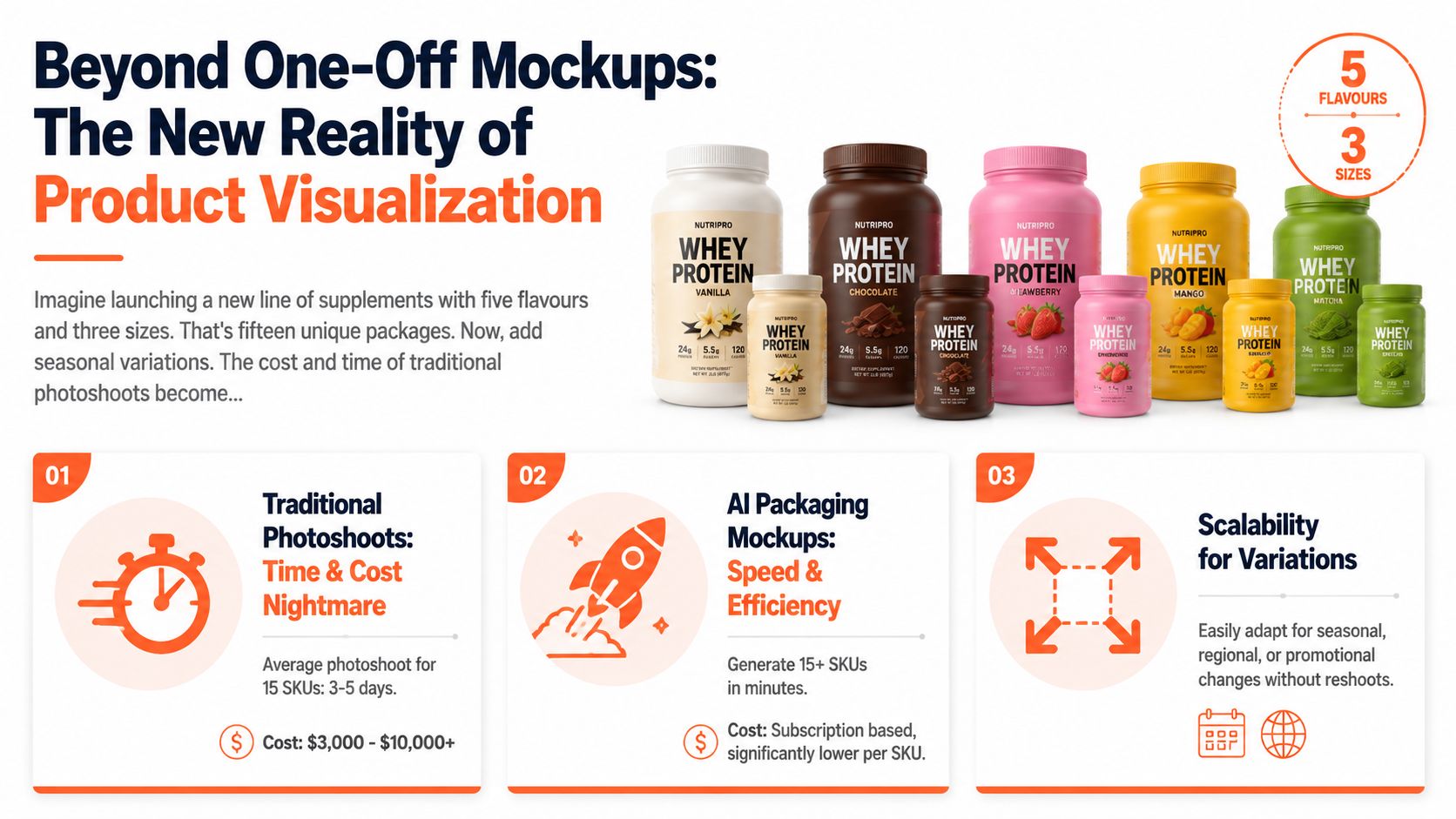
The category growth shows why brands are shifting. The global e-commerce packaging market generated $31.5 billion in 2023 and is projected to reach $58.2 billion by 2028, with listings featuring AI-generated mockups seeing a 34% higher conversion rate compared to flat-lay images alone (market figures noted here). That changes the role of mockups. They're no longer just internal previews for the design team. They influence conversion before a printed unit ever exists.
What changed in day-to-day operations
Teams now need images that answer different buying contexts:
- Listing context: clean front-facing packaging for Amazon and Shopify
- Trust context: realistic lifestyle or shelf placement that shows scale
- Campaign context: seasonal or promotional scenes without reshooting core SKUs
- Variant context: multiple flavours, sizes, bundles, and label revisions that still look like one brand family
That's where AI packaging mockup generators outperform ad hoc manual editing. A decent tool lets you upload a flat design, test multiple packaging formats, and pressure-test visual direction early. You can compare a matte pouch against a glossy jar, or a minimalist supplement tub against a louder seasonal carton, before paying for print samples and studio time.
Practical rule: If the brand is still deciding structure, finish, or campaign framing, mock up the whole family first. Don't judge packaging from a single hero image.
For sellers who also need social assets, a separate workflow for packshot design for social media can help bridge listing visuals and campaign creative without starting from scratch each time.
Why single-image thinking fails
One polished mockup can hide a broken process. The problems appear when you have to reproduce the same look across an entire catalogue.
A prompt that works once often falls apart when applied to six pouch flavours, four bottle sizes, and a gift-box bundle. Lighting drifts. shadows change. labels wrap differently. The first image looks premium. The rest look unrelated. For a store owner managing a large catalogue, that inconsistency costs more than an average-looking but repeatable workflow.
A key advantage is speed with control. If a brand can test dozens of packaging concepts in an afternoon, it can make commercial decisions earlier. That means faster listing preparation, cleaner internal approvals, and fewer expensive surprises when packaging reaches production.
Preparing Your Assets for Batch Generation
Most bad mockups aren't caused by weak AI. They're caused by messy inputs.
When sellers complain that an AI packaging mockup generator distorted their logo, blurred the nutrition panel, or changed the shape of the pack, the problem usually started before generation. Batch systems amplify both good preparation and bad preparation. If the source files are inconsistent, your entire run comes back inconsistent.
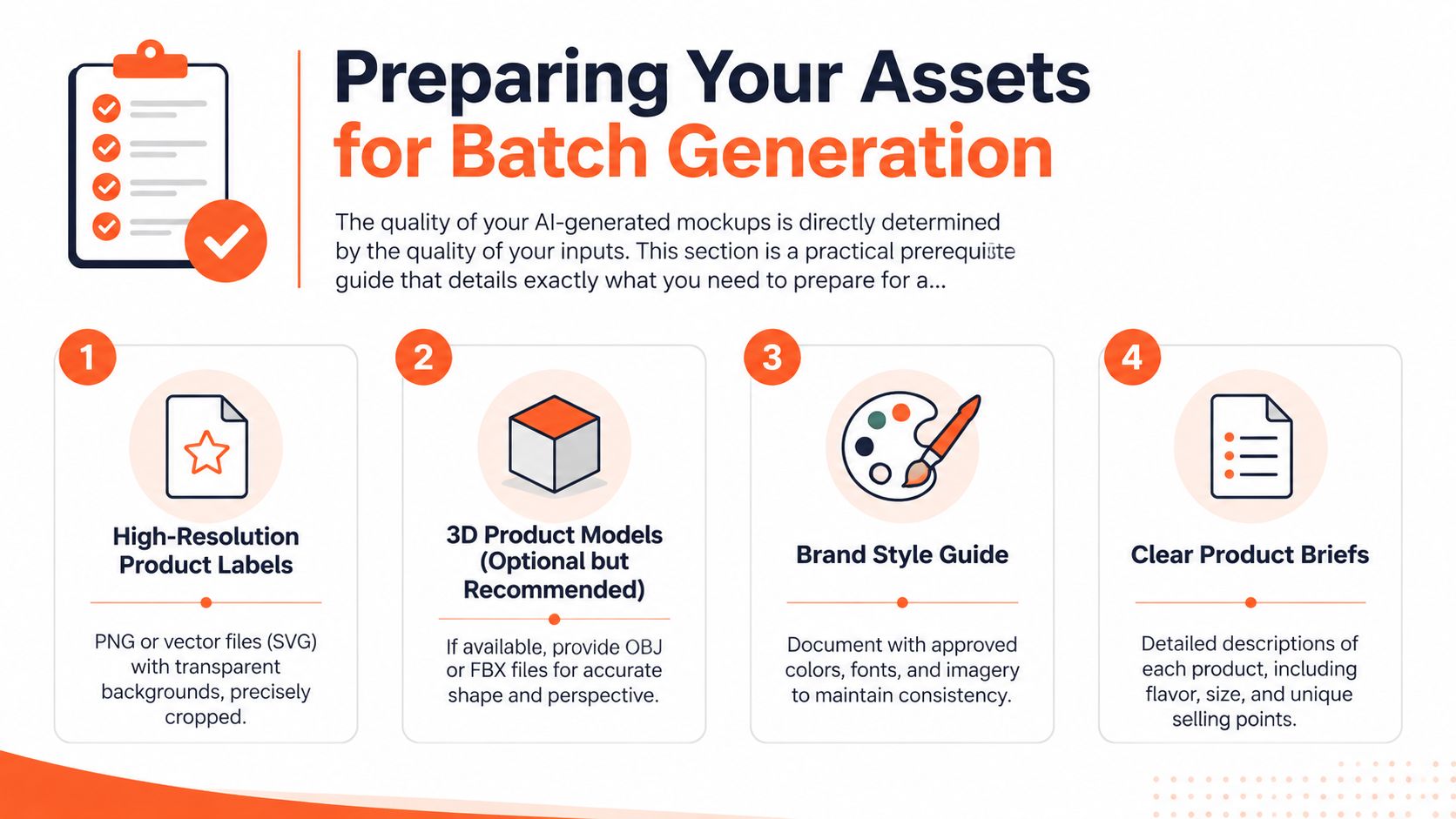
Tools in this category can handle a wide packaging range. Brands can test bottles, jars, boxes, pouches, and supplement containers by uploading a flat design to create photorealistic 3D renders, and some platforms offer over 18,000 templates for geometric accuracy (Packify template reference). That flexibility only helps if the design files are clean enough to map correctly.
Build your source pack before you generate anything
For catalogue-scale work, prepare assets as if another operator will run them tomorrow. That discipline prevents avoidable reruns.
Flatten label artwork Export approved fronts, wraps, and panels as clean final files. Keep transparent backgrounds only when they're intentional. Batch workflows behave better when the visible design is explicit and not dependent on hidden layers or linked effects.
Organise by packaging type Don't put a cosmetic tube label in the same folder logic as a coffee bag gusset file. Separate bottles, jars, boxes, pouches, and cartons, then name variants clearly by flavour, size, scent, or season.
Include structural references If you have dielines, supply them. If you don't, provide the clearest front, side, and proportion references available. Curved labels on jars and bottles need different handling from flat-faced boxes.
Lock brand controls Keep one approved set of colours, logos, finish notes, and legal copy. Batch generation breaks down when one operator uploads “final_v3” and another uploads “new_final_revised”.
A practical reference for clean starting images is this guide on how to photograph small items, especially when you're building inputs from physical prototypes rather than finished design exports.
What matters by package type
Different formats fail in different ways. That's why a universal “just upload the logo” approach usually disappoints.
| Packaging type | What to prepare carefully | Common failure mode |
|---|---|---|
| Bottles | Front label proportions, cap colour, body shape | Label bend looks unnatural |
| Jars | Lid finish, wrap alignment, reflections | Text compresses around curve |
| Boxes | Front panel hierarchy, side panels, edge alignment | Corners warp or folds drift |
| Pouches | Seal area, gusset shape, material finish | Package silhouette changes |
| Cosmetic tubes | Cap orientation, squeeze texture, front alignment | Branding rotates off-centre |
| Coffee bags | Valve placement, gusset depth, matte or kraft finish | Front face becomes too flat |
Clean inputs save more time than clever prompts. A strong batch starts with files your team can sort, review, and rerun without guessing what each version was meant to be.
Prepare for collections, not just SKUs
This is the step many teams skip. Don't only prepare each product. Prepare the relationships between products.
If your supplement range includes whey, creatine, and pre-workout, define what stays fixed across all of them. Camera height, background family, shadow density, finish treatment, and crop style should be consistent before generation starts. Otherwise you'll get individually acceptable images that don't merchandize well together on a category page.
That's the difference between making mockups and building a usable catalogue.
Crafting Prompts and Templates for Consistency
A good prompt can make one strong image. A usable template makes fifty.
That distinction matters for packaging. A catalogue doesn't need constant novelty. It needs repeatable visual rules. The best AI packaging mockup generator workflow isn't built around endless prompting. It's built around a stable template that preserves brand identity while swapping product-specific details.
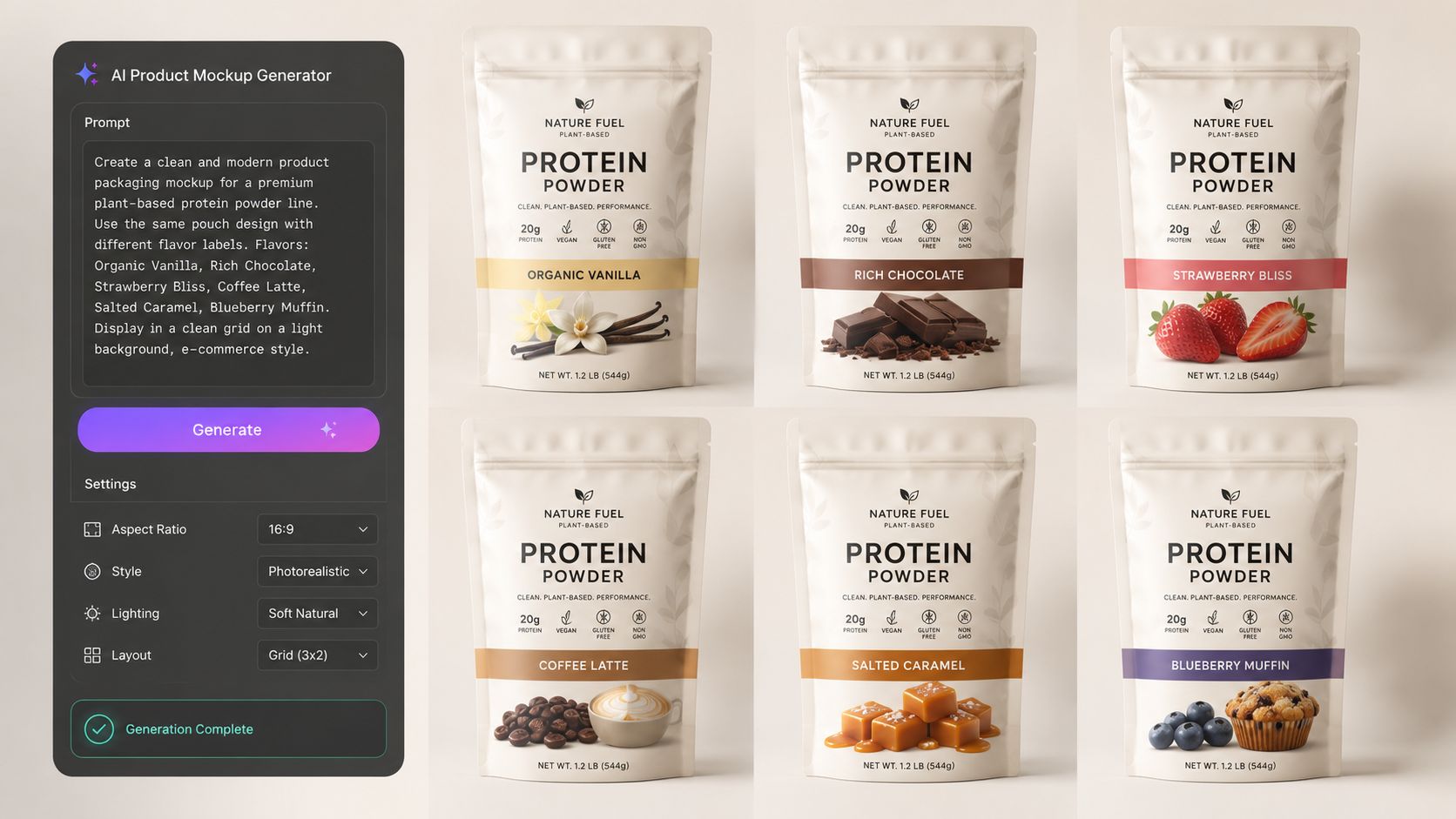
Write prompts like an operator
Most weak prompts are too vague. “Create a realistic supplement pouch” leaves too many decisions to the model.
A stronger prompt specifies the variables that should stay locked:
- Packaging format: stand-up pouch, amber jar, folding carton, cosmetic tube
- View: front three-quarter, straight-on hero, shelf angle
- Material finish: matte, glossy, frosted, kraft, soft-touch
- Lighting: soft studio, daylight from left, retail shelf overhead
- Background use: pure white, subtle neutral, branded shelf scene
- Brand constraints: preserve label alignment, keep legal text area clean, no invented copy
For prompt structure ideas that transfer well into production, this resource on AI image prompts is useful because it forces you to separate style language from essential product controls.
A reusable template beats clever improvisation
Here's the pattern that works better than freestyle prompting for every SKU:
Base template: Photorealistic packaging mockup of [package type], front-facing with slight angle, soft studio lighting from left, realistic shadow under product, preserve exact label placement and proportions, clean premium e-commerce look, neutral background, sharp readable text, accurate material finish [finish type].
Then add controlled fields:
- Product name
- Variant name
- Size
- Material finish
- Scene type
- Platform crop target
That gives you consistency while still allowing variation. A coffee bag and a supplement pouch can share the same visual language even though their structures differ.
Prompt examples by category
Instead of one generic prompt, use category-specific logic.
For bottles and jars
Focus on label wrap, cap realism, and reflections. Curved packaging needs explicit instructions to preserve front-panel legibility.
For boxes and cartons
Specify crisp edges, visible fold structure, and proper panel orientation. If a side panel matters, say so.
For pouches and coffee bags
Call out gusset depth, seal structure, and material feel. “Matte pouch with realistic creases” gets closer than “realistic bag”.
For cosmetic tubes
Mention cap type, tube posture, and front branding axis. Tubes drift easily if orientation isn't pinned down.
Keep concept prompts separate from production prompts
Teams often find themselves wasting time. They use expressive prompts for ideation, then expect those same prompts to produce listing-ready assets.
Doing this for a whole catalog?
MerchLoom runs background removal, upscaling and AI editing across every product photo you have — one prompt, whole batch. Try 2 batches free, no signup.
Try it freeConcept prompts are for testing mood. Production prompts are for repeatability. If you mix the two, your seasonal packaging may look exciting but won't sit cleanly beside the rest of the line.
Use one prompt family for exploration and another for catalogue output. The first should surprise you. The second should behave.
That separation makes review much faster. Creative teams can experiment broadly, then hand operations a locked template that can run across the entire collection without visual drift.
Building a Scalable Batch Workflow
Single-image generation is fine for a launch deck. It breaks down the moment merchandising, paid media, and marketplace teams all need their own versions.
The scalable approach is a chained workflow. One batch enters the system, several outputs come out: clean listing images, shelf scenes, campaign creatives, and resized marketplace variants. That's the shift from design task to operations pipeline.
What a practical pipeline looks like
For catalogue work, the flow usually looks like this:
- Import flat packaging designs or source product photos.
- Detect whether each file is a package, product, or reference image.
- Generate structured edit instructions for the desired outputs.
- Apply packaging mockups to the correct form factors.
- Create secondary scenes such as shelf placements, ad creatives, or lifestyle visuals.
- Reframe exports for marketplace and channel-specific use.
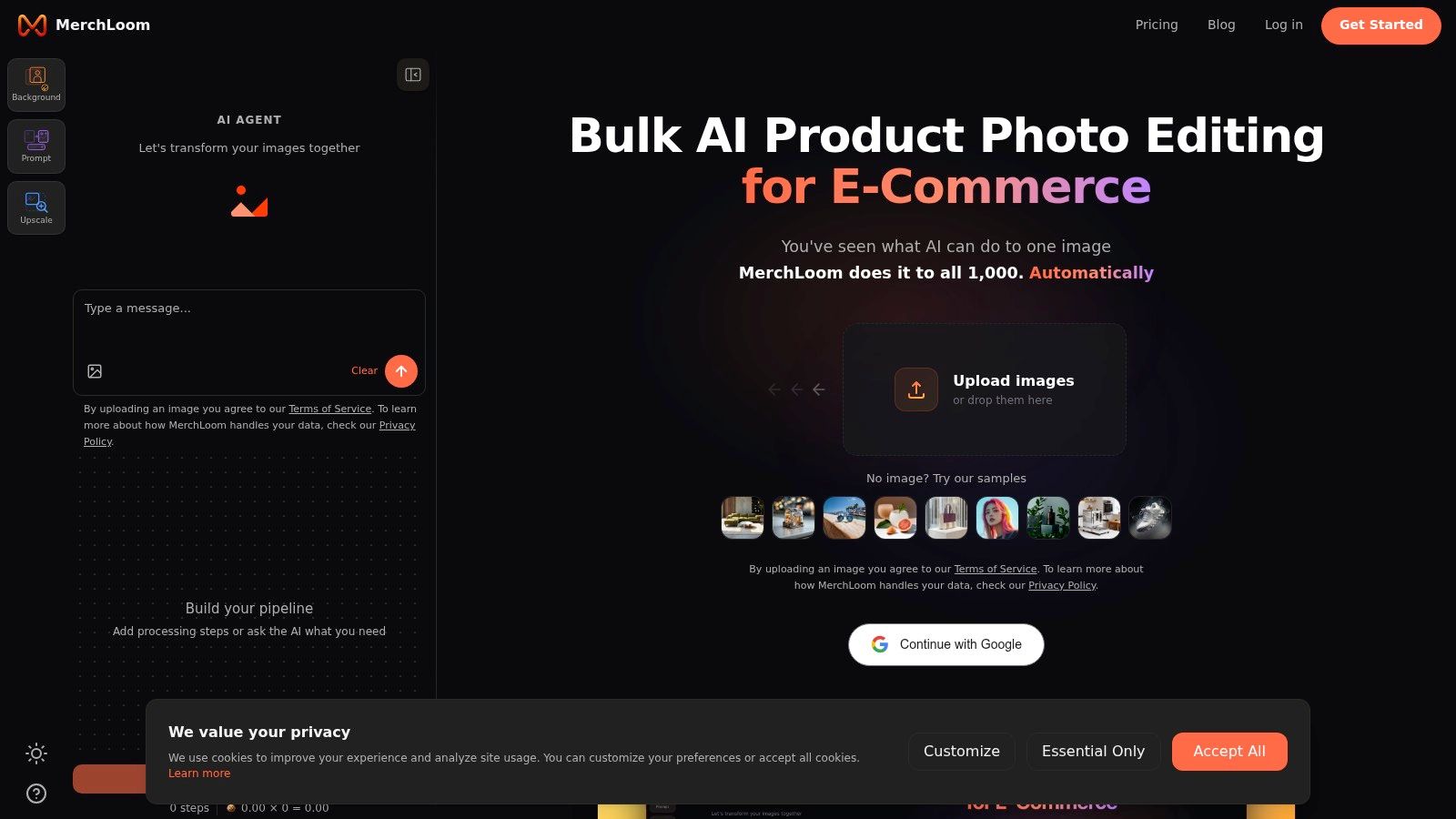
That structured middle layer matters. A system like MerchLoom is useful here because it can recognise package, product, and reference inputs, then generate edit instructions that can produce packaging mockups, shelf scenes, ads, and listing images in batch across an entire collection instead of forcing manual one-by-one editing.
For teams building repeatable operations, this overview of AI image workflow automation maps closely to how real catalogue pipelines should be set up.
Where the cost savings actually happen
The biggest operational mistake is running expensive steps too early.
For sellers managing hundreds of images, chained pipelines can reduce processing costs by up to 87% when steps are sequenced efficiently, such as removing backgrounds before upscaling. That order matters because upscaling a larger, more complex file costs more work than upscaling a cleaned subject after unnecessary pixels are removed.
This isn't a detail for technical people only. It affects whether a catalogue refresh is financially worth doing.
A lean workflow usually follows this order:
- First: remove backgrounds or isolate packaging
- Second: correct framing and composition
- Third: generate scenes or placements
- Fourth: upscale final approved outputs
- Last: export platform-specific variants
If you reverse that order, costs rise and inconsistencies multiply.
Batch output types worth automating
Not every image deserves equal effort. For most sellers, the highest-return outputs are:
- Primary listing images for search and product pages
- Secondary context images such as shelf scenes or grouped flavour shots
- Ad-ready crops for paid social and display placements
- Marketplace variants adjusted to each platform's format rules
A short product walkthrough helps if you're thinking in workflows rather than isolated edits:
The operator mindset
The best batch workflow doesn't aim for perfection on the first pass. It aims for controlled iteration.
Run a subset first. Review edge cases. Fix the template. Then scale. That approach catches the odd bottle with a bad wrap or the pouch variant with awkward top seals before the whole catalogue is processed.
A lot of teams still treat AI like a creative slot machine. Operators get better results because they treat it like production infrastructure.
Quality Control and Optimizing for Realism
AI can get packaging visuals close. Close isn't enough for listings where customers zoom in, compare variants, and decide whether the product feels trustworthy.
Quality control is where catalogue work either becomes commercially usable or stays stuck as “good enough for internal review”. The review process should be systematic, especially when you're checking a batch that includes bottles, jars, boxes, pouches, coffee bags, and cosmetic tubes in the same release.
The review checklist that catches most failures
Use a simple pass/fail review first, then a finer art-direction pass.
| Check | What to inspect | Why it matters |
|---|---|---|
| Label fit | Does the artwork wrap naturally on curves and edges? | Distorted branding looks fake immediately |
| Text clarity | Are ingredients, flavour names, and legal lines readable? | Blurred text undermines trust |
| Finish realism | Does matte look matte and gloss reflect logically? | Surface mismatch makes the mockup feel synthetic |
| Lighting match | Do shadows and highlights agree with the scene? | Inconsistent light breaks realism |
| Family consistency | Do variants look like one product line? | Category pages need visual cohesion |
The technical fixes that matter most
Two input standards solve a surprising amount of quality loss. Failing to flatten colour profiles to sRGB before upload causes 32% of mockups to show colour drift in marketplace listings, while using 300 DPI minimum input resolution and flattened layers leads to a 94% photorealism success rate. Those are practical guardrails, not optional refinements.
If your brand colours keep shifting between the pouch, carton, and bottle versions of the same product, check profile handling before blaming the generator. The same goes for fuzzy side panels and muddy legal copy. In batch production, weak source standards scale just as aggressively as strong ones.
Review habit: Zoom in on the smallest legal text and the highest-contrast brand colour before approving a whole batch. If those survive, the rest usually holds.
Realism is often a lighting problem
Packaging can be technically correct and still feel off because the light doesn't suit the context. A clean white-background Amazon image needs a different lighting treatment from a shelf scene or a warm seasonal ad.
When you need to refine lighting mood without rebuilding the whole visual, tools focused on creative AI lighting effects can help test different relighting directions during review. That's most useful after structure and label accuracy are already locked.
A related staging issue is environment choice. Packaging that looks strong on white can look flat in context if scale, shadow density, or shelf depth is wrong. A practical staging reference like AI product staging proves useful, especially for teams trying to keep lifestyle scenes believable across many SKUs.
What not to overlook
Some flaws are easy to miss in batch review because each image looks acceptable in isolation.
- Barcode and legal zones: AI often softens or invents details if you let it improvise.
- Seams and folds: Boxes and pouches need believable structure, not just a convincing front face.
- Reflection logic: Cosmetic jars and bottles can look polished but physically wrong.
- Variant hierarchy: Flavour colours and size markers should remain consistent across the set.
The final five percent is still human work. That's not a limitation. It's quality assurance doing its job.
Exporting for Marketplaces and Troubleshooting Issues
The final mockup still has to survive the boring part. Export rules, crops, background standards, and platform quirks.
Those requirements are specific. Amazon requires white backgrounds, Shopify prefers square 1:1 images, and Etsy needs a 2000px minimum resolution. AI mockup generators can automatically reframe packaging visuals to meet those requirements in batch. For a seller managing a large catalogue, automated reframing is the difference between one workflow and three separate cleanup jobs.
Export rules that should be locked into the workflow
- Amazon: use white-background listing images for the main slot
- Shopify: keep exports square so collection pages stay consistent
- Etsy: make sure the final file meets the platform's minimum resolution requirement
If you need a practical reference before exporting a big marketplace batch, this guide to Amazon image specs is worth checking against your final output settings.
Quick troubleshooting table
| Problem | Likely cause | Fix |
|---|---|---|
| Logo looks warped | Artwork mapped to the wrong surface or angle | Re-run with a stricter package template and front-face control |
| Legal text is blurry | Input file too soft or text area wasn't preserved | Replace source with sharper flattened artwork |
| Colours shift across variants | Colour profile inconsistency | Standardise all source files to sRGB before batch run |
| Backgrounds don't match | Different prompt language or scene settings across batches | Lock one background template for the whole collection |
| Packaging shape changes too much | Generator is improvising structure | Use stronger references or a more constrained template |
The practical goal isn't to create the most dramatic render. It's to get products listed faster, with visuals that stay consistent from the hero image to the last variant in the catalogue.
If your team is spending too much time editing packaging images one by one, MerchLoom is built for the operational side of this problem. It processes full image collections through chained AI workflows, recognises package and reference inputs, and helps turn raw files into listing images, shelf scenes, and ad creatives at catalogue scale.
Stop editing product photos one at a time
Upload your catalog or connect your store. Describe the result once. MerchLoom does the rest.
Try it free — no signup